
Overview
A subscriber is a contact email address that's eligible to receive your marketing emails. Group opted-in subscribers into lists to target specific campaign audiences, such as newsletter subscribers or webinar registrants.
You can import subscribers from a CSV, then organize them into one or more lists. A subscriber can belong to multiple lists.
Send marketing emails only to recipients who've provided any consent required by applicable laws. Consent requirements vary by country and region, so check that your email practices comply with the regulations that apply to your business.
Check out the following sections to create subscriber lists, import subscribers, and review and manage your subscribers.
Create a Subscriber List
To create a subscriber list:
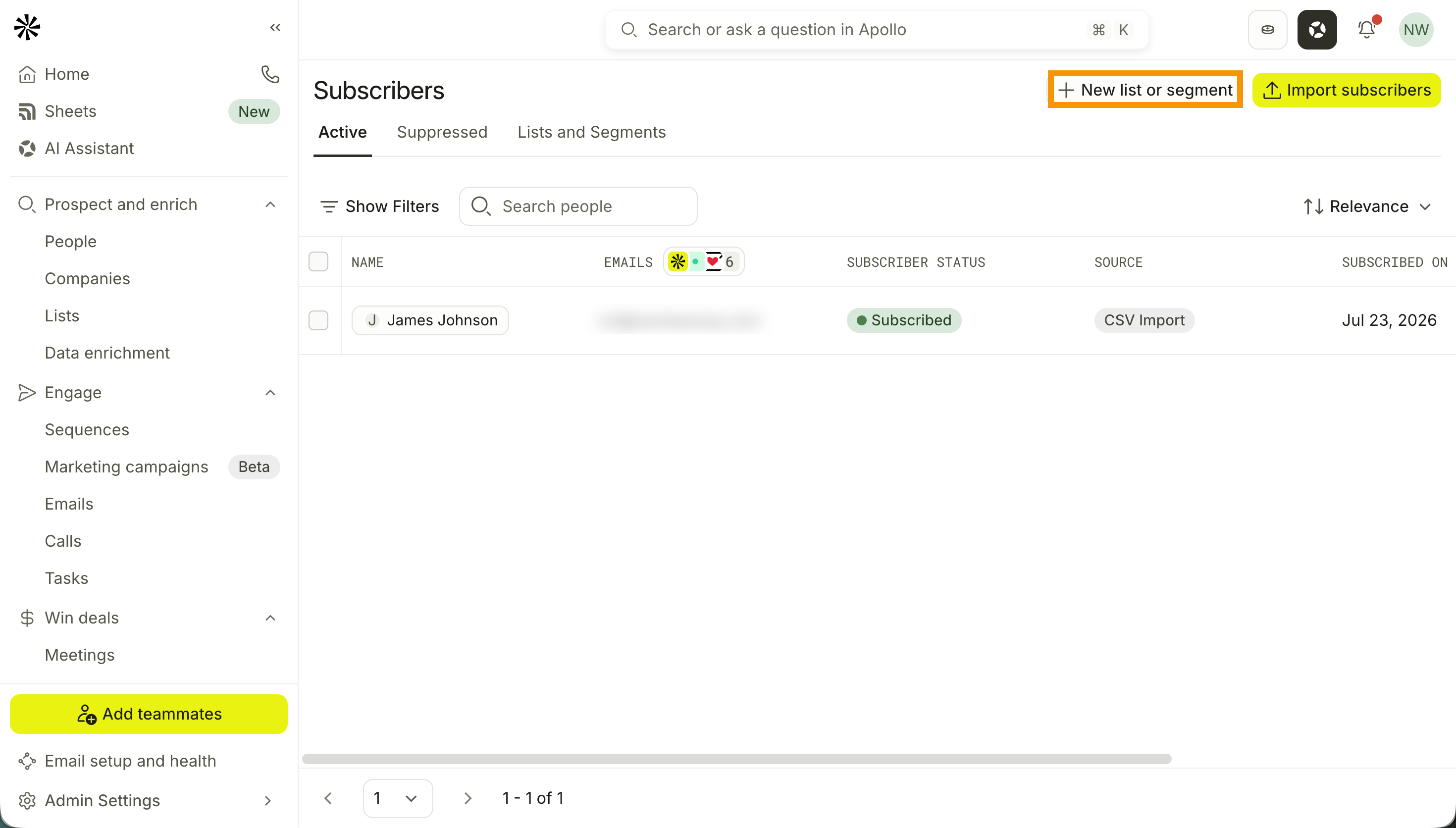
- Launch Apollo and click Saved Records > Subscribers.
- Click New list or segment, then enter a list name.
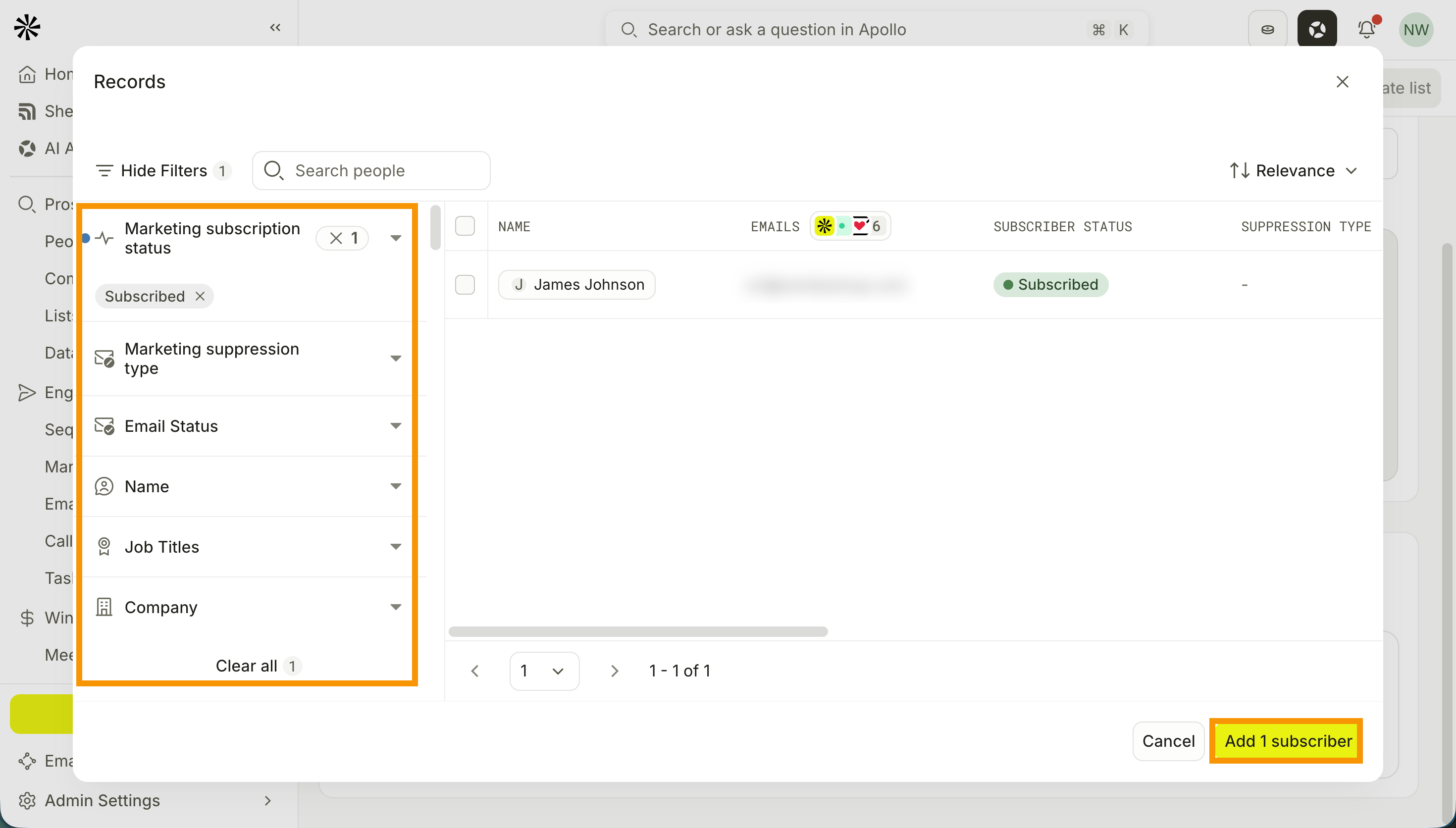
- Click Add people, then apply your search filters to narrow your results.
- Select the subscribers you want to include in the list, then click Add subscribers. Apollo adds your chosen subscribers to the list.
- Alternatively, click Import by CSV to import your subscribers via CSV, then drag and drop your CSV, or click Select file to choose it from your device.
Your CSV must contain an email column. You can also include first name, last name, company, tags, and source columns.
- (Optional) Click Edit subscribers to edit your subscriber criteria.
- When you're done, click Create list.
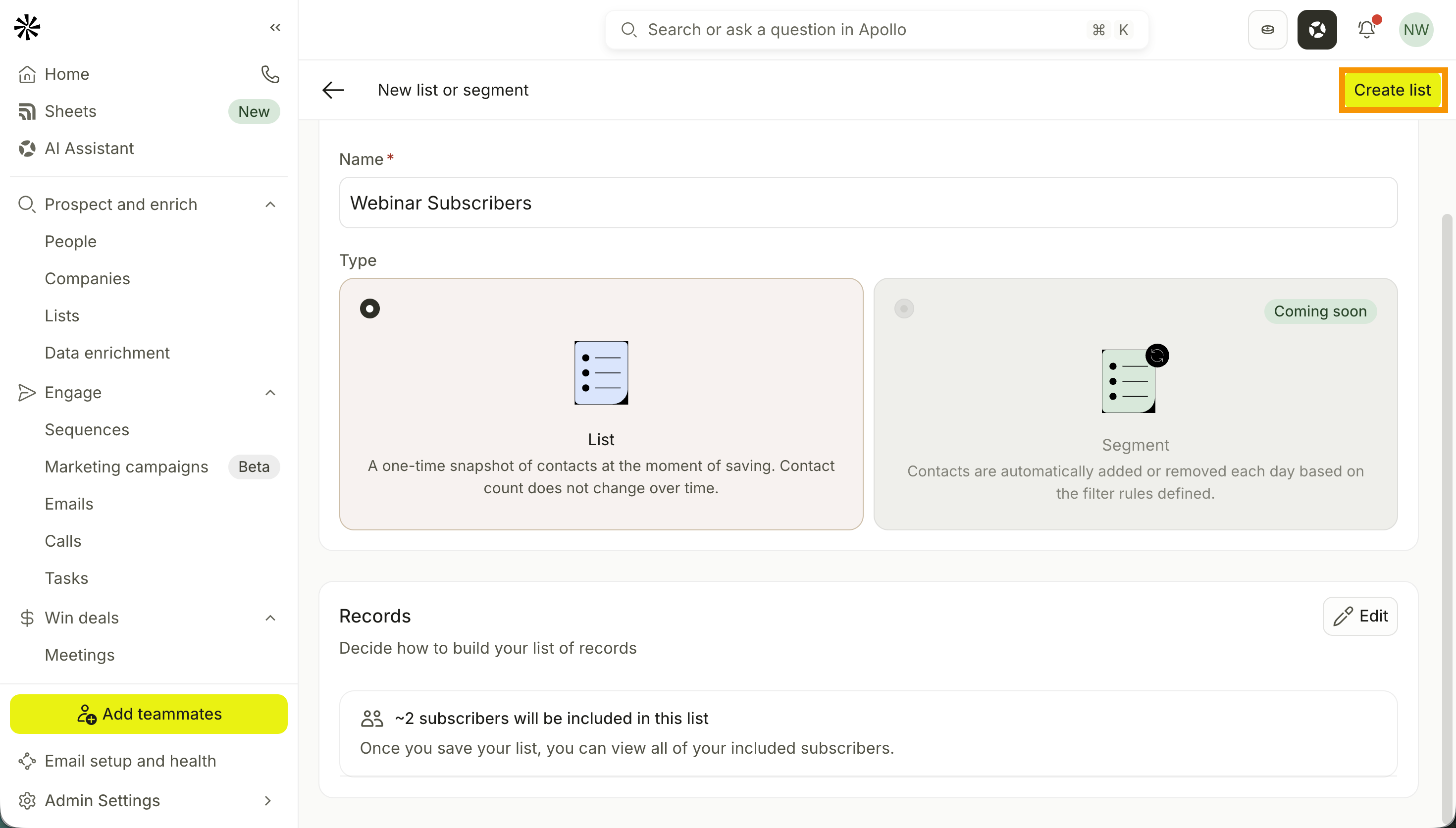
You have now created a subscriber list.
Import Subscribers
You can also directly import subscribers, manage suppressions, and organize them into lists.
Your CSV must contain an email column. You can also include first name, last name, company, tags, and source columns.
To import subscribers:
- Launch Apollo and click Saved Records > Subscribers.
- Click Import subscribers > Import from CSV.
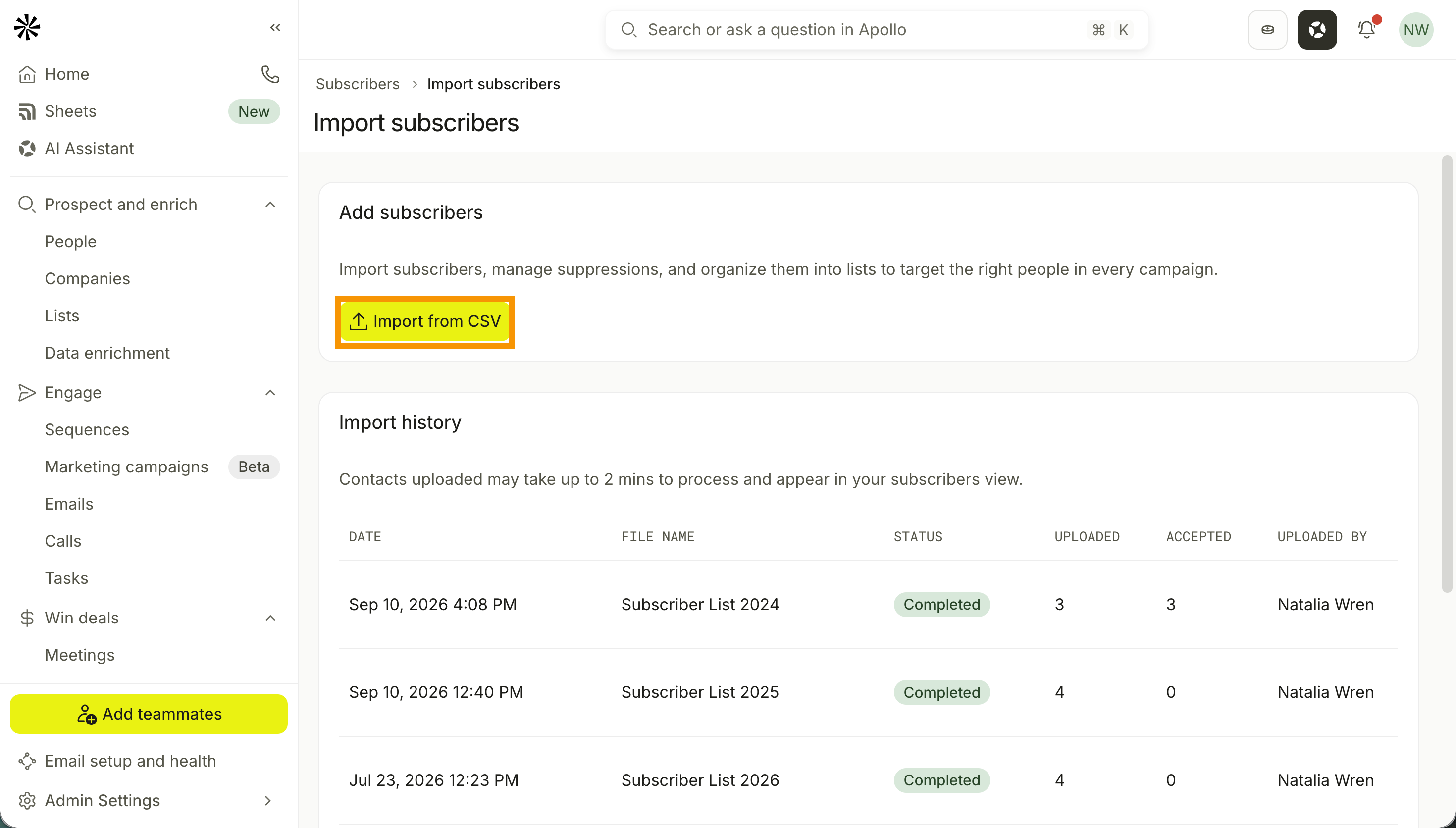
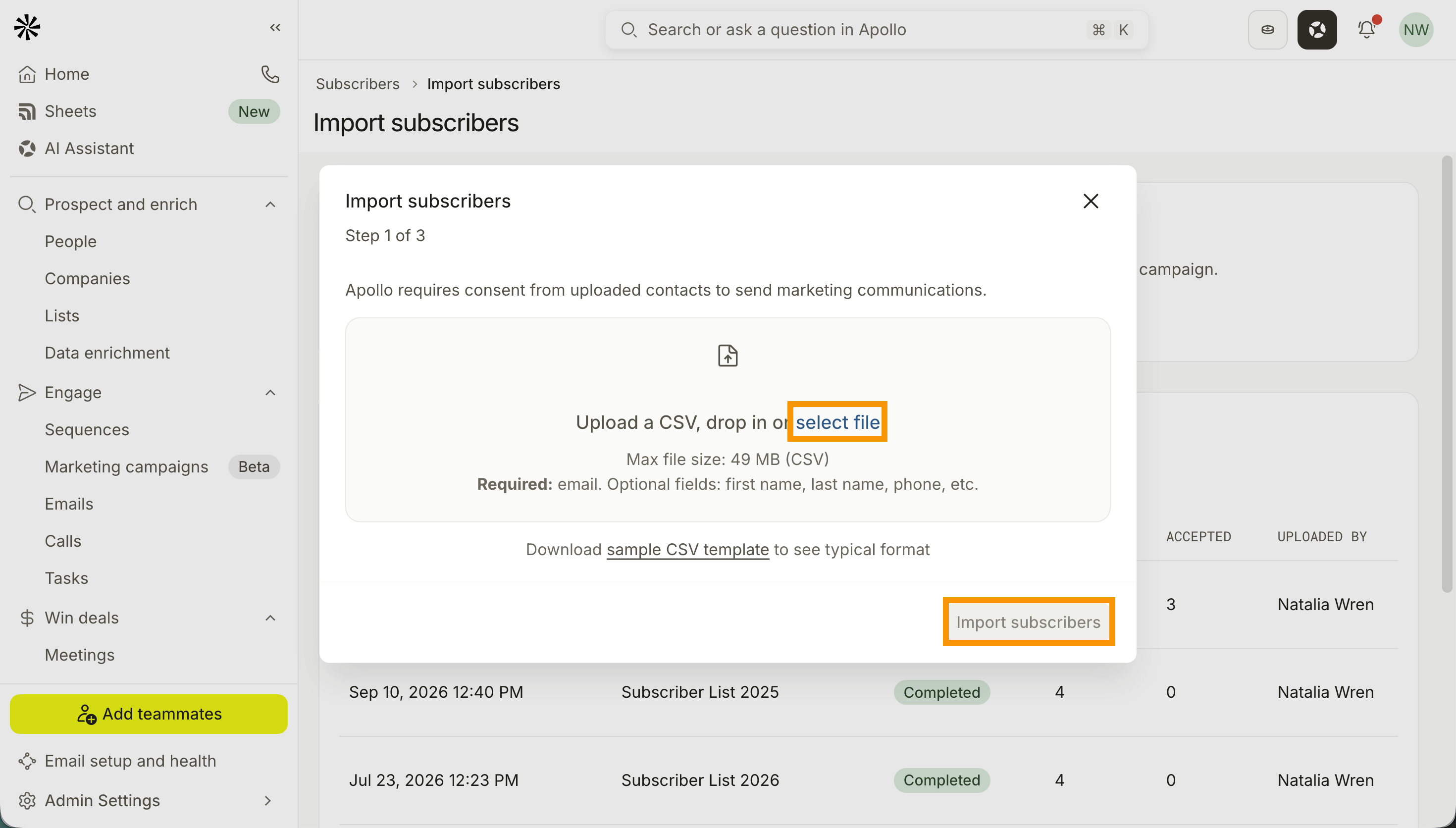
- Drag and drop your CSV, or click Select file to choose it from your device.
- Click Import subscribers.
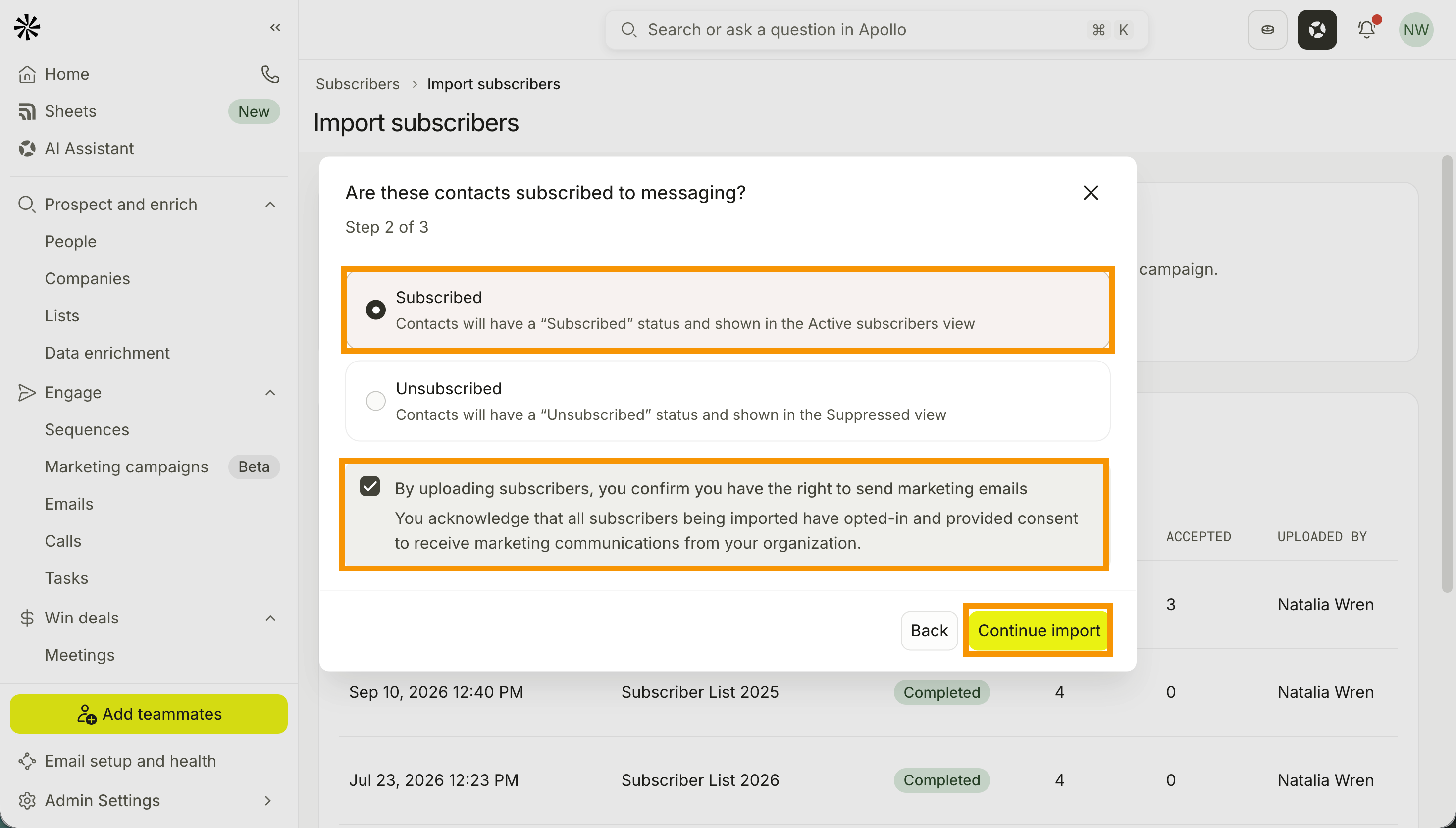
- Select whether the recipients are Subscribed or Unsubscribed. If you select Subscribed, confirm that the recipients consented to receive your marketing emails.
- Click Continue import.
- Map the CSV columns to the corresponding Apollo fields.
- (Optional) Toggle on Update existing contacts to update a contact's record with imported fields when Apollo finds a matching email.
- (Optional) Toggle on Add subscribers to a subscriber list to add uploaded subscribers to a subscriber list, then select your preferred list.
- Review your import settings, then click Finish import.
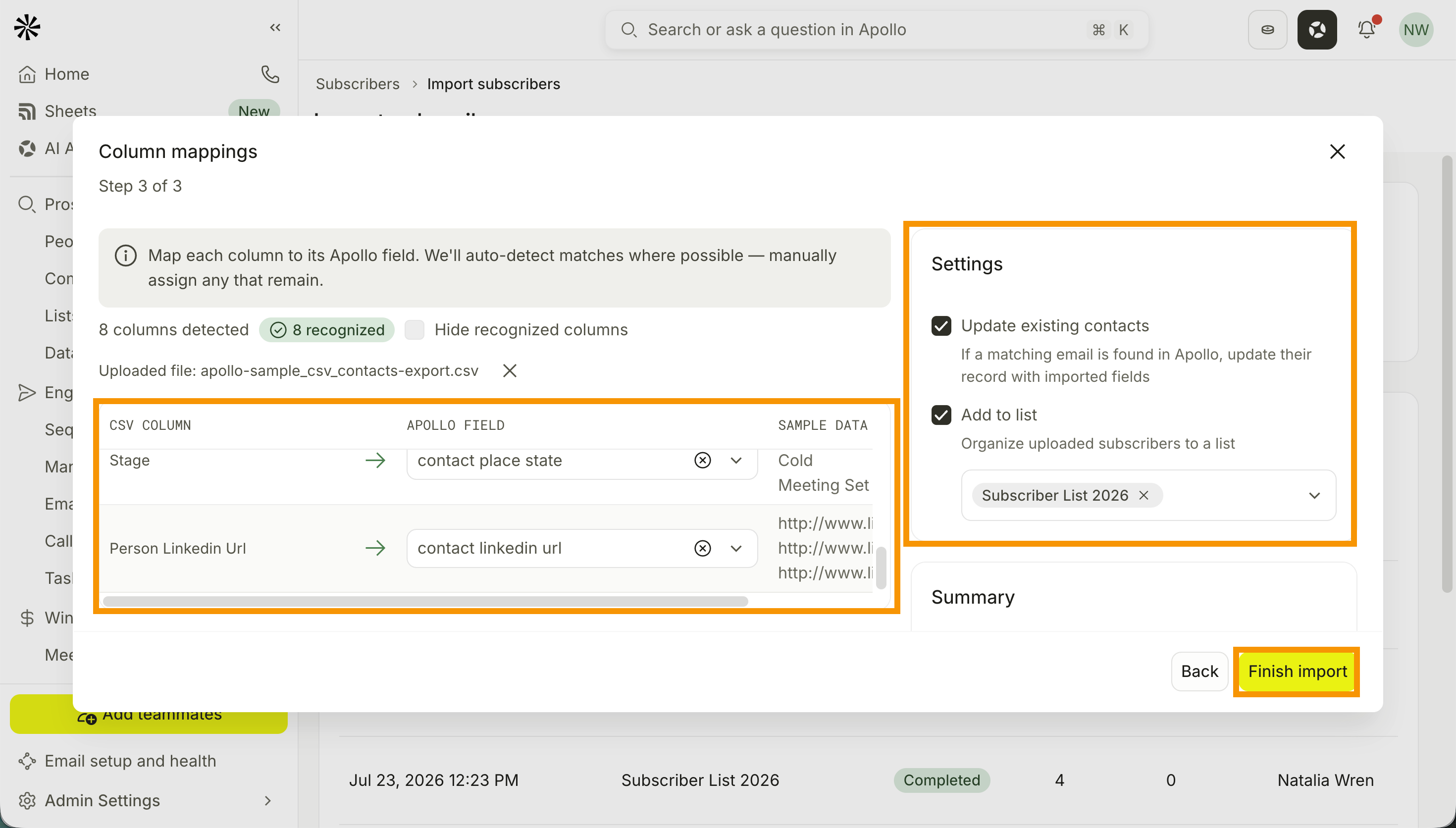
Check out Import a CSV of Contacts for more on field mapping and import settings.
You have now imported your subscribers.
Review and Manage Subscribers
A subscriber's status determines whether Apollo can include the email address in a campaign.
To review and manage subscribers:
- Launch Apollo and click Saved Records > Subscribers.
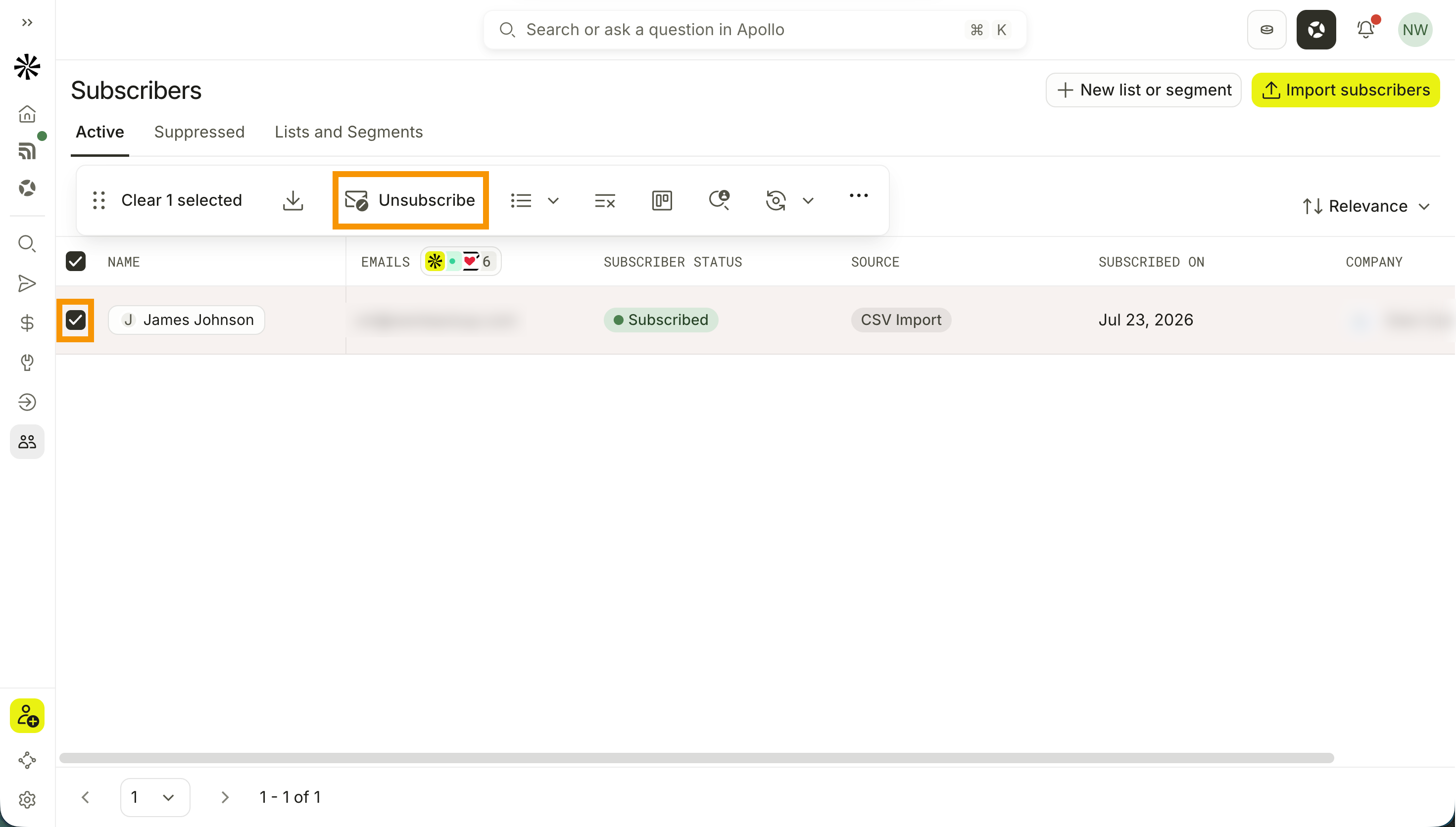
- Click Active. Apollo shows your list of active subscribers.
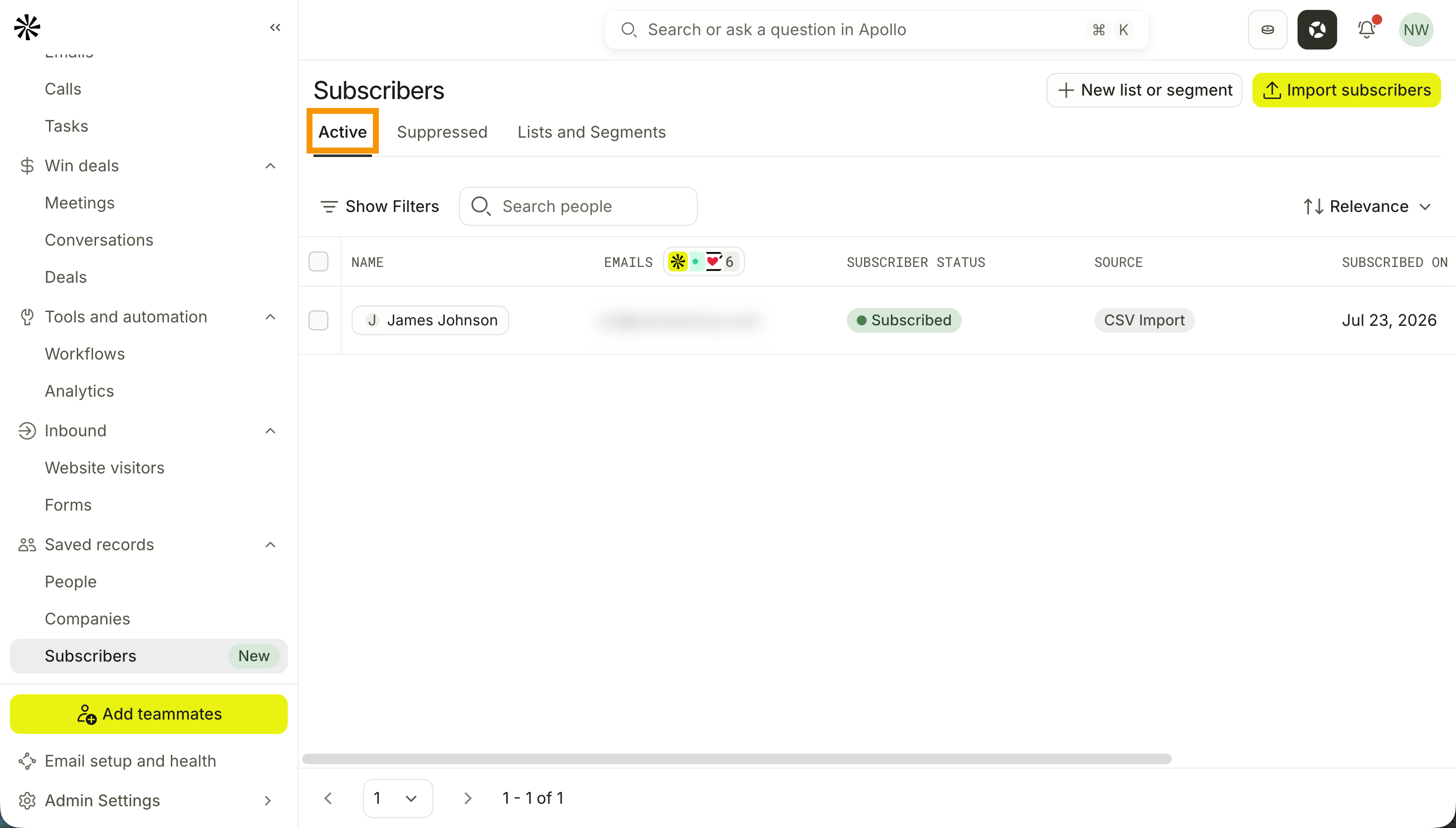
- Click Show filters and apply your filters to narrow your results.
- Select the subscribers you want to remove from your marketing emails, then click Unsubscribe.
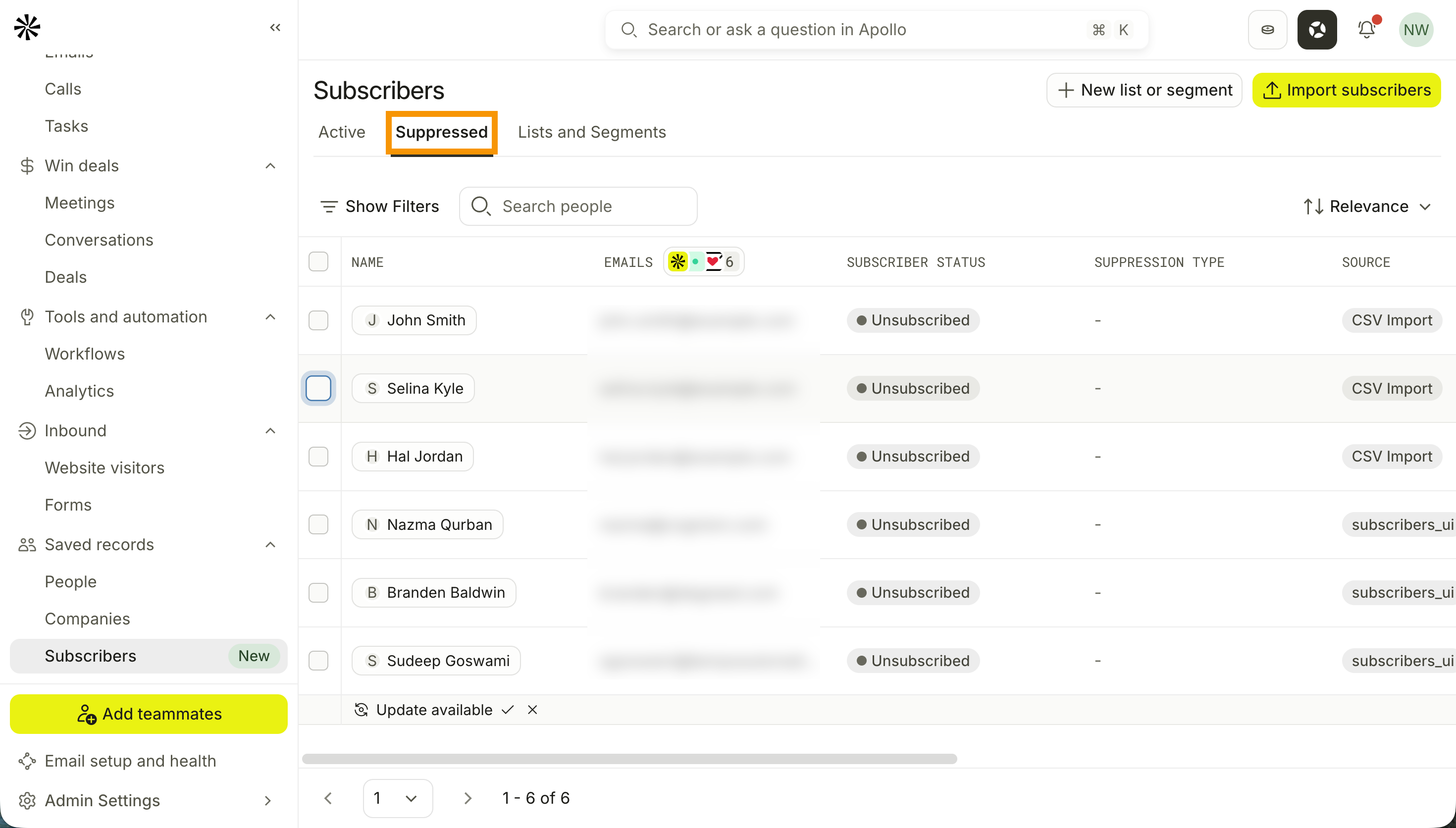
- Click Suppressed. Apollo shows your list of contacts blocked from marketing emails due to a hard bounce, invalid email, or manual suppression.
You have now reviewed and managed your subscribers.
Subscriber Statuses
Check out the following table to understand each subscriber status.
| Status | What It Means |
|---|---|
| Subscribed | Eligible for marketing emails. |
| Unsubscribed | The person opted out and is automatically excluded from future marketing emails. |
| Suppressed | Blocked from marketing emails due to a hard bounce, invalid email, or manual suppression. |
| Never Subscribed | Apollo has the person's email address, but they haven't opted in or out of marketing emails yet. |
Next Steps
Your subscriber list is ready. Here's what to tackle next to get your first campaign out the door.
| Campaigns Overview | New to Campaigns? See how subscriber lists, sending schedules, and campaign performance fit together before you build your first send. |
|---|---|
| Create and Launch a Campaign | Got your list? Build your campaign, set your sending schedule, and reach your subscribers with targeted, consent-based outreach. |
| Import a CSV of Contacts | Need a refresher on field mapping? Walk through the full CSV import process for contacts to keep your data clean and ready to use. |
| How to Improve Email Deliverability with Apollo | Your list is only as valuable as your ability to reach it. Follow Apollo's deliverability best practices to keep your marketing emails out of spam. |
| Use Email Warmup to Improve Deliverability | Sending to a fresh list from a new mailbox? Turn on email warmup to build your sender reputation before your first campaign goes out. |