
Overview
Once you set up the Salesforce integration on Apollo, you can add contacts directly to Salesforce campaigns enabling your team to efficiently segment and target audiences, automate member sync and statuses for campaign execution, and track real-time performance and return on investment in Salesforce.
Check out the following sections to learn how to add contacts from Apollo to a Salesforce campaign.
The ability to add contacts to Salesforce campaigns depends on your Apollo plan. If you need to add contacts to Salesforce campaigns, upgrade your plan. If you have questions about upgrading, reach out to the Apollo sales team.
Add Contacts to a Salesforce Campaign
To add contacts to a Salesforce campaign:
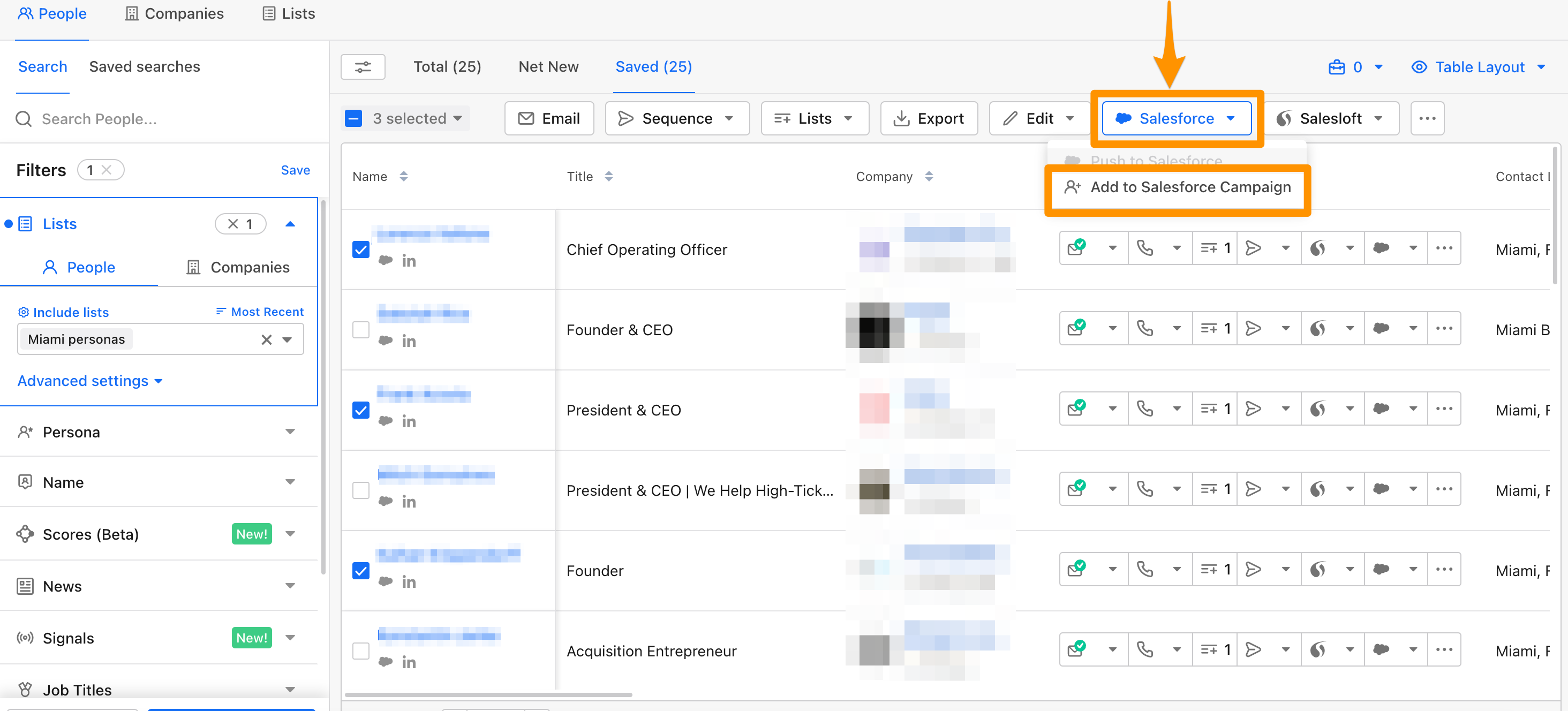
- Launch Apollo and click Search > People.
- Use search filters to find people.
- Check each contact you want to add.
- Then click Salesforce > Add to Salesforce Campaign.
- Next, type the name of your Salesforce campaign and press enter.
Your campaign name must exactly match what's in Salesforce. However, uppercase and lowercase letters are interchangeable.
- Click Save.

- Apollo adds the contacts to your campaign.
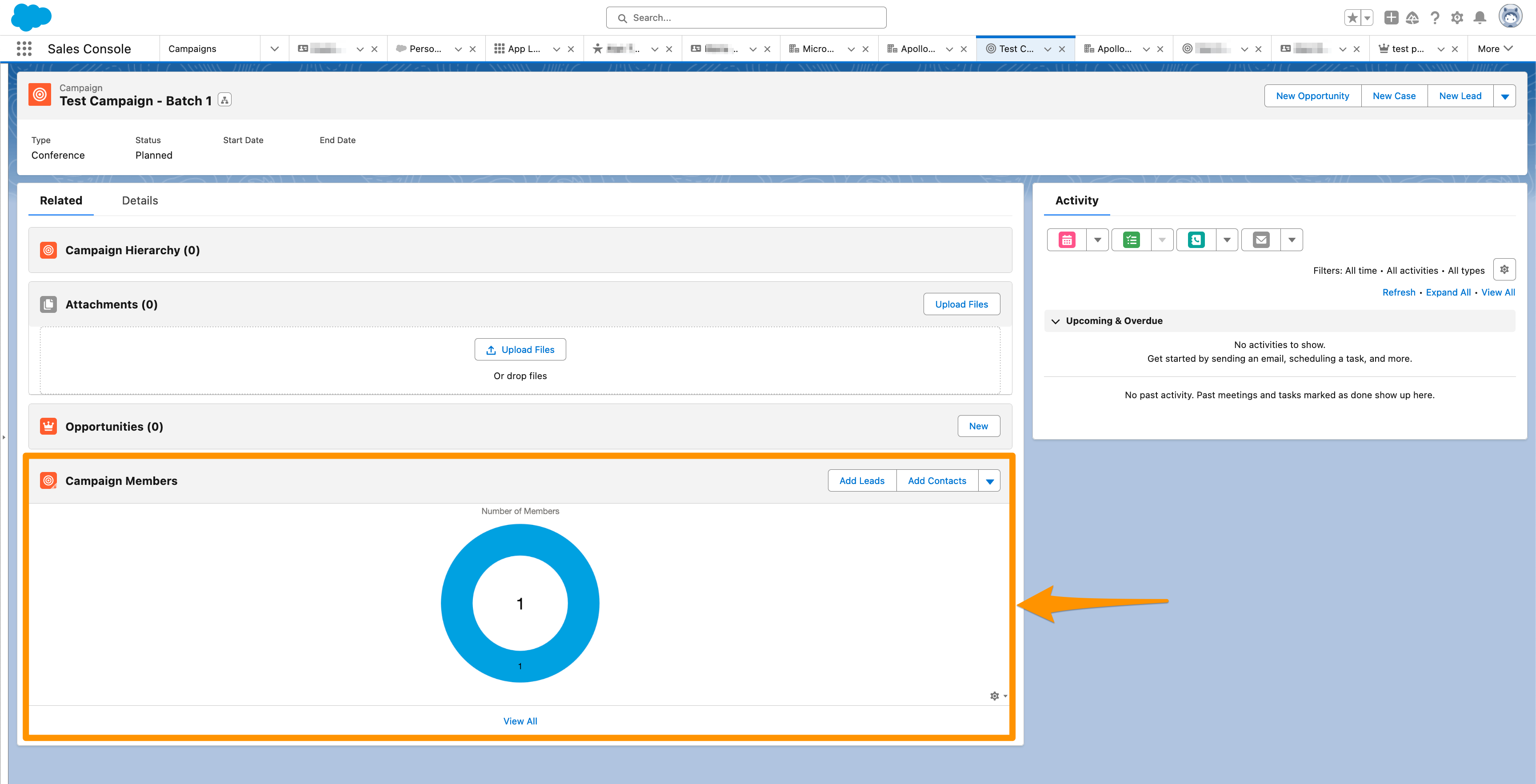
It takes a few minutes to sync contacts to a Salesforce campaign. A large number of contacts may result in longer processing time.
You have now added contacts to a Salesforce campaign.
Next Steps
Level-up your CRM workflows directly on Apollo. Check out these next steps:
| Get to Know the Salesforce Integration | Start by reviewing important details to streamline setup and cut down on integration hiccups for your team. |
|---|---|
| Connect Apollo to Your Salesforce Account | Next, connect Apollo to Salesforce to kick off seamless contact syncing and keep your data unified. |
| Map Default Apollo Fields to Salesforce | Map Apollo fields to Salesforce so your contacts and deals display the right info on both sides. |
| Configure Salesforce Push Settings | You can configure push settings to control which new contacts you send from Apollo and keep your CRM clean. |
| Configure Salesforce Pull Settings | Set up pull settings to define when and how Salesforce updates flow back into Apollo for up-to-date insights. |