
Overview
Are you confident that your emails to prospects are being delivered? Use email deliverability scoring to ensure prospects receive your emails.
Deliverability scoring shows you whether your linked mailboxes are experiencing deliverability issues and, if so, provides actionable steps you can take to fix those issues. Your deliverability score is calculated based on factors like spam rate, bounce rate, and reply rate. The better these rates are, the better your deliverability score.
Check out the following sections to use deliverability scores.
View Your Deliverability Score
To view the deliverability score for your mailbox:
- Launch Apollo and click Settings > Email setup and health.
- Click Mailboxes.
- Scroll to find your mailbox, then review the value in the Deliverability column:
- High indicates good deliverability.
- Moderate indicates caution; follow best practices to improve deliverability.
- Low indicates low deliverability; take immediate steps to improve deliverability.
You have now viewed the deliverability score of your mailbox.
Improve Email Deliverability
Check out email warmup on Apollo to align your mailbox with email provider standards, helping to improve your deliverability.
If a mailbox has a moderate or low score, Apollo provides steps you should take to improve your email deliverability.
To improve email deliverability:
- Click ... beside your mailbox, then click Check deliverability.

- Apollo shows tips and suggestions for improving deliverability.

- Click Fix to make adjustments directly in Apollo.

- Scroll to the email performance metrics that contribute to your deliverability score, including bounce rate, spam rate, and open rate. Metrics trending in the right direction are highlighted in green, while metrics trending down are highlighted in red.
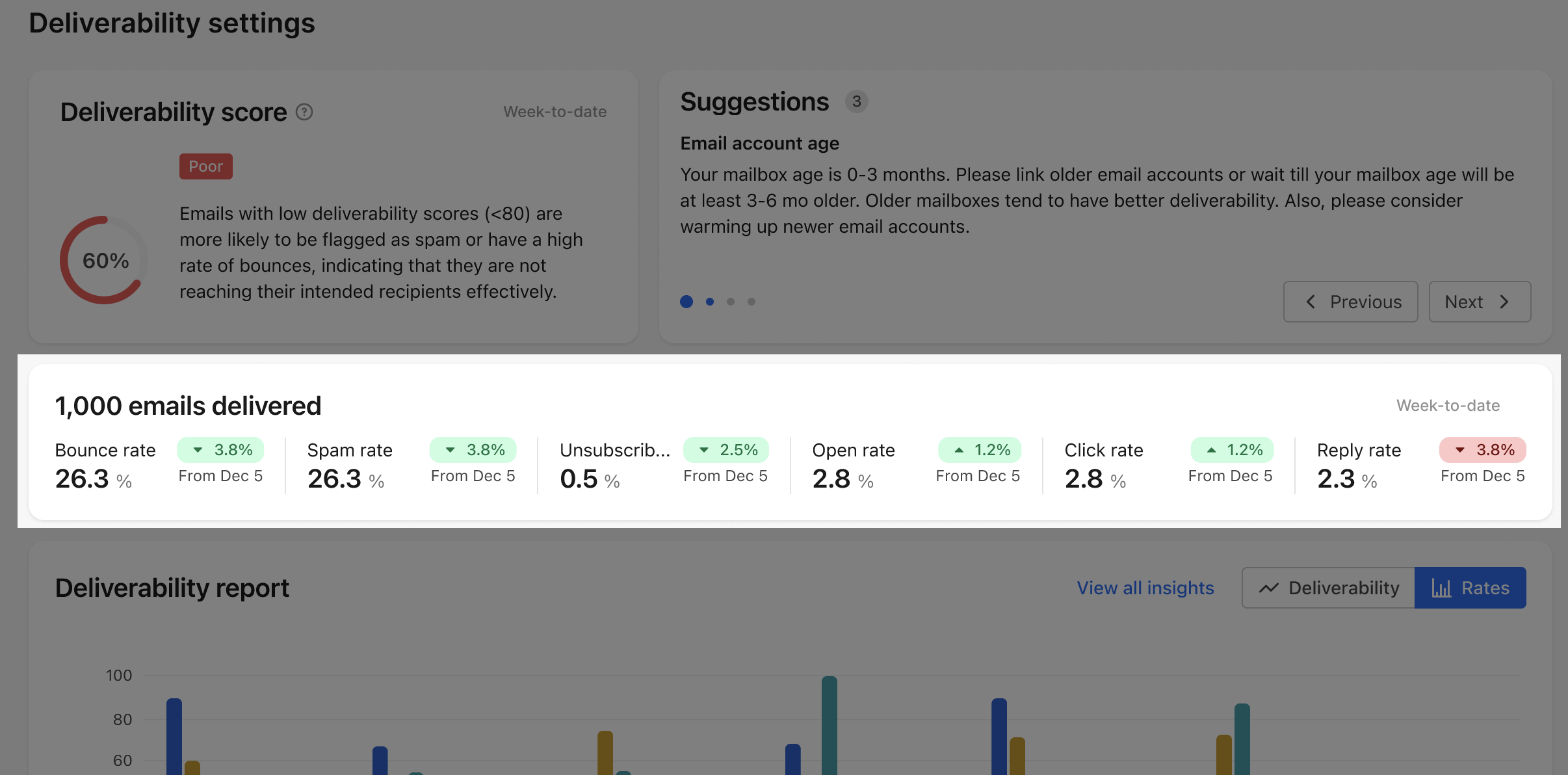
- Hover on any metric to learn about the ideal ranges and how to improve your metrics.
You have now reviewed how to improve email deliverability for your mailbox.
Next Steps
Want to strengthen mailbox health from more angles? Use these resources to keep your outreach landing where it should.
| Email Deliverability Best Practices | Need a healthier sending foundation? Follow deliverability best practices to reduce bounces, avoid spam filters, and give your team a better shot at replies. |
|---|---|
| Use Email Warmup to Improve Deliverability | Before you scale outreach, warm up your mailboxes to build trust with email providers and improve your chances of reaching inboxes. |
| Troubleshoot Bounced Emails | Seeing bounce rates climb? Troubleshoot bounced emails to identify soft and hard bounce causes before they hurt your sender reputation. |
| Configure Email Sending Limits | Your team can configure sending limits to control outreach volume, protect mailbox health, and scale without sudden deliverability drops. |
| Manage Mailboxes and Domains | Want a broader view across mailboxes? Manage mailboxes and domains across Apollo to spot sending issues, check authentication, and monitor the signals that impact inbox placement. |