
Overview
The AI assistant helps you work faster and smarter through natural language conversations, turning your intent into action across Apollo. Simply describe what you want to accomplish, and the assistant uses your existing Apollo data and saved business messaging to generate a recommendation or draft action, then helps you apply it.
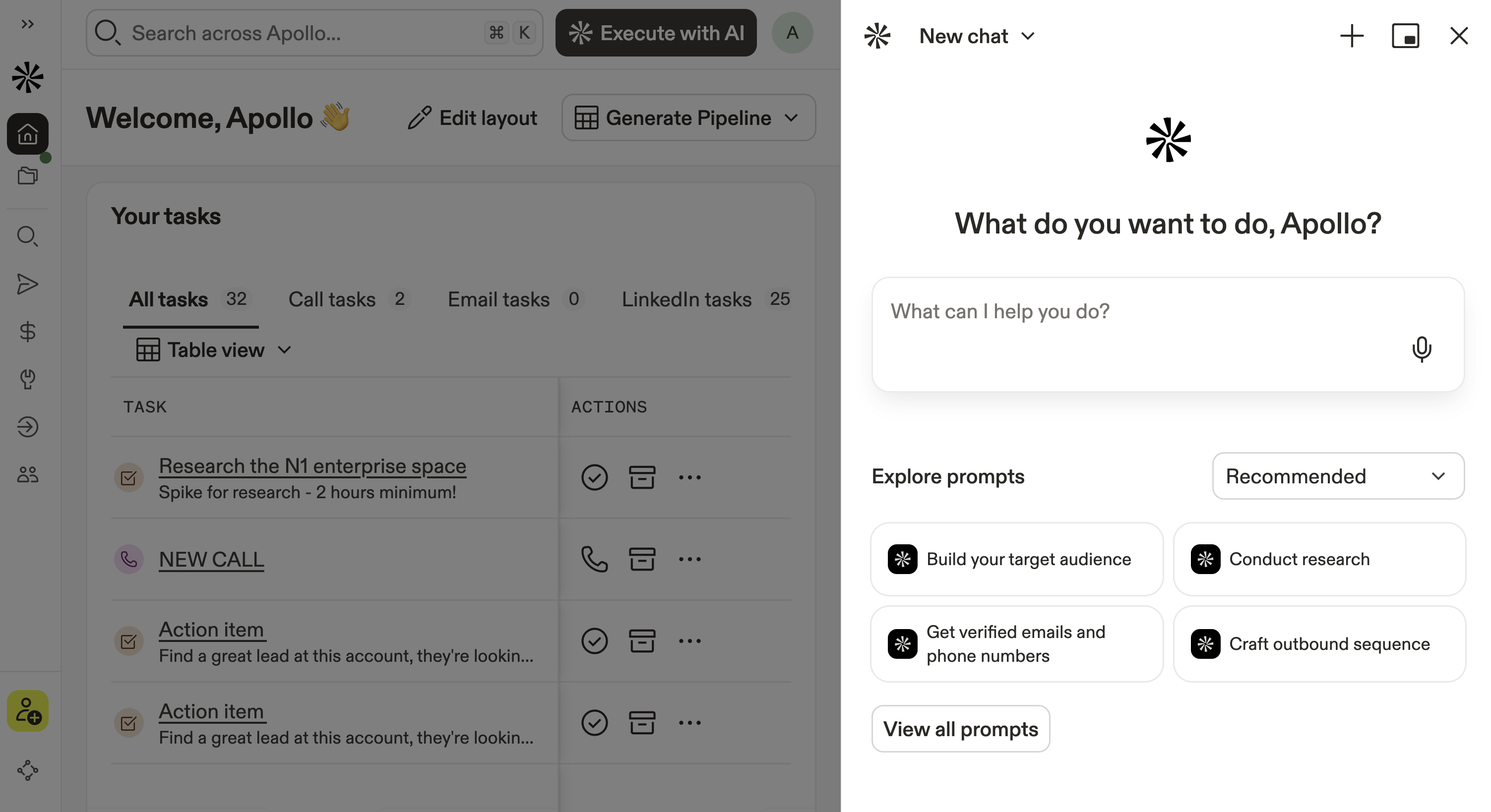
If you can do it in Apollo, the AI assistant can help. Just ask to find key decision-makers, prioritize accounts using deep web research, build and optimize sequences, improve messaging and deliverability, update your AI context center, or create workflows, export lists, and report on performance — all without clicking through every step.
Best of all, the AI assistant improves with you over time by recognizing patterns and helping you succeed with best practices baked in. You can even use the assistant to analyze your account and help you manage credits or mailboxes.
In addition to working with the AI assistant on demand, you can use agentics to have Apollo handle specific outbound jobs automatically on a schedule. Apollo runs the agent in the background and returns the results to the AI assistant for you to review and act on.
Does your organization already have an enterprise subscription to an LLM provider such as OpenAI, Perplexity, or Anthropic? You can connect your own LLM key in Apollo so that any LLM-powered actions route your requests through your existing subscription, helping you centralize credit charges.
Check out the following sections to learn more about the AI assistant on Apollo.
Get Started
Before you use the AI assistant, your company should configure the AI context center so Apollo AI understands your business and product or service. This ensures the assistant's outputs are tailored to your organization. You can add multiple products and services, then get results from AI tailored to each one.
To get started with the AI assistant:
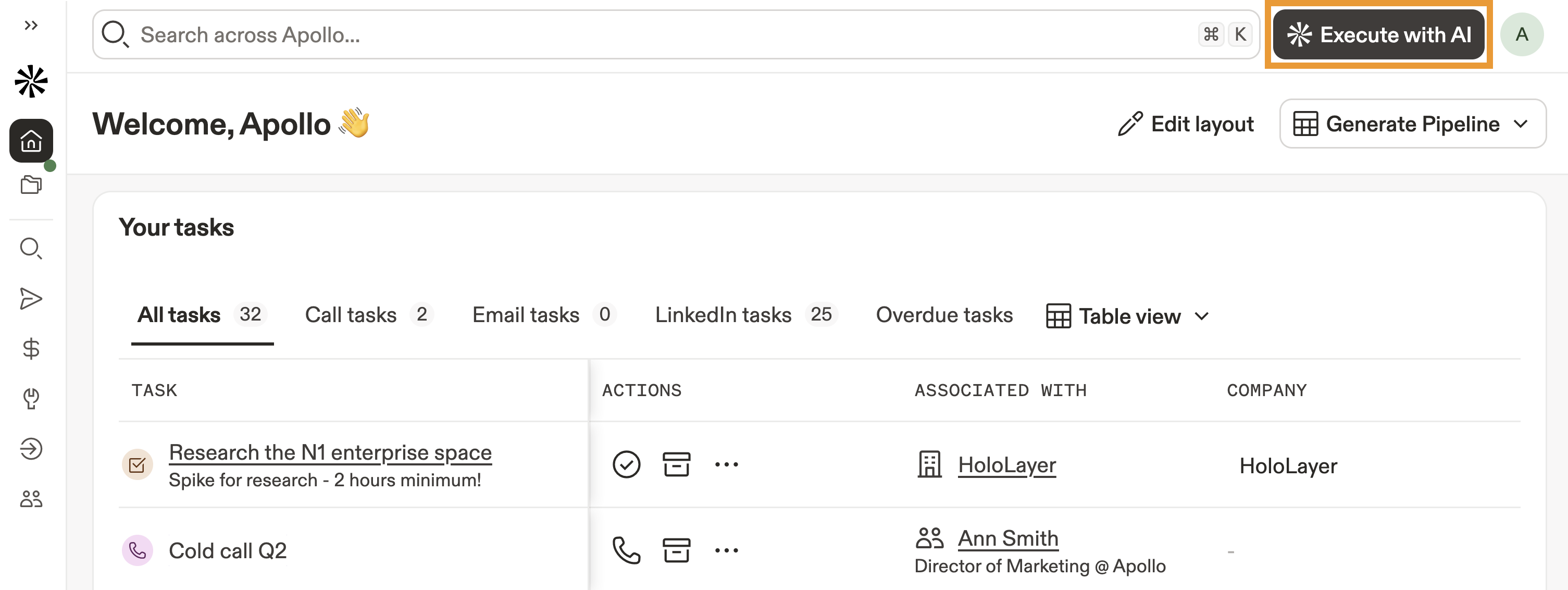
- Launch Apollo and click AI Assistant on any page.
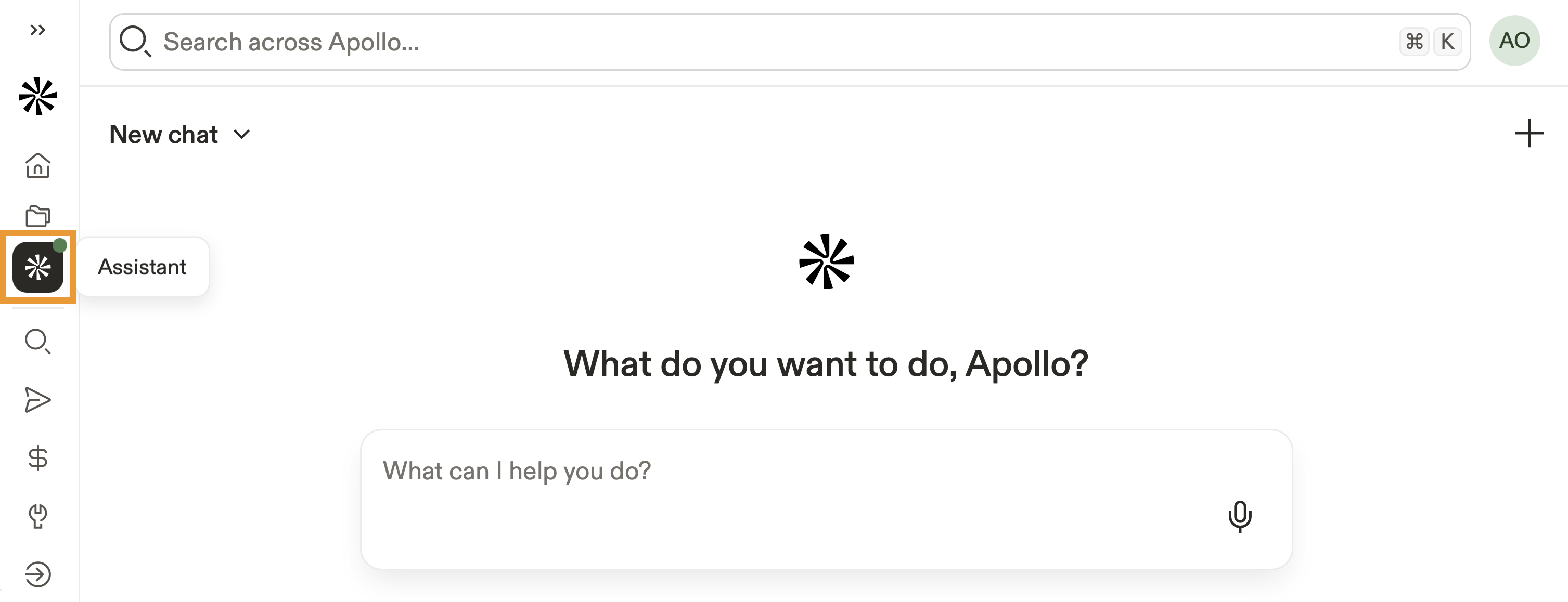
- Alternatively, click AI Assistant from the navigation menu for a full-screen experience.
- (Optional) Click Agents to set up and manage agents. Click Channels to configure where Apollo sends AI assistant updates, including scheduled agent results and long-running task updates in Slack.
If it's your first time using the assistant, a guided flow helps you get started. Follow the prompts to get your first response.
- Click Select context to select a specific project or product / service the AI should reference.
- Use suggested prompts or describe what you want to accomplish in natural language. The AI assistant accesses relevant data in your Apollo account to help execute your request.
- Orchestration is key. Consider chaining multiple requests to search, enrich, qualify, and sequence within a single conversation!
Here are a few popular use cases to help get you started:
| Configure the AI context | Add info about your business to the AI context center, including your products or services, value propositions, competitors, and differentiators so the assistant can tailor its output to your organization. |
|---|---|
| Open AI Assistant | Click AI Assistant from anywhere in Apollo or click AI Assistant from the nav to open the full-screen experience. Start with a suggested prompt or describe what you want to accomplish in natural language. |
| Set the right context | Click Context to select the AI project or product / service the assistant should reference. Continue the conversation to chain related requests together as you work. |
FAQs
|
Frequently asked questions |
||
| Who can use the AI assistant? | Does my Apollo plan affect how much I can use it? | How do my Apollo permissions affect the AI assistant? |
| What should admin configure before the team uses the AI assistant? | When does the AI assistant use credits? | |
Who can use the AI assistant?
Anyone on your Apollo team can use the AI assistant. You don't need a separate AI assistant permission.
Does my Apollo plan affect how much I can use it?
Yes, your Apollo plan determines your AI assistant usage limits. Paid plans include unlimited chats and messages. Free plans include five chats per billing cycle, with ten messages per chat.
A chat is a single conversation with the AI assistant, and a message is a single message you send to the assistant.
How do my Apollo permissions affect the AI assistant?
The AI assistant follows your existing Apollo permissions. If you don't have permission to perform an action in Apollo, the assistant can't perform the action for you.
What should admin configure before the team uses the AI assistant?
Admin should configure the AI context center with information about your business, products or services, value propositions, competitors, and differentiators. This helps Apollo AI tailor results to your organization.
When does the AI assistant use credits?
Sending a message to the AI assistant doesn't automatically use Apollo credits. Credits are used when the assistant performs a credit-consuming Apollo action, such as saving contacts or enriching records.
The number of credits used depends on the action, your Apollo plan, and the data returned. The assistant asks you to confirm before performing an action that uses credits.
You can review usage from credits settings. For more information, check out Review Credit Usage.
Learn More
Explore related Apollo AI concepts and tools that complement the AI assistant.
| AI Prompt Best Practices | Learn how to write clear, specific AI prompts with the right task, context, and output requirements to get more useful results from Apollo AI. |
| Apollo AI Glossary | Review definitions for Apollo AI concepts and features, including terminology used across AI tools in Apollo. |
| Connect Your Own LLM Key to Apollo | Connect your organization's enterprise LLM subscription so eligible AI-powered actions can route through your existing provider. |
| Apollo AI Overview | Learn how the AI assistant fits into the broader Apollo AI experience, including AI features across prospecting, outreach, automation, and conversations. |
| AI Research Overview | Learn how AI research differs from the AI assistant. The AI assistant is a conversational experience for asking questions and taking action across Apollo, while AI research uses templates or custom prompts to generate reusable research fields for people and companies. |