
Overview
Sequences are outreach campaigns that sales teams use to reach out to contacts over a planned period of time, with sequential touchpoints like phone calls, emails, social media engagement, and other tasks.
When you add contacts to a sequence, you choose which mailboxes the sequence should send emails from. By default, the selected mailbox is the one directly associated with your Apollo account, but you can choose other mailboxes, or rotate sending among team's mailboxes. After contacts are enrolled, you can change the sending mailbox for specific contacts, but you can't enable or modify mailbox rotation for contacts already in a sequence. Mailbox rotation is available only when you add contacts.
Check out the following sections to edit the sending mailbox on contacts in a sequence.
Edit the Sending Mailbox on Contacts in a Sequence
To edit the sending mailbox on contacts in a sequence:
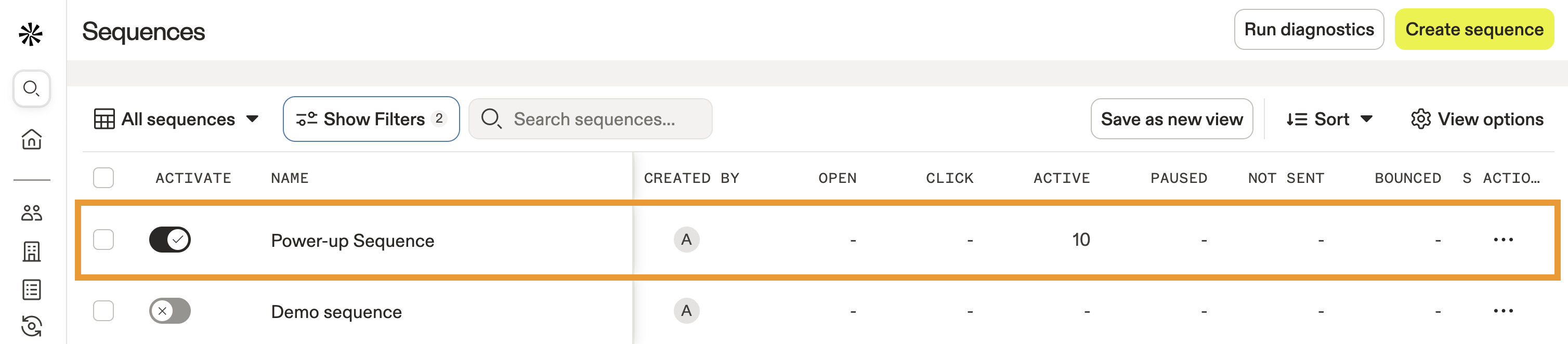
- Launch Apollo and click Sequences.
- Select your sequence.
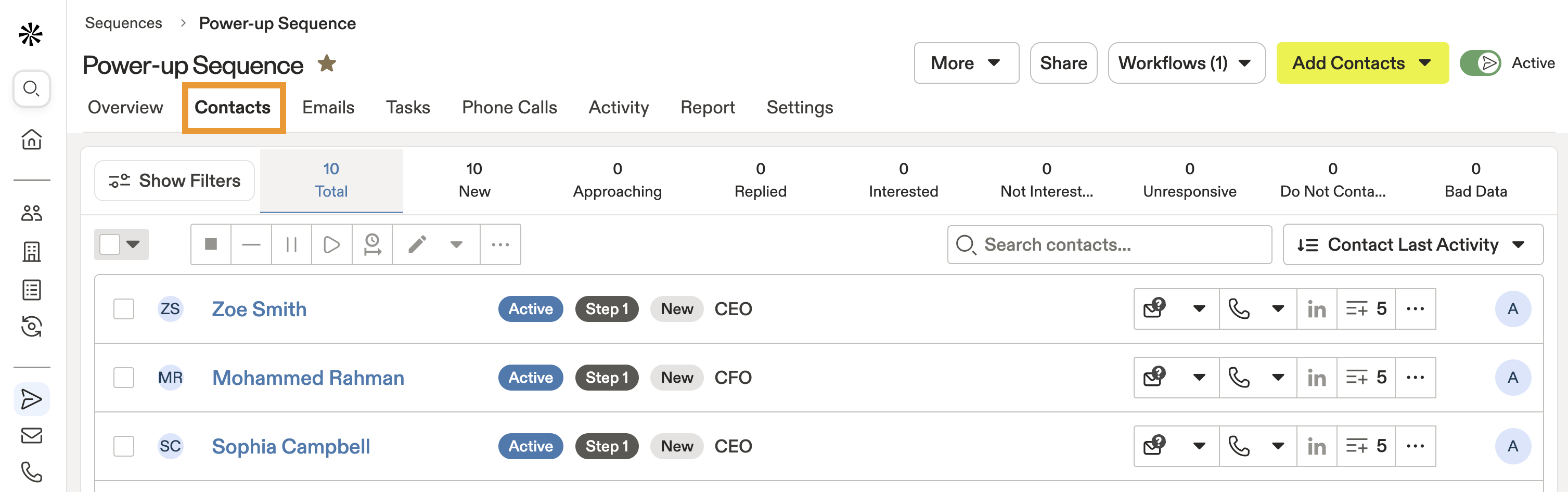
- Click Contacts.
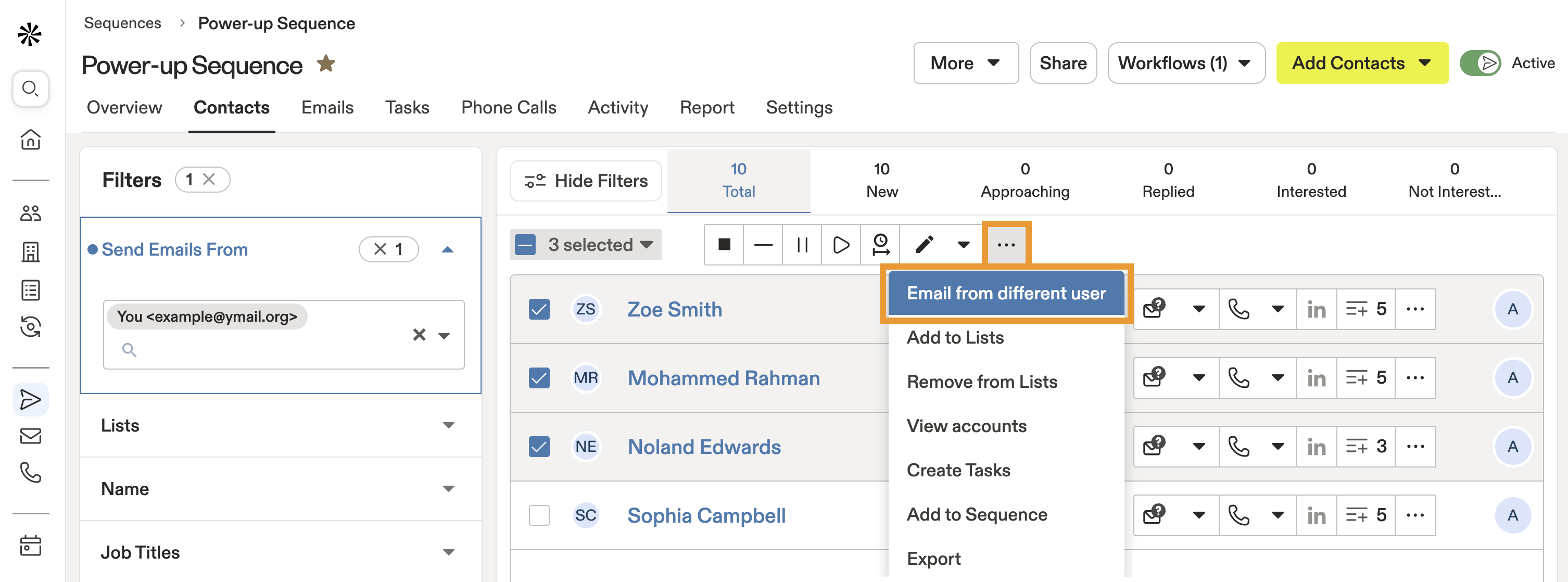
- Click Show filters, then click the Send Emails From filter. Enter an email address to find the right contacts.

- Check the contacts you want to edit, and click ... > Email from different user.
- Select a different mailbox to send emails from.
- When finished, click Save.
Apollo assigns tasks to the owner of the sending mailbox. If you change the sending mailbox, the task is automatically reassigned to the new mailbox owner.
You have now changed the linked mailbox for contacts in a sequence.
Your Apollo profile name is also the sender name for emails from your mailbox. Go to Settings > Profile to change the sender name displayed in sequence emails sent from your mailbox.
Next Steps
Looking to fine-tune your sequence sending setup? These resources can help you manage mailboxes, senders, and sequence behavior more effectively.
| Add Contacts to a Sequence | Need to update who receives your outreach? Add contacts to a sequence to control which prospects enter your campaigns and choose the sending mailbox from the start. |
|---|---|
| Sequences Overview | Want the bigger picture? Explore how sequences work to build outreach campaigns that combine emails, calls, and tasks into a coordinated workflow. |
| Configure Your Profile Settings in Apollo | Need your emails to display the right sender name? Update your Apollo profile settings to keep your sender identity consistent across sequence emails. |
| Integrate Salesforce with Apollo | Keeping your CRM aligned with outreach? Connect Salesforce with Apollo to synchronize sequence activity and customer records across both platforms. |
| Link Your Mailbox to Apollo | Adding another sender for your team? Link your mailbox to Apollo to make additional mailboxes available for sequence sending. |