
Overview
Apollo lets you create custom fields for contacts, accounts, users, and deals. Picklist field types allow your users to select from a pre-defined set of options.
You can use global picklists to leverage the same list of values across different custom fields.
Imagine you have three custom fields: one each for contacts, accounts, and deals — all named "Health" with various options to select from, like good or poor health.
Rather than manually enter the same options for each custom field picklist, a global picklist lets you quickly apply the same list of options across all three fields.
Check out the following sections to create and use a global picklist.
Create a Global Picklist
To create a global picklist:
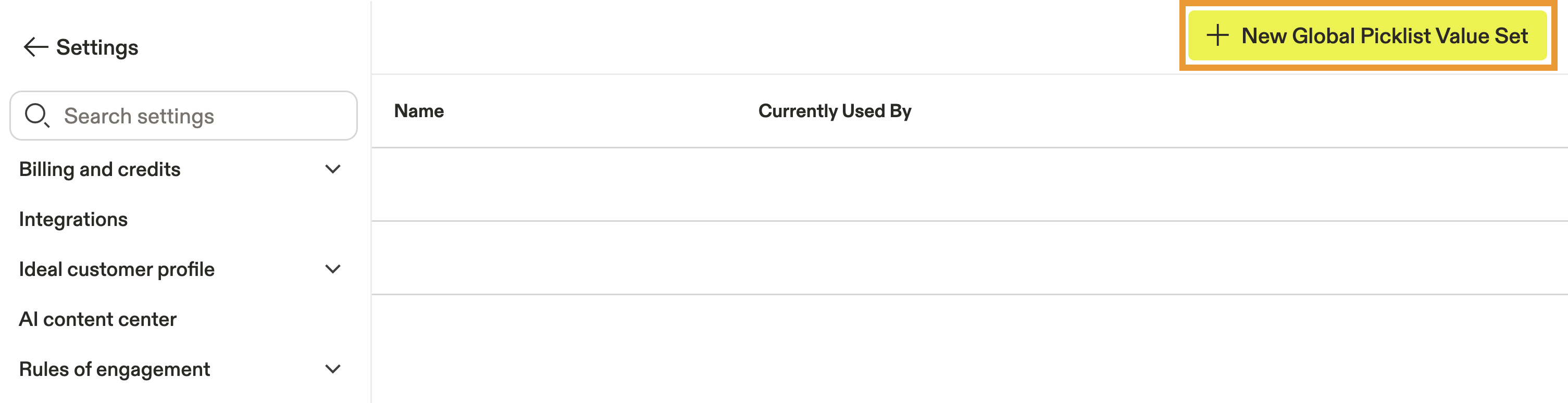
- Launch Apollo and click Settings > Global picklists.
- Click New Global Picklist Value Set.
- Enter a name for the global picklist.
- Click + Add Option to enter an option for the field.
- Repeat to include additional options.
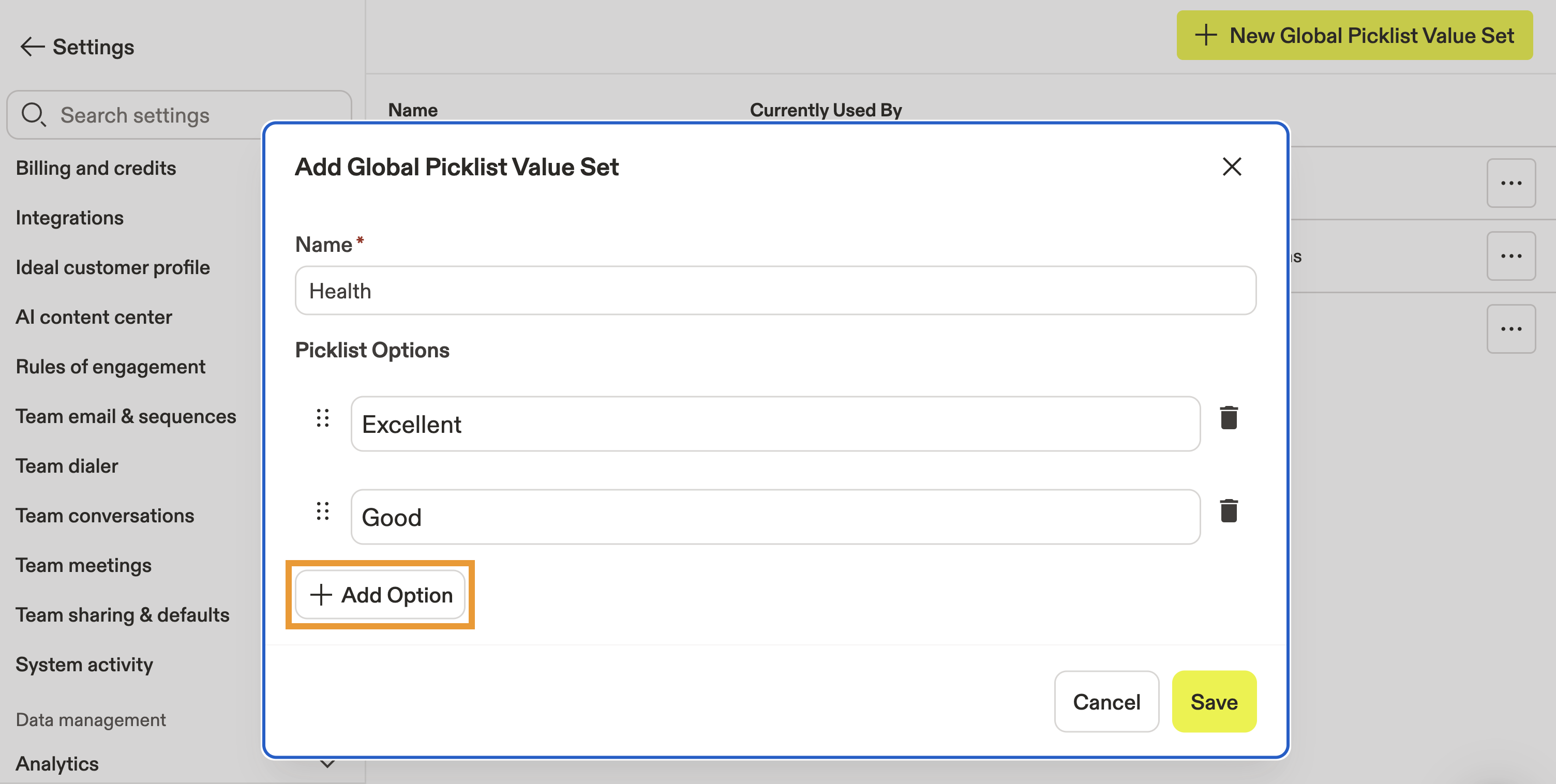
- When finished, click Save.
You have now created a global picklist.
Use a Global Picklist
To use a global picklist:
- Create a custom field for contacts, accounts, users, or deals.
- Toggle Use global picklist options then select the picklist you created.
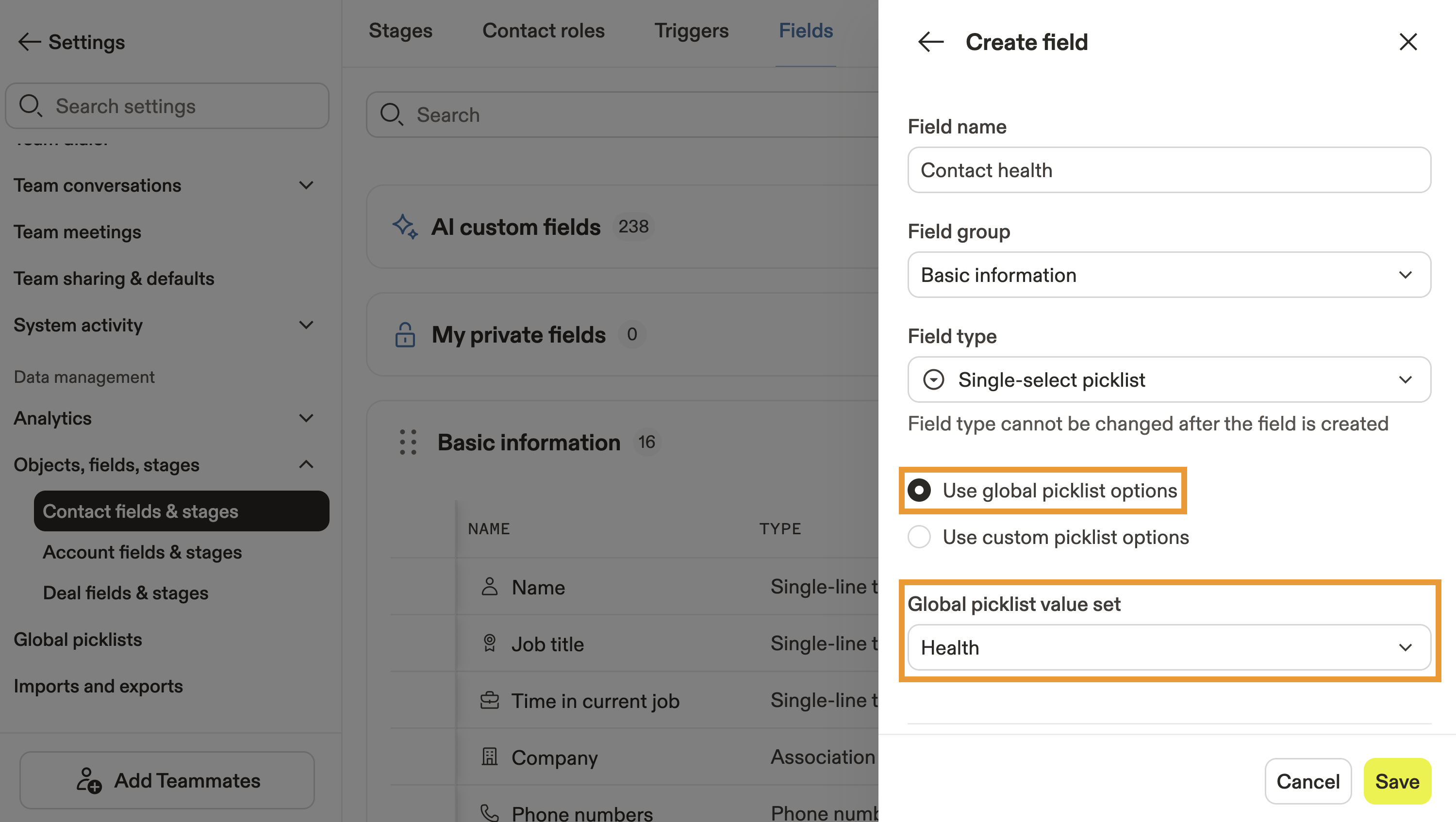
- When finished, click Save.
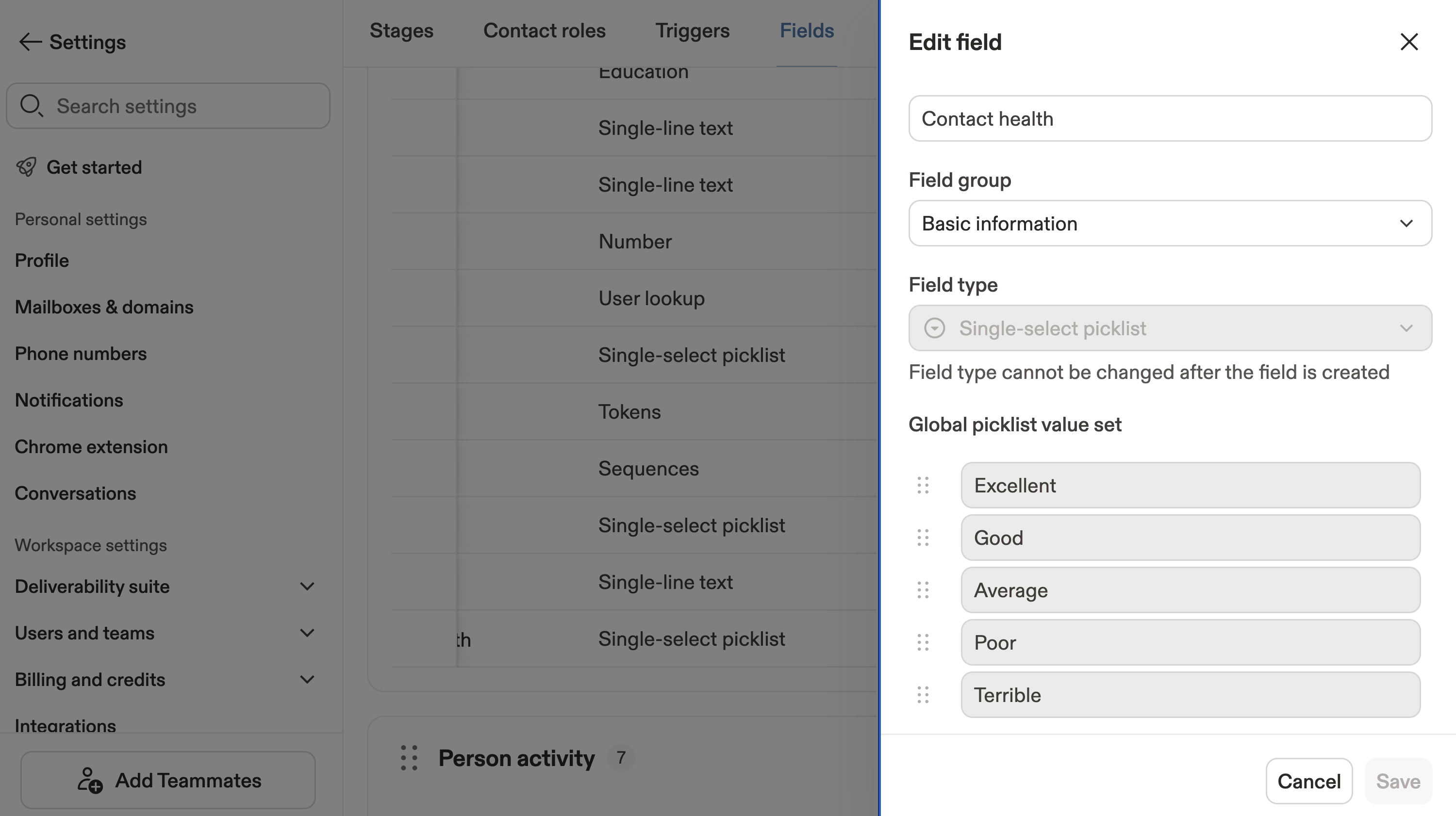
The custom field automatically uses the options from the global picklist you selected.
Manage Global Picklists
To review which custom fields are using a global picklist:
- Launch Apollo and click Settings > Global picklists.
- Apollo displays your global picklists and which custom fields are currently using each.

- Click ... beside a picklist to edit or delete it.
You have now used a global picklist.
Next Steps
Now that you've built a global picklist, here are a few smart ways to extend your setup and keep your data consistent across Apollo.
| Create a Custom Account Field | Use your new picklists to add structured custom fields to accounts so your team captures cleaner, more consistent CRM data. |
|---|---|
| Create a Custom Contact Field | Easily add custom contact fields to categorize prospects and personalize your outreach with precision. |
| Create a Custom User Field | Keep internal data tidy when you add user-specific custom fields that align with your organization's structure. |
| Apollo Community | Join the Apollo Community to swap automation tips and see how others are using picklists to standardize reporting. |