
Overview
Set up notifications to stay on top of your system activity and tasks in Apollo. Apollo sends you notifications by email or Slack. Task notifications are especially useful for reps with busy workloads, and system activity notifications can be helpful for admin on Apollo who want visibility into team-level changes. With Slack and email notifications, you can quickly address bottlenecks, uncover gaps in your pipeline, and flag unexpected behavior on Apollo.
These settings control system activity and task notifications. Notifications from the AI assistant, including updates from scheduled agents and long-running tasks, are configured separately.
Check out the following sections to set up and use notifications.
Set Up Notifications
To configure notifications:
- Launch Apollo and go to Settings > Notifications.
- Check to enable notifications for system activity or tasks.
Keep track of your data request activity.
- Receive a notification every time a data request is completed: Apollo notifies you each time someone makes a data request on Apollo, such as by saving a contact or accessing a phone number or email.
- Receive a daily digest of data requests completed in a day: Apollo sends daily summaries of the day's data requests.
Keep updated on tasks due on Apollo.
- Receive reminders when tasks are due within a day: Apollo notifies you of upcoming due tasks so you can complete them on time.
- If you use Slack with Apollo, check to receive notifications directly in Slack.
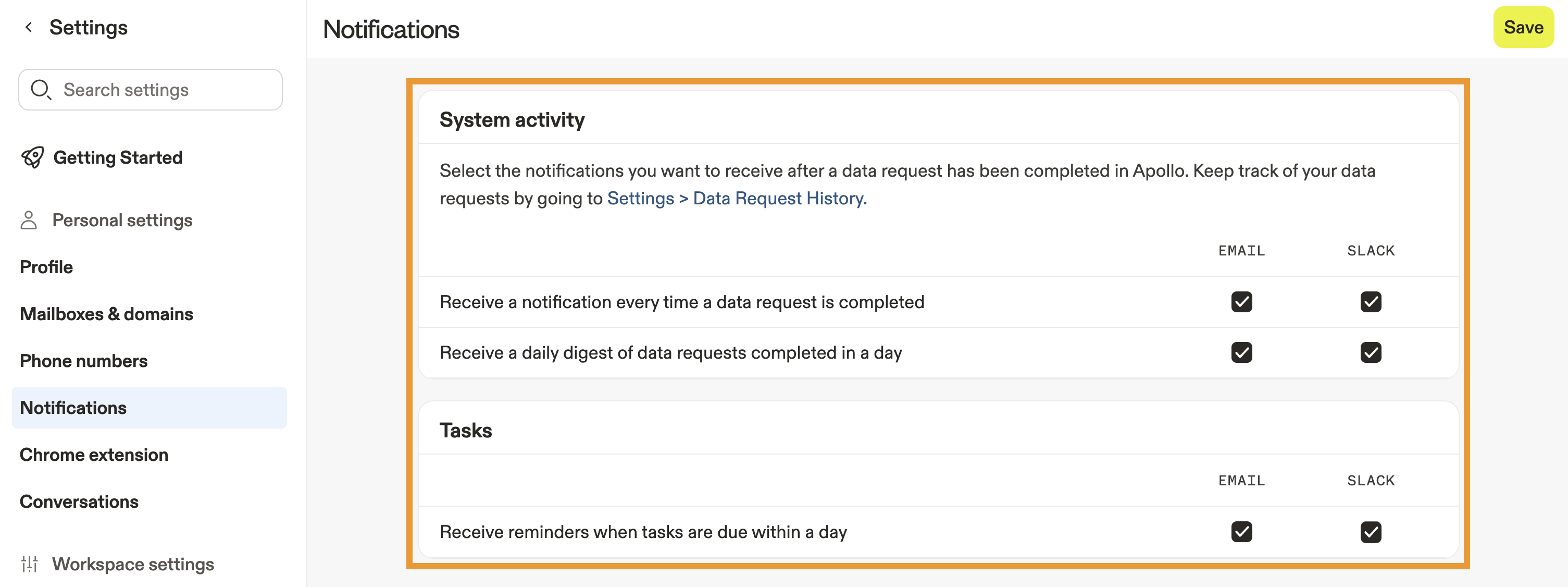
- When finished, click Save.
To receive alerts for email engagement, use the Apollo Chrome Extension to enable real-time desktop notifications for when a contact opens or clicks your email, or set up workflows with triggers like Email opened or Email clicked.
To receive Slack updates for scheduled agents or long-running AI assistant tasks, go to AI Assistant > Channels and configure your Slack notification preferences. Learn more about using Apollo with Slack.
Use Notifications
To use notifications:
- Launch Apollo and click Notifications > Notifications.
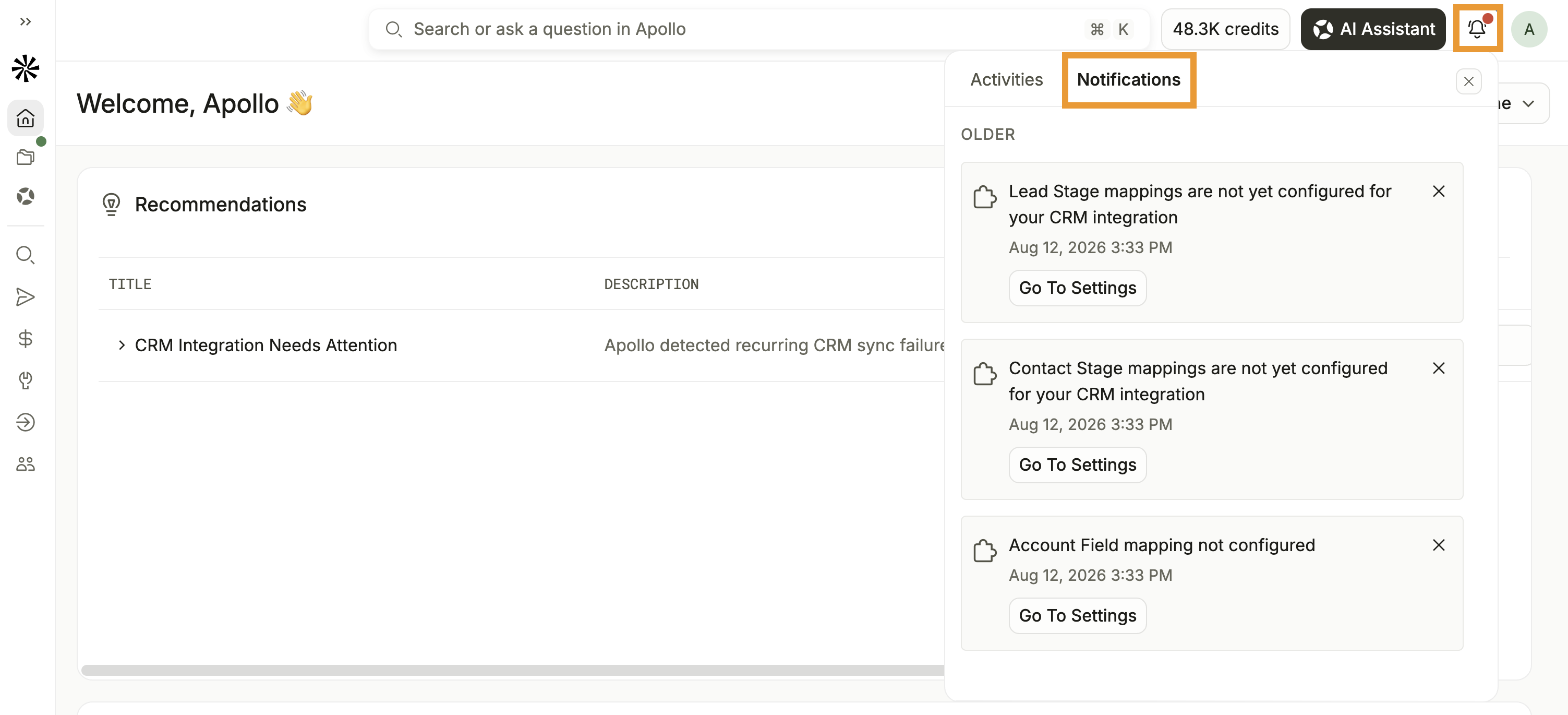
- Click a notification to view more details and take any necessary action.
- Complete any relevant action, such as by responding to a mention or completing a task.
You have now accessed your notifications and reviewed important updates in Apollo.
Next Steps
Want to keep improving your workflow after setting up notifications? Here are some great next steps to explore:
| Create a Task | Quickly create and manage tasks to stay organized and never miss critical follow-ups. |
|---|---|
| Integrate Slack with Apollo | Connect Slack with Apollo to receive updates where your team is already collaborating. |
| Admin Settings Overview | Review admin settings to configure your workspace and keep your team running smoothly. |
| Join the Apollo Community | Join the conversation in the Apollo community to share notification strategies and see what's working for others. |