
Overview
Settings in Apollo bring together the tools you use to configure your account and manage your team's workspace. Use settings to manage user access, connect applications, configure outreach, and review your plan and billing.
To access the settings, launch Apollo and click Settings in the lower-left navigation.
Check out the following sections to explore settings and find resources for your task.
Features
Settings groups related capabilities into categories. Expand a category to explore its settings, or use Search settings to find a destination by name.
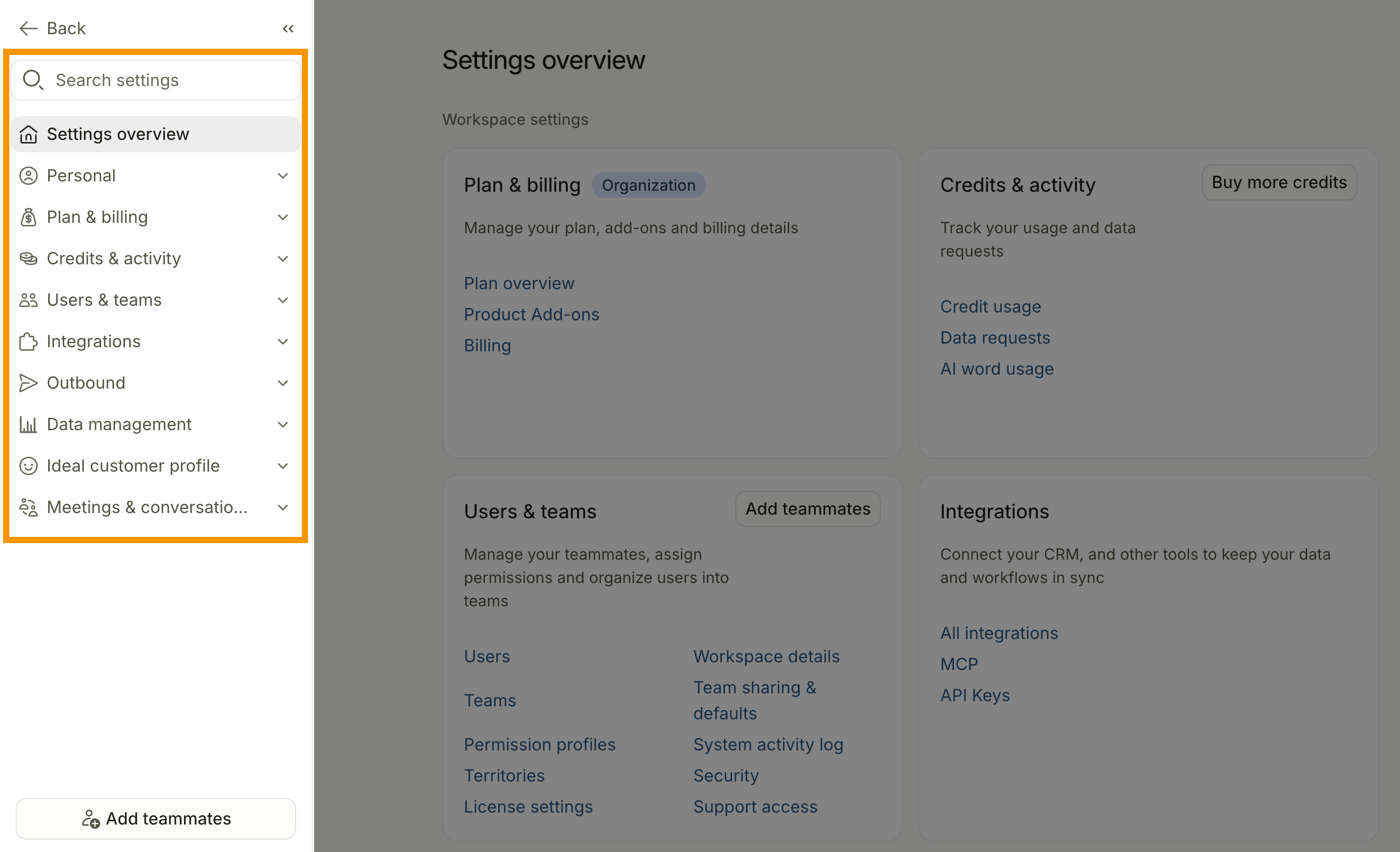
The Overview displays a card for each settings category. Select a link in a card to open the corresponding settings page. Depending on your plan, credit balance, permissions, and enabled features, some cards may also display actions to add teammates, manage credits, upgrade your plan, or complete setup.
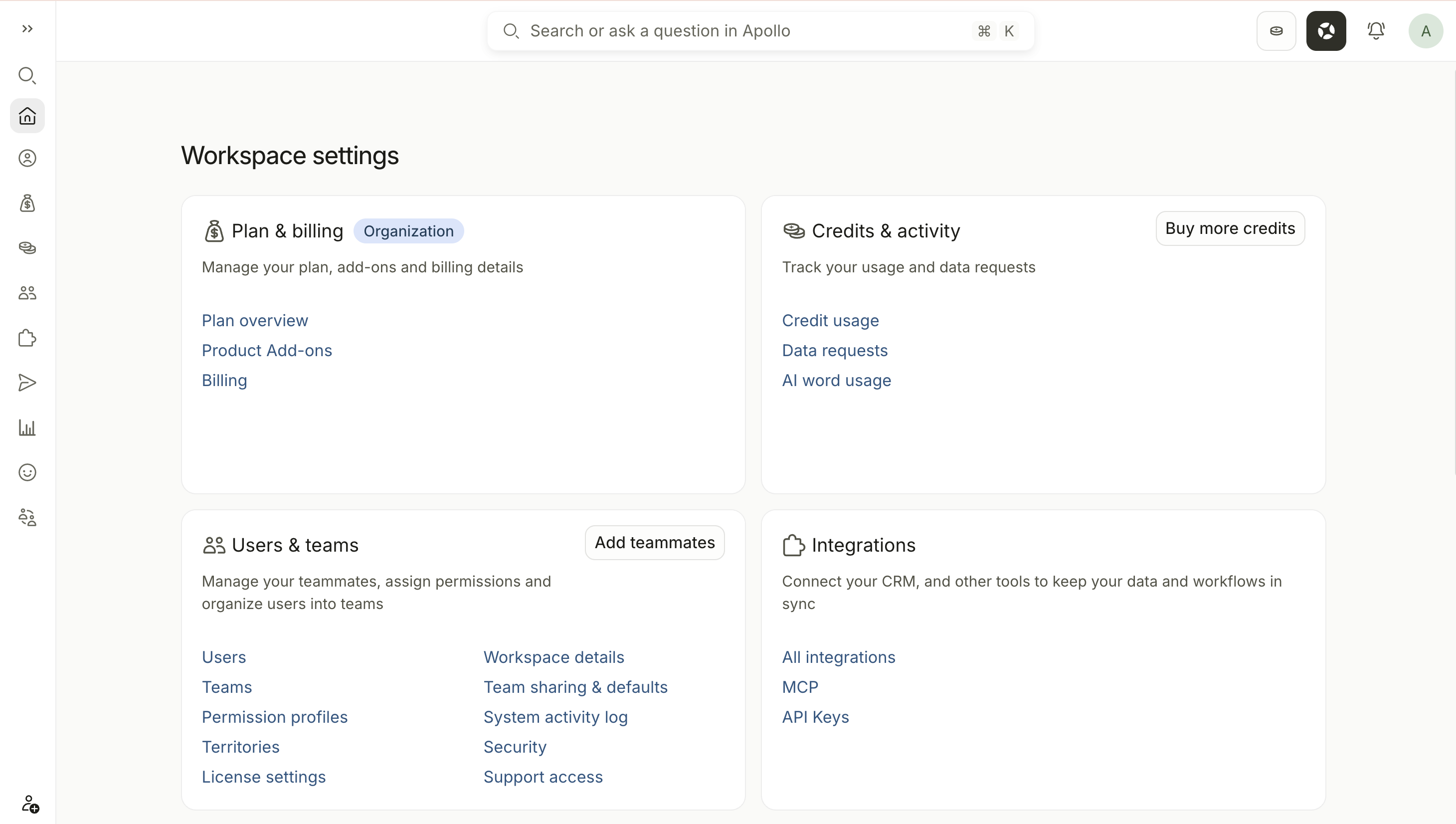
The available settings vary based on your role, permissions, plan, and enabled features. Settings you can't access may be hidden.
Use this directory to explore the available Settings categories and find resources for your task:
| Category | What You Can Manage | Settings You May See |
|---|---|---|
| Personal | Manage your personal account, communication tools, and preferences. |
|
| Plan & billing | Review and manage your subscription, add-ons, and billing information. |
|
| Credits & activity | Review credit usage, data-request activity, and AI word usage. |
|
| Users & teams | Manage users, teams, permissions, licenses, workspace access, and security. |
|
| Integrations | Connect Apollo with third-party tools, AI clients, and external systems. |
|
| Outbound | Configure email, calling, tracking, prospecting, and outreach tools. |
|
| Data management | Configure enrichment, fields, stages, objects, goals, metrics, and data movement. |
|
| Ideal customer profile | Define, identify, and prioritize the prospects and companies that best fit your business. |
|
| Meetings & conversations | Configure meeting recording, access, coaching tools, and team meeting settings. |
|
FAQs
|
Frequently asked questions |
||
| What is the difference between personal and workspace settings? | Why can't I find a setting? | Which settings should I configure first? |
What is the difference between personal and workspace settings?
Personal settings affect only your Apollo account, including your profile, connected mailbox, phone numbers, notifications, and personal preferences. Workspace settings control shared configuration for your team, such as users, permissions, billing, integrations, security, and outbound settings.
Why can't I find a setting?
Your role, permission profile, Apollo plan, and enabled features determine which settings you can access. A setting may be hidden, locked, or require a plan upgrade. If you still can't find the setting you need, contact your Apollo admin to review your access.
Which settings should I configure first?
Start with the settings required for your current tasks. Individual users can begin with their profile, mailbox, phone number, and notification settings. Admins can prioritize users, permissions, security, plan and billing, integrations, and outbound configuration.
Use the Settings directory to find the relevant settings and setup resources.
Learn More
Explore these resources to continue setting up Apollo and help your team get the most out of the platform:
| Getting Started | Find essential setup guidance for new Apollo users and workspaces. |
|---|---|
| Generate Outbound Sales Checklists | Follow task-based checklists for prospecting, cold calling, and multichannel outreach. |
| Apollo Academy | Explore courses and training for Apollo features, workflows, and sales strategies. |
| Reach Out to Apollo Support | Contact Apollo Support if you need help accessing or configuring a setting. |