
Overview
Personas are reusable sets of filters that represent the types of people you want to target, such as specific job titles, seniority levels, departments, locations, or company attributes. Apply personas when you prospect in Apollo to find the right people faster without rebuilding the same filters each time.
After you create a persona, you can edit its filters, clone it to create a similar persona, deactivate it, delete it, or change where it appears in the persona filter.
Haven't created a persona yet? Refer to Create a Persona to get started.
Check out the following sections to manage personas on Apollo.
Manage Personas
To access and manage your personas:
- Launch Apollo and go to Settings > Ideal customer profile > Personas.
- Apollo displays all personas on your team.
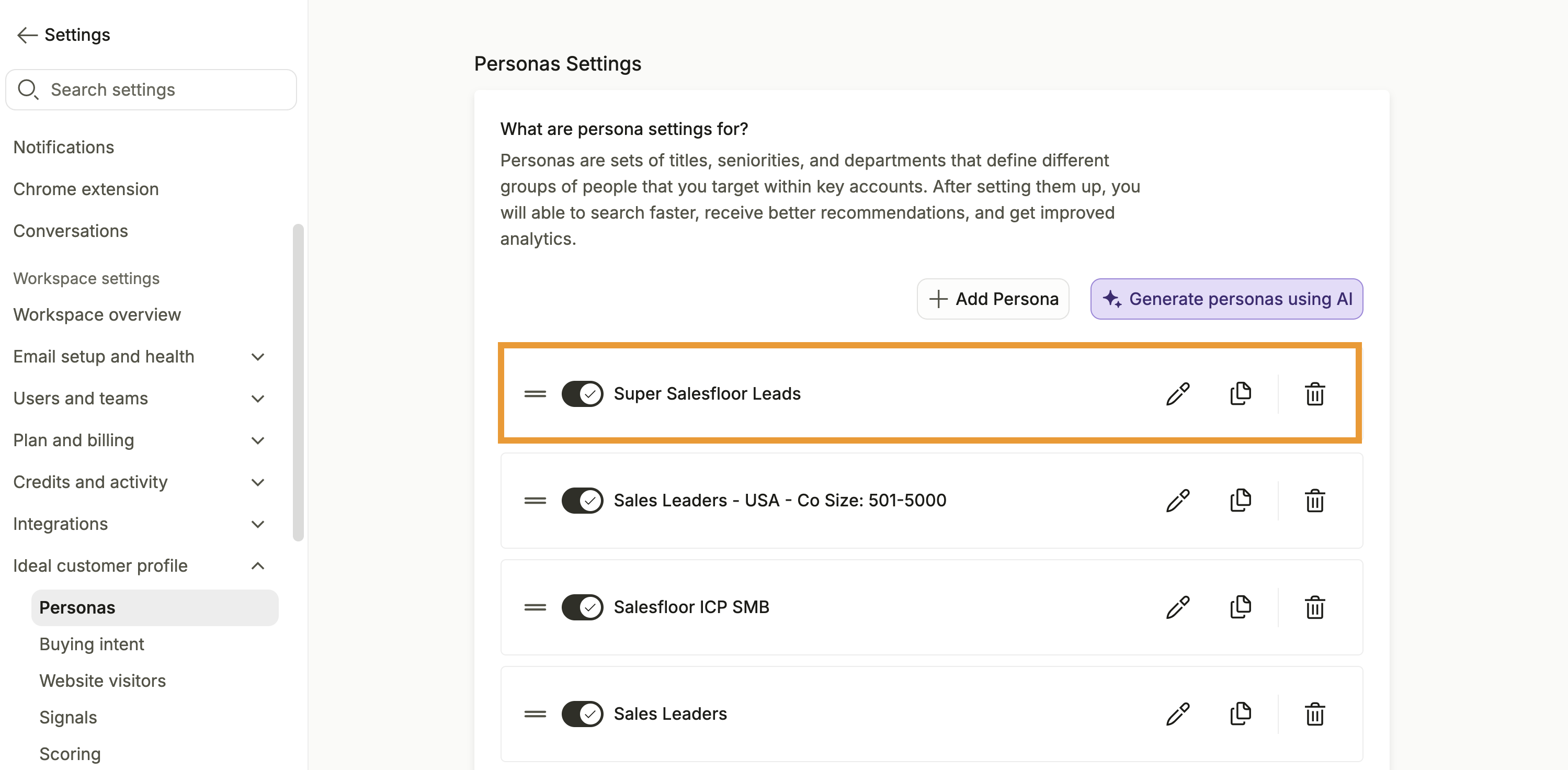
- Toggle to activate or deactivate a persona:
- Active: The persona is available in search filters and appears in analytics reports.
- Inactive: The persona is not available as a search filter and does not appear in analytics reports.
- Click and drag = to re-order how your personas appear in search filters.
- Click Edit to edit a persona. You can adjust filters or the persona name.
- Click Clone to copy the persona. This may be useful for A/B testing a persona or making small iterations on what's working well.
- Click Delete to permanently delete a persona from your workspace.
You have now accessed your team's personas.
Next Steps
Ready to put your personas to work? Use these resources to sharpen your targeting and engage the right prospects.
| Create a Persona | Create personas for your target audiences to give your team reusable filters for finding the right people faster. |
|---|---|
| Identify Your Ideal Customer Profile (ICP) | Identify your ideal customer profile to align your personas with the companies and buyers most likely to benefit from your product. |
| Search for People | Apply personas when you search for people to quickly build prospect lists around your team's target audiences. |
| Search Filters Glossary | Explore the available search filters to choose the attributes that best define each persona and refine your prospect results. |
| Add Contacts to a Sequence | Add contacts who match your personas to a sequence to launch consistent, targeted outreach across email, calls, social touches, and tasks. |