
Overview
When you search for people or contacts with the job titles filter, you can add Boolean operators for more granular results. These powerful parameters offer advanced control and can help you find your ideal contacts.
Some Apollo plans include the ability to use Boolean search. To access Boolean search, upgrade your plan. If you have questions about upgrading, reach out to the Apollo sales team.
Check out the following sections to learn about Boolean operators and use them in your search.
Boolean Operators
Boolean operators refine your search for a particular job title by limiting or expanding your main search. Use one or more operators in a string to produce more exact search results.
| Boolean operator | Example | Definition |
|---|---|---|
AND |
UX writer AND content designer |
Use AND to limit your search. This operator only returns results matching all the words in your string. For example, if you search for "UX writer AND content designer," Apollo only shows you people who identify as both UX writers and content designers in their job titles. |
OR |
Front-end developer
|
Use OR to broaden your search. This operator returns results matching any of the words in your search. For example, if you search for "Front-end developer OR web engineer," Apollo shows you people who identify as front-end developers or web engineers in their job titles. |
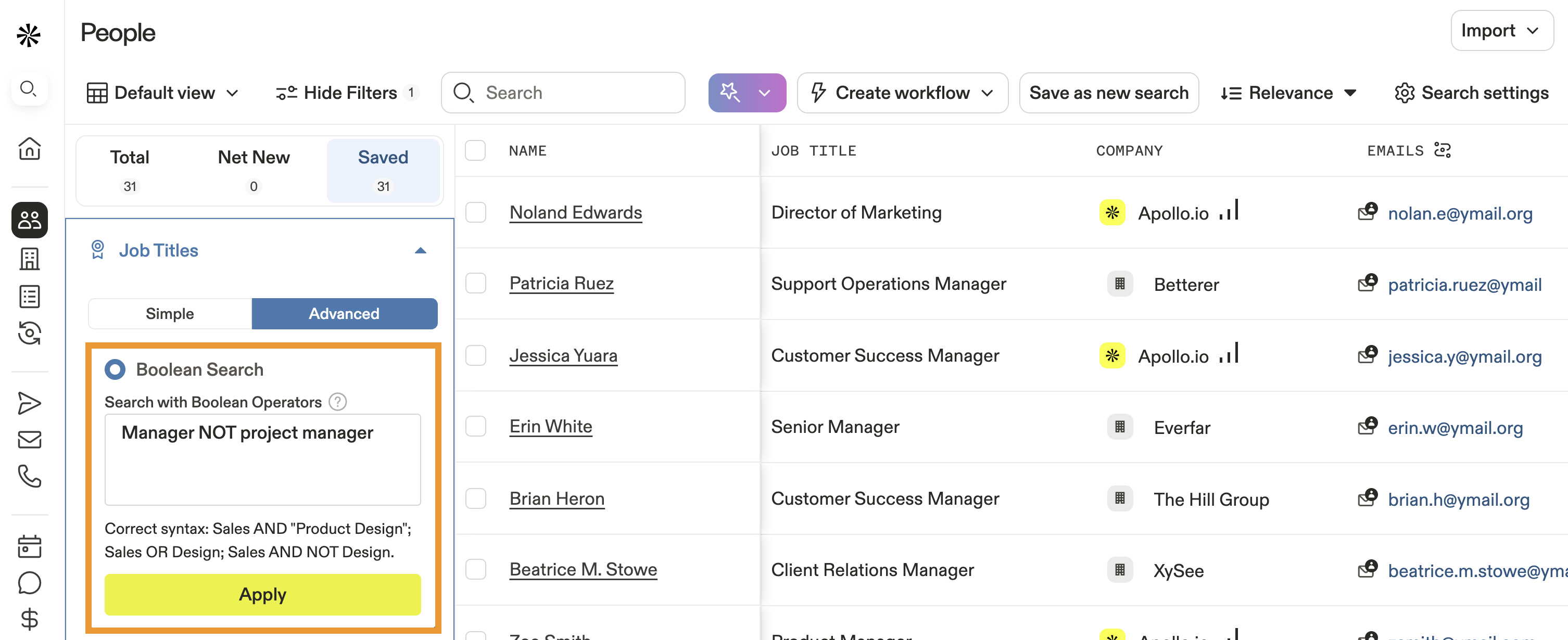
NOT |
Manager NOT Project manager |
Use NOT to restrict your search. This operator excludes results from the title following NOT. For example, if you search for "Manager NOT project manager," Apollo shows you people who identify as managers but not project managers in their job titles. |
Boolean Modifiers
Boolean modifiers modify or expand on Boolean operators. Use one or more modifiers on your main search.
| Boolean modifier | Example | Definition |
|---|---|---|
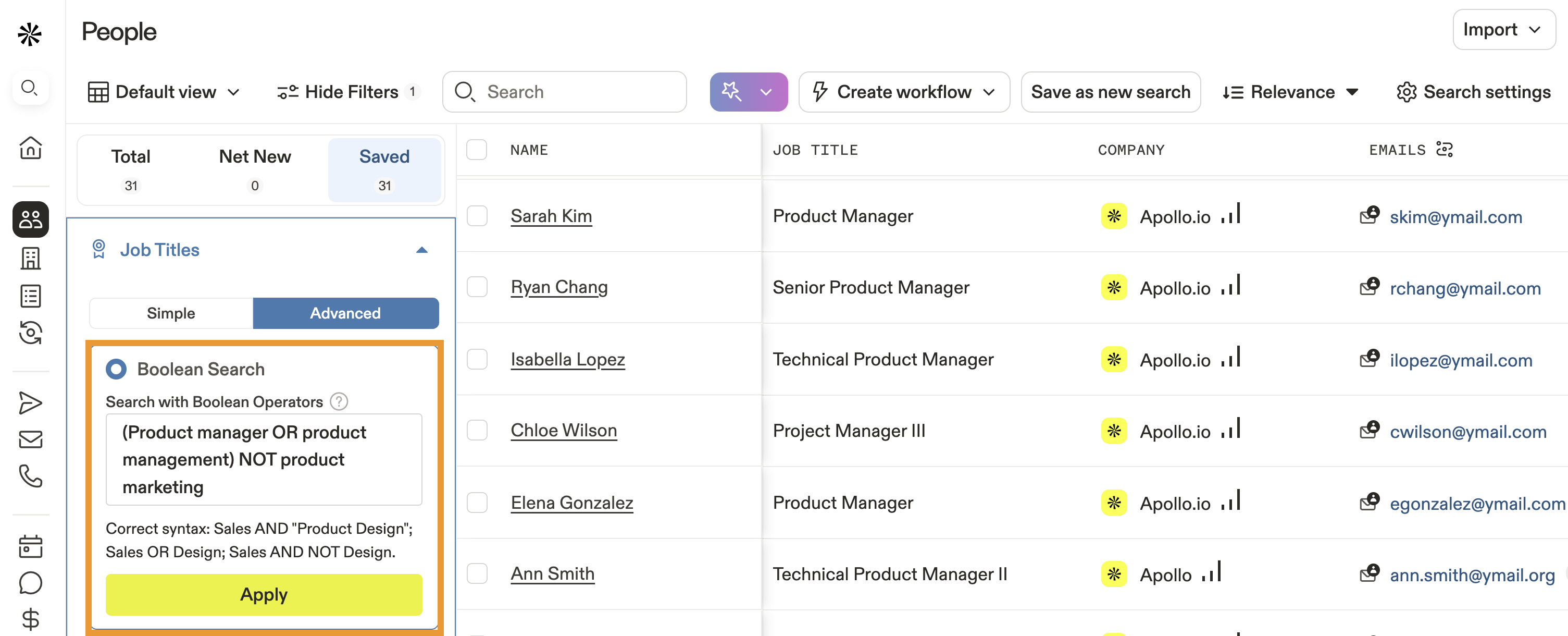
( )Parenthesis |
(Product manager OR Product owner) NOT Product Marketing Manager |
Use ( ) to string different Boolean operators together. For example, if you search for "(Product manager OR product owner) NOT product marketing manager," Apollo shows you results for product managers or product owners, but not product marketing managers. |
" "Quotation marks |
"Senior Director of Customer Success" |
Use " " around your search to find exact strings of text. For example, if you search for "Senior Director of Customer Success," Apollo only shows you results that match the exact phrasing. |
Use Boolean in a Search
To use Boolean operators and modifiers when searching for people via the job titles filter:
- Launch Apollo and click People.
- Click Show Filters > Job Titles, then click Advanced.
- Click Boolean Search and enter your search string.
Apollo accepts Boolean search strings up to 200 characters long.
- When finished, click Apply.
- Apollo updates your results.
You can save a search with Boolean operators for easy access later.
Learn more about search filters and how you can optimize prospecting to find your ideal contacts.
Next Steps
Looking to level up your Apollo prospecting game? Here are some solid next steps:
| Search Filters Overview | Get to know search filters on Apollo so you can fine‑tune by job title, location, industry and more for better targeting. |
|---|---|
| Create a Persona | Create personas by combining job titles, industries, and filters to quickly target prospects that truly match your ideal customer profile. |
| Save, Share, and Set Alerts for Search Views | You can streamline outreach when you save searches, share them, and set alerts so you're always notified of fresh, relevant prospects. |
| Use Job Change Alerts to Enrich Contacts | Make sure your team's data stays fresh when you set job change alerts to enrich or update contacts when they move roles. |