
Overview
The AI assistant helps you understand what is working and where to improve. After launching outreach through sequences and workflows, use the assistant to analyze performance, uncover trends, and identify gaps in engagement.
Ask natural-language questions about your outbound results, rep activity, account engagement, and pipeline impact. The assistant can generate summaries, highlight strengths and weaknesses, and surface actionable insights so you can make data-driven decisions faster.
Check out the following sections to analyze your performance with the AI assistant.
Analyze Your Performance
Before you use the AI assistant, configure the AI context center so the assistant understands your business and products or services.
While in a chat, click > Context to choose a product or service the assistant should use to help you analyze performance.
Use the AI assistant to evaluate how your outbound efforts are performing across sequences, channels, and teams. Ask performance-related questions in natural language to quickly uncover trends, strengths, and areas for improvement.
To analyze your performance:
- Launch Apollo and navigate to Analytics.
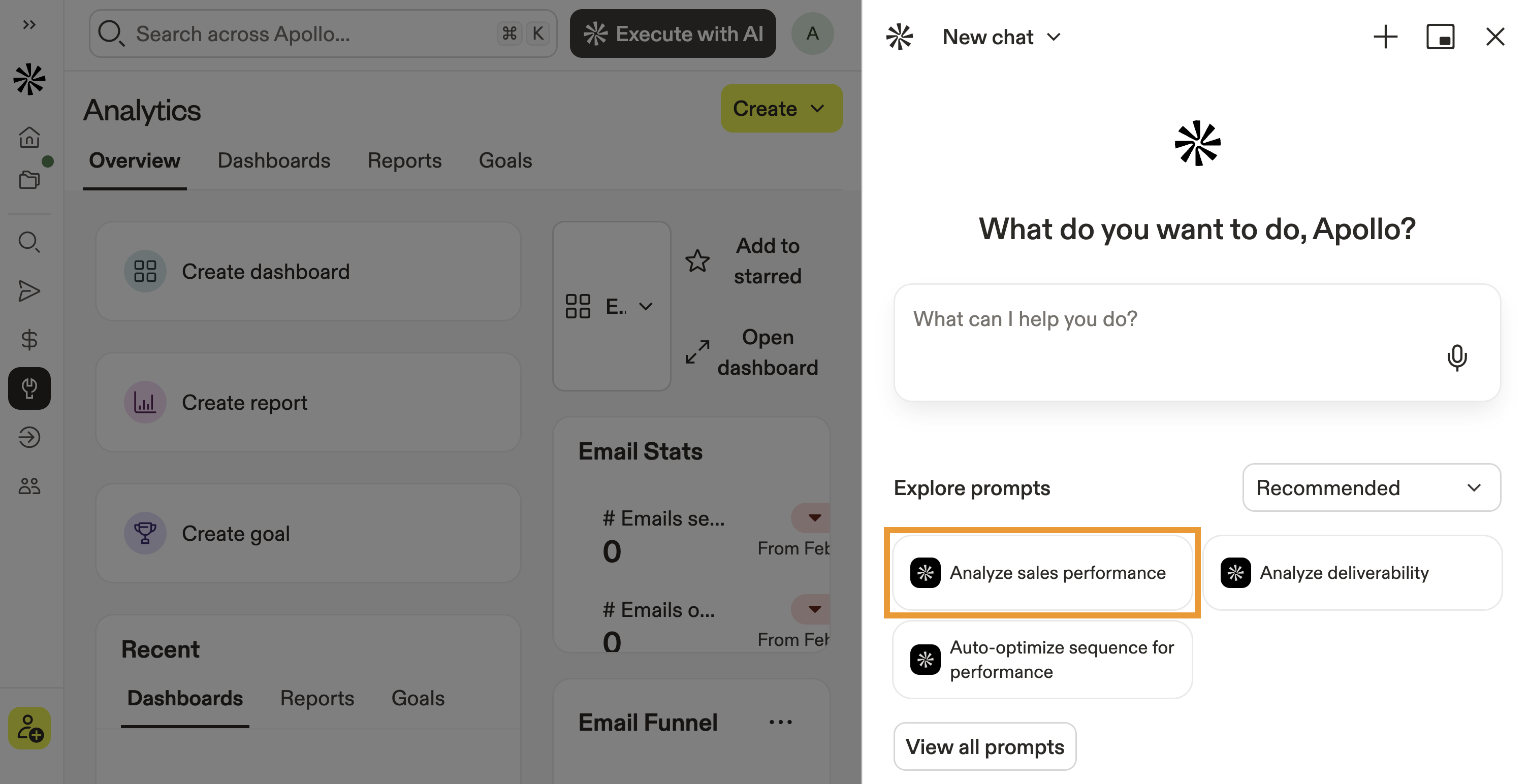
- Click AI Assistant.
- Click to use a suggestion like Analyze sales performance or click View all prompts to see more.
You can set a chat credit limit to control when the assistant asks for approval before spending credits. Credit-consuming actions within the limit can run automatically. Actions that would exceed the limit require approval.
- Alternatively, describe your question or goal in natural language, like:
Which sequences performed best in Q1?
What are my team's average open and reply rates?
How many contacts were marked not interested in 2025?
How many meetings were booked from outbound this month?
Analyze my deliverability and spam-blocked rates.
- Depending on your request, the assistant may ask for more information.
- Review the generated summary, insights, or visualizations and use them to guide your next actions.
You have now analyzed outbound performance. Wanna dig deeper? Next, learn how to analyze deliverability for even more insights.
Analyze Deliverability
Use the AI assistant to evaluate email deliverability and inbox placement across your mailboxes. Identify issues early and get clear recommendations to protect sender reputation and improve engagement.
Did you know? When you use recommendations on Apollo, the AI assistant automatically suggests actions it can take to help you resolve deliverability issues — no prompting required!
To analyze deliverability:
- Launch Apollo and navigate to Analytics.
- Click AI Assistant.
- Click to use a suggestion like Analyze deliverability or click View all prompts to see more.
- Alternatively, ask in natural language, like:
How is my team's deliverability trending this month?
Which mailboxes have low reply or open rates?
Are any sequences at risk due to poor inbox placement?
What should I fix to improve deliverability?
- Review the assistant's insights and follow recommended actions to improve inbox placement and engagement.
You have now analyzed deliverability. Next, learn how to analyze rep and account activity in more detail.
Analyze Rep and Account Activity
Use the AI assistant to evaluate individual rep performance and account-level engagement. Identify top performers, uncover coaching opportunities, and understand how accounts are interacting with your outreach.
To analyze rep and account activity:
- Launch Apollo and navigate to Analytics.
- Click AI Assistant.
- Click to use a suggestion like Analyze sales performance or click View all prompts to see more.
- Alternatively, ask in natural language, like:
Which reps booked the most meetings this quarter?
Which accounts show the highest engagement by emails and calls?
Compare emails sent and calls connected performance between my SDR team members.
- Review the assistant's insights and use the data to refine coaching, targeting, and outreach strategies.
You have now analyzed rep and account activity. Next, learn how to manage your account with the AI assistant.
Manage Your Account
The AI assistant can also help you monitor credit usage, review plan limits, and check mailbox health. Ask administrative questions in natural language to quickly understand your account status.
To manage your account:
- Launch Apollo and click AI Assistant.
- Ask a question about your account usage or settings. For example:
How many credits have we used this month?
Compare our Apollo plan to the available plans.
Show me our invoice and billing history.
- Review the assistant's response and take action directly from the relevant Apollo settings page if needed.
You have now analyzed performance and reviewed account status with the AI assistant.
Next Steps
Keep building momentum with these AI-powered workflows that help you find, engage, and optimize every step of your outbound motion.
| AI Assistant Overview | Put AI to work across Apollo and use the AI assistant to surface insights, answer performance questions, and take action faster to keep your pipeline moving. |
|---|---|
| Find Prospects with the AI Assistant | Need better-fit accounts? Find prospects with the AI assistant using natural-language prompts to quickly build targeted lists that match your ICP. |
| Engage Prospects with the AI Assistant | Ready to turn insights into action? Engage prospects with the AI assistant to generate tailored messaging and sequence ideas to boost replies and book more meetings. |
| Apollo AI Overview | Get the full picture of what AI can do across Apollo and see how Apollo AI connects prospecting, engagement, and analytics to drive smarter decisions across your revenue team. |