
Overview
Sequence rulesets allow you to set custom rules about who you can email within your sequence. While you can set rules for individual sequences, sequence rulesets allow you to apply the same rules across multiple sequences and teams. Sequence rulesets help protect you from sending emails to the wrong people and make it easier to automate outreach with consistent rules.
Check out the following sections to create a sequence ruleset and use it in your sequences.
Create a Sequence Ruleset
To create a sequence ruleset:
- Launch Apollo and click Settings > Team email & sequences > Sequences > Sequence rulesets.
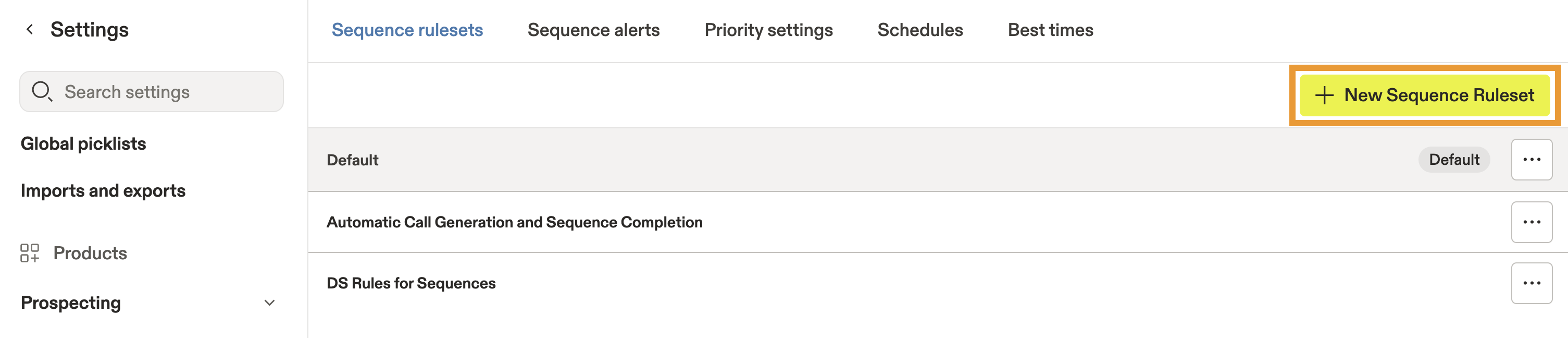
- Click + New Sequence Ruleset.
- Name your sequence ruleset, then configure the triggers and other settings you want to use.
Triggers automate sequence behavior based on conditions you define. You can create follow-up tasks, limit sequence activity, and control how contacts progress through a sequence.
To configure triggers:
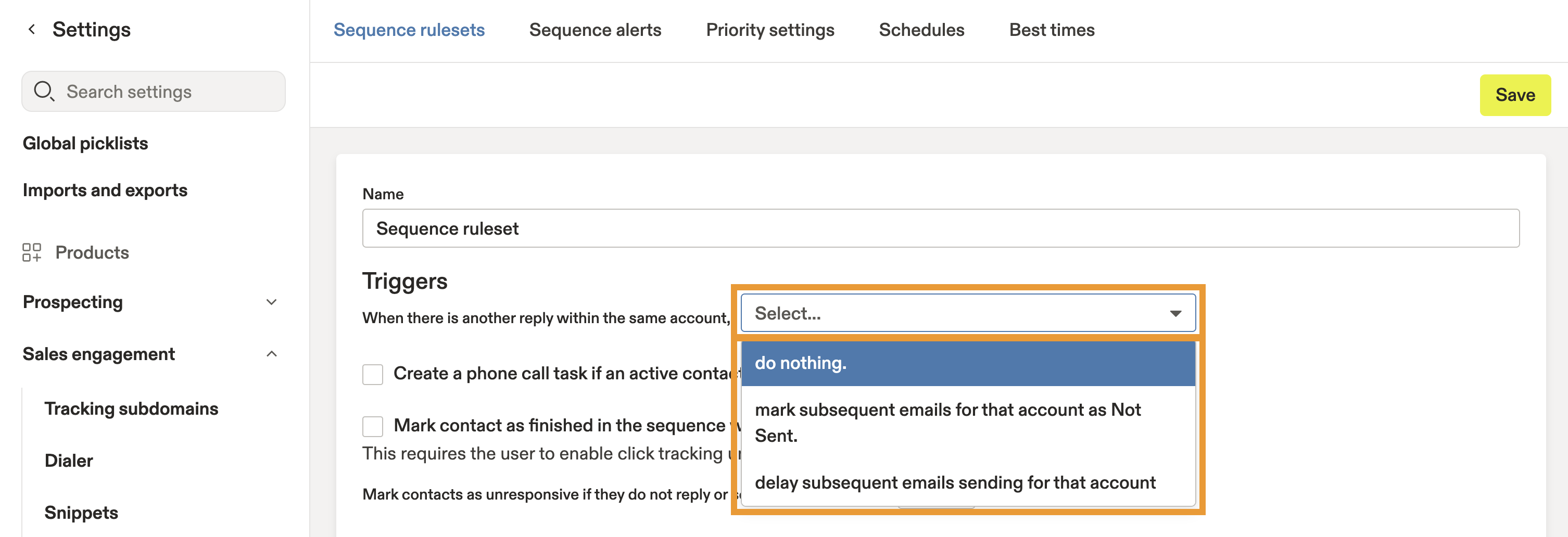
- Choose an option from the dropdown beside When there is another reply within the same account to define how Apollo handles contacts when someone else from the same company replies to an email:
- Do nothing
- Mark subsequent emails for that account as not sent
- Delay subsequent emails for that account
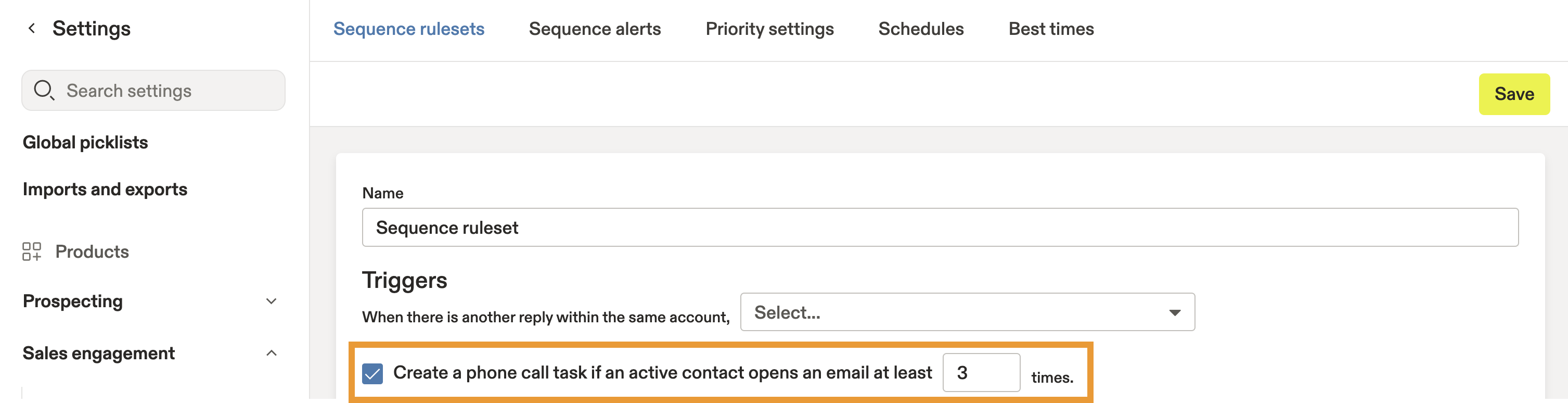
- Check Create a phone call task... to automatically create a phone call task after an active contact opens an email a specified number of times. Then enter the number of opens required before Apollo creates the task.
- Check Mark contact as finished to automatically end the sequence when a recipient clicks a link in your email.

Mark contact as finished requires click tracking to be enabled for your account.
- Choose the number of days for Mark contacts as unresponsive... to control how long Apollo waits before marking recipients as unresponsive if they don't reply or book a meeting.

- Configure whether Apollo sends emails when contacts are in specific contact stages. By default, Apollo excludes contacts in the following stages:
- Replied
- Interested
- Do Not Contact
- Bad Data
For example, you can remove the Replied stage, which is normally applied when a contact replies to an email. This allows the sequence to continue if the contact replies to a meeting invitation or another email thread that wasn't initiated by Apollo.
To edit these stages, click a default stage to remove it, or click the dropdown to add more contact stages.

- Configure whether Apollo sends emails when an account is in a particular account stage. By default, Apollo excludes accounts in the following stages:
- Current client
- Active opportunity
- Dead opportunity
To edit these stages, click a default stage to remove it, or click the dropdown to add more account stages.

Some default triggers apply to every sequence ruleset. Click Show Default Triggers to review or modify the following settings:
- Mark contact as finished when there is a reply.
- Pause contact when there is an out-of-office reply.
- Mark contact as finished when a calendar meeting is scheduled with the contact. This setting also finishes the contact when you click Mark Interested on a sent sequence email.
Some protection triggers cannot be modified:
- Mark contact as finished when they unsubscribe.
- Mark contact as finished when a phone call connects.
- Mark contact as failed after a bounce or spam rejection.
Next, configure the other ruleset settings.
Yes. Use sequence rulesets to configure CC and BCC email addresses for every sequence that uses the ruleset.
Sequence rulesets also include the following optional settings.
- Enter the maximum number of emails the sequence can send during a rolling 24-hour period.

- Enter email addresses to CC or BCC on every sequence email. Separate multiple addresses with commas.

- To disable bounce protection, check Ignore bounce protection in sequences.

- Click Save.
Anyone can configure sequence rules on individual sequences, but saving reusable sequence rulesets depends on your Apollo plan.
Your sequence ruleset is ready to use. It appears in the advanced settings whenever you create or edit a sequence.
Next Steps
Now that you've standardized your sequence rules, here are a few related resources to help you apply, optimize, and scale them across your team's outreach.
| Create a Sequence | Ready to put your ruleset to work? Build a sequence with a shared ruleset to keep every campaign aligned with your team's sending policies. |
|---|---|
| Configure a Sequence Sending Schedule | Configure your sequence sending schedule to make sure your outreach follows the right days, times, holidays, and time zones alongside your ruleset. |
| Add Contacts to a Sequence | Enroll contacts into your sequence to see your ruleset automatically determine who can receive outreach and who should be excluded. |
| Use Stage Triggers in a Sequence | Automate stage changes with sequence triggers to keep contacts moving through your sales process based on real engagement. |
| Report on Sequences | Review sequence performance to spot bottlenecks, evaluate your outreach, and decide whether your rules or messaging need refinement. |