
Overview
Agents repeatedly handle specific outbound jobs for you, without you having to ask. Instead of waiting for you to prompt Apollo's AI assistant, an agent automatically runs on a schedule, does the work assigned to it, and returns the results or recommended actions in the AI assistant for you to review.
You manage agents from the AI assistant. Turn agents on or off, review their status and next scheduled run, run immediately, or adjust when they run. When an agent completes a run, its results appear in the AI assistant or in Slack if connected and configured, where you can review the recommendation and continue working with Apollo.
Apollo includes three agents:
- Lead discovery: Apollo finds prospects that match your ideal customer profile, scores a sample against that criteria, and surfaces the strongest matches.
- Sequence creation: Apollo uses your company context to recommend outbound sequences, including the target buyer, intent signal, and sequence strategy. Choose a sequence and Apollo works through the steps needed to build it.
- Sequence optimization: Apollo monitors active sequences for opens, replies, bounces, and spam signals, diagnoses opportunities to improve performance, and proposes one change at a time for you to review.
Agents are available on professional and organization plans.
If you need access to agents, upgrade your plan on Apollo. If you have questions about upgrading, reach out to the sales team.
Check out the following sections to set up, manage, and take action with agents.
Back to TopEnable an Agent
Agents use context about your company from the AI context center. Before you use an agent, ensure you have configured the AI context center with details about the products or services you offer.
To configure an agent:
- Launch Apollo and click AI Assistant > Agents.
- Choose the agent you want to use:
Apollo finds prospects that match your prospecting strategy and surfaces the strongest matches with a rationale for each lead.
Apollo uses your company context to recommend outbound sequences, including the target buyer, intent signal, and sequence strategy. Choose a sequence and Apollo works through the steps needed to build it.
Apollo monitors active sequences for opens, replies, bounces, and spam signals, identifies opportunities to improve performance, and proposes one change at a time for you to review.
- Click to open the agent.

- Configure the agent:
- Credit approval: enter how many credits the agent can use in a single run before Apollo asks you to approve additional credit usage.
- Run schedule: choose how often the agent should run (daily, weekly, or monthly), then configure the time or applicable days.
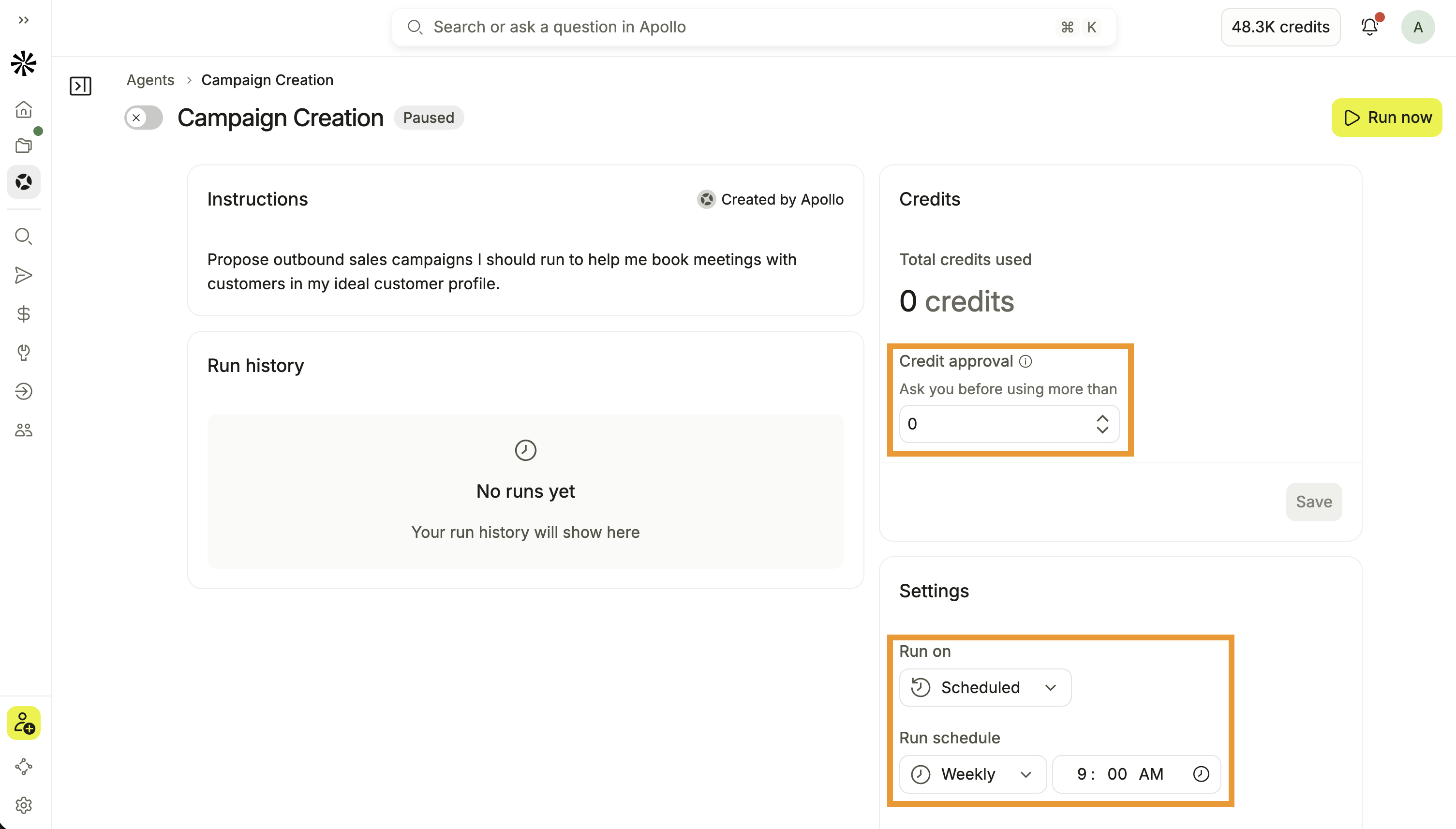
- Click Save after changing the credit approval or schedule.
- Toggle to activate the agent.
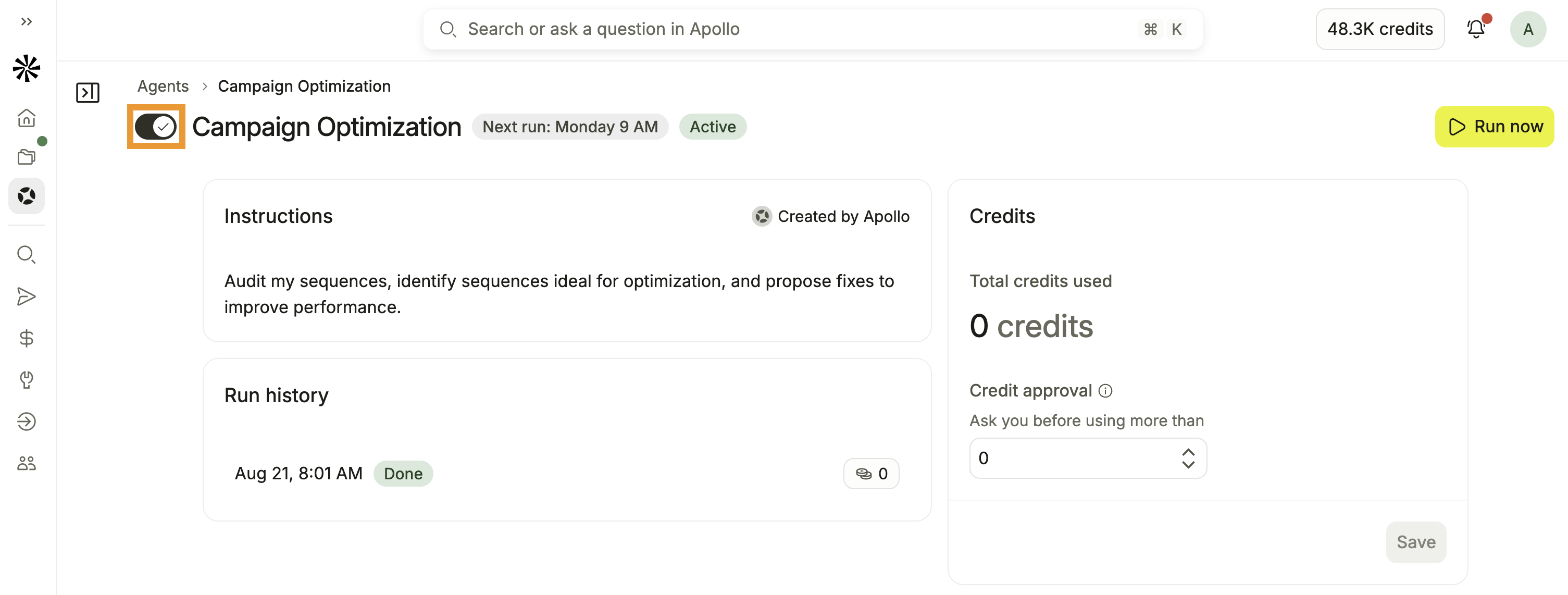
- (Optional) Click Run now to start running the agent immediately.
Your agent is now active. Apollo runs the agent on the schedule you configured and adds the results to the AI assistant for you to review. If you're using the Slack integration, Apollo can notify you there as well.
What happens next depends on the agent you activated. Check out how to take action on your results.
Apollo may automatically activate an agent for some eligible users based on your Apollo activity. You can deactivate an agent at any time.
Act on Agent Results
When an agent runs, Apollo starts a conversation in the AI assistant with the results of the run and recommended next steps. Review the results, then continue based on the agent you're using:
Review the prospects Apollo discovered and the reasoning for each match. Select the prospects you want to work with, then add them to a list or sequence to begin outreach. You can also ask Apollo to find more prospects like the ones it recommended.
Review the outbound sequence strategies Apollo recommends and choose the one you want to pursue. Apollo then works through the sequence setup with you, including the audience and sequence. Review the completed sequence before approving it to launch.
Review Apollo's diagnosis of your active sequences and the change it recommends. Approve the recommendation when you want Apollo to make the change, or continue working with Apollo in the AI assistant to adjust the recommendation.
Agents continue to run on their configured schedules so Apollo can keep discovering new prospects, building new campaign opportunities, or identifying ways to improve your active outreach over time.
To deactivate an agent, just return to AI Assistant > Agents and toggle off the agent.
Next Steps
Keep the momentum going with these resources to turn agent recommendations into prospecting, sequences, and better outreach.
| Integrate Slack with Apollo | Connect Slack with Apollo to bring agent updates into the workspace where your team already collaborates and takes action. |
|---|---|
| AI Assistant Overview | Use the AI assistant to continue working with your agent results, refine recommendations, and turn them into actions across Apollo. |
| Add Contacts to a Sequence | Add recommended prospects to a sequence to move strong matches from lead discovery into active outreach. |
| Create a Sequence | Create and configure a sequence to turn a strategy into a coordinated set of emails, calls, social touches, and tasks. |
| Report on Sequences | Report on sequence performance to check engagement and deliverability signals before deciding which optimization recommendations to apply. |