
Overview
Apollo AI accelerates your prospecting and engagement. You can discover insights about contacts and accounts to hone in on the best opportunities, then use Apollo AI to prospect, qualify, and create sequences with tailored messaging for effective outreach at scale.
The AI context center sits at the heart of Apollo AI and lets you configure key factors about your company, customer pain points, and business or service. Apollo AI uses this information to ensure recommendations, messaging, research, and other actions performed by AI are tailored to your unique value proposition.
Once configured, the context center applies to all users in your Apollo account.
Apollo ensures that customer data used in Apollo AI is never used to train external AI models and is safeguarded under Apollo's rigorous privacy and security standards. Learn more about Apollo AI and data privacy.
Check out the following sections to set up the AI context center.
Configure the AI Context Center
By default, only people with permission to modify team level context can configure the AI context center.
To extend access, go to Settings > AI context center, then click Edit permissions and choose whether to grant access to everyone, admins only, or specific users.
To configure the context center:
- Launch Apollo and click Settings > AI context center.
- Enter your company website URL, then click Continue.
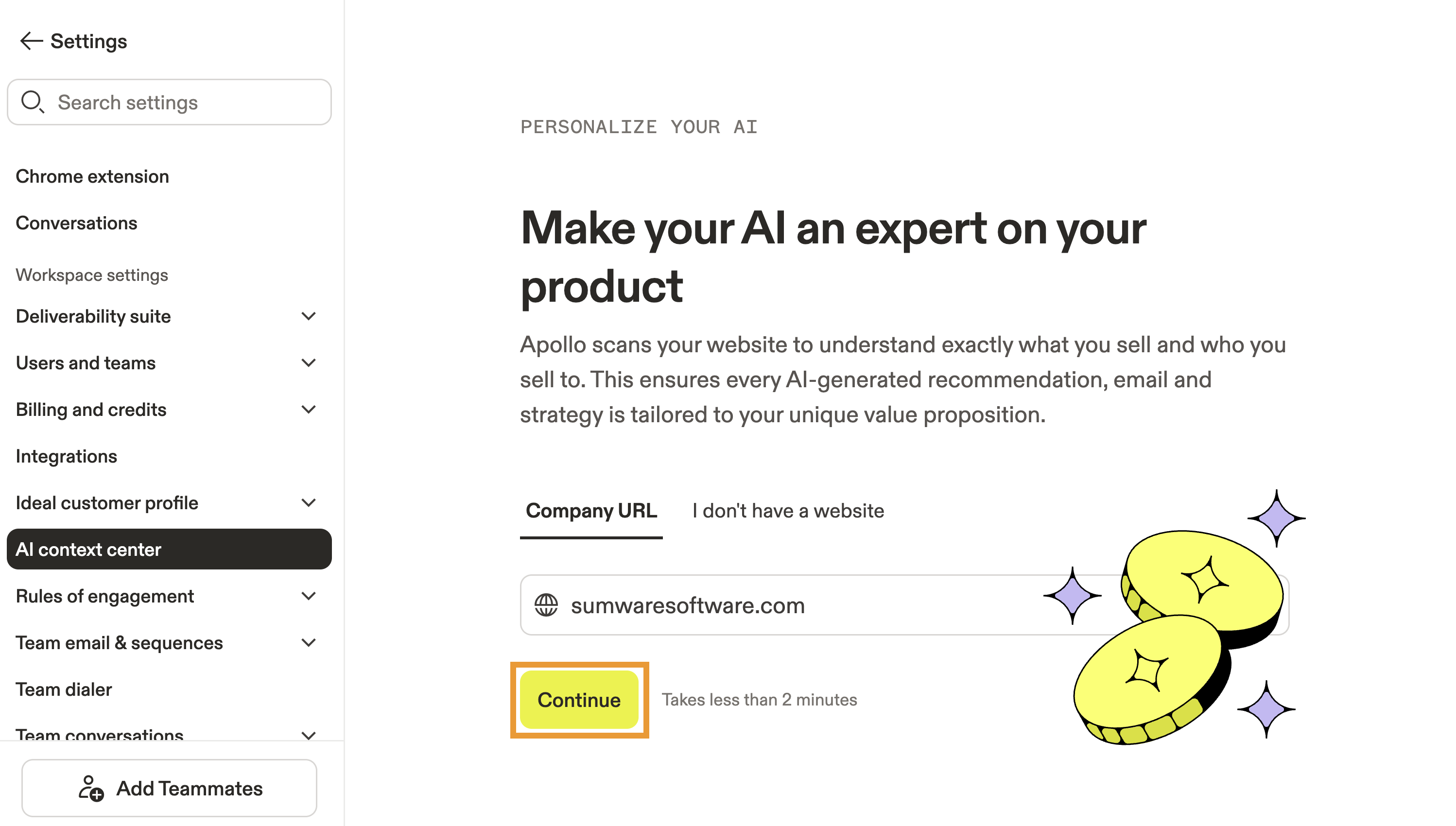
The AI context center only gathers information from your main website. For example, if you enter apollo.io/engage, the context center only looks at apollo.io. Any path, subdirectory, or query string is ignored.
However, AI research does look beyond the homepage and may use common first-party pages such as /about, /products, /services, /pricing, /customers, and /case-studies when generating research for you.
- Apollo gathers relevant information from your website to curate your company overview, competitors, and product or service offering. Review and edit the results, then click Save.
Need to improve or revise the context center? Use the AI assistant to update your company information with natural language. For example, ask the assistant to refine your value proposition, add competitor details, or update product information, then review and save the suggested changes.
- Alternatively, if you don't have a website, or prefer to manually configure the context center, click I don't have a website, and enter information for each key factor:
| Company name | Your company or brand name and how you want customers to know you. |
|---|---|
| Offering | Describe what your company sells — your core products or services, who they're built for, and how they work. Include specific product names if you have multiple offerings. |
| Value proposition | Describe the results and outcomes your customers get. Focus on what changes for them: time saved, revenue gained, cost reduced, or problems eliminated. |
| Call-to-action | The action you want prospects to take, like "Book a 15-min call" or "Schedule a demo." |
| Company overview | A short description of what your company does, who it's for, and the core problem you solve. |
| Additional context | Any extra details that help AI understand your business, like selling regions, company stage, bad-fit customers, or messaging guidelines. |
| Primary competitors | The companies your prospects most often compare you to or switch from. |
| Product differentiators | What makes your product different from alternatives. What can you do that competitors can't? Why do customers choose you? |
You can use plain language to customize the context center. There's no need to get technical — unless you want to!
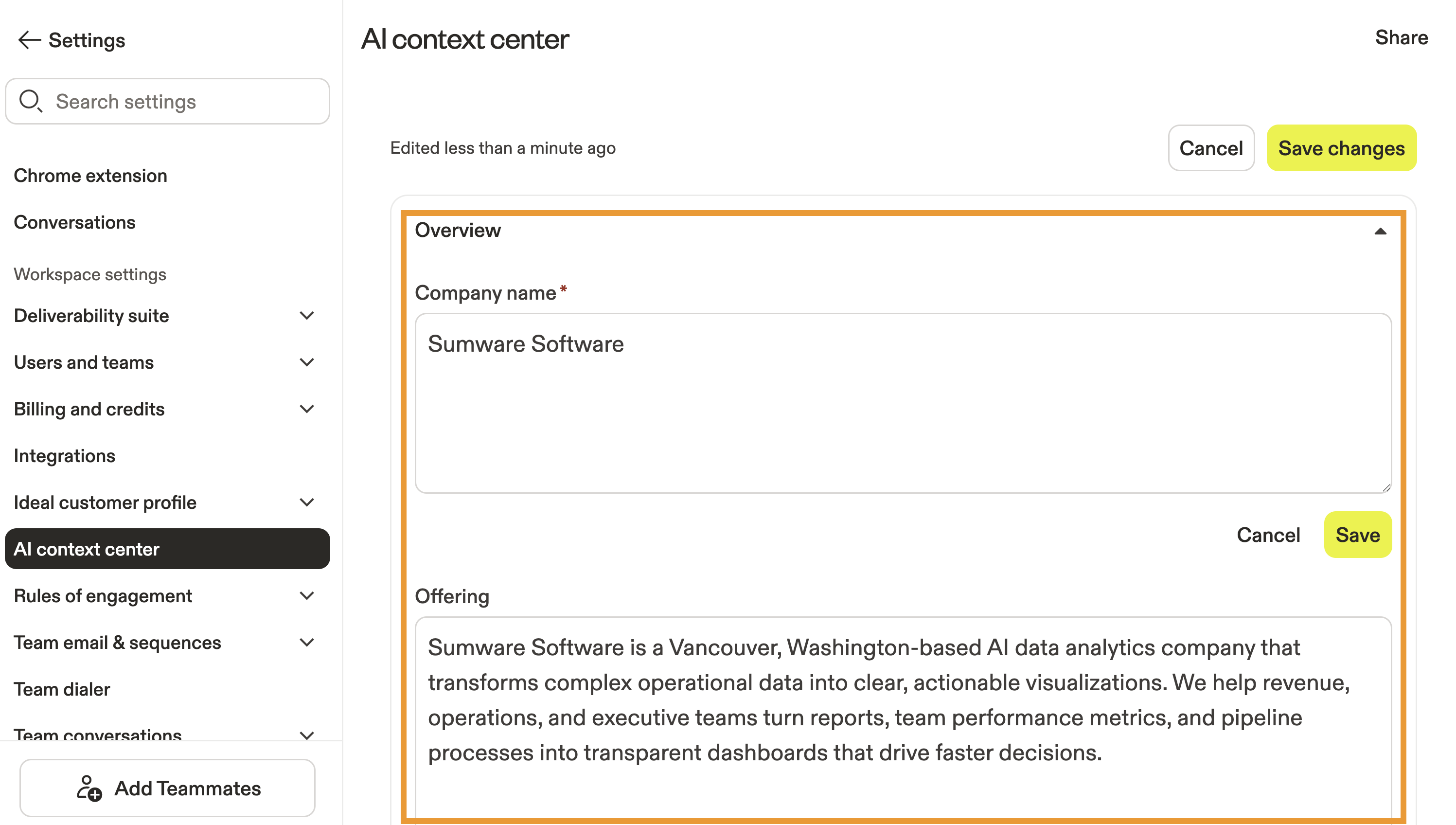
- When finished, click Save beside the context you updated, then click Save changes.
If you made a mistake or need to edit your company information, hover over your company and click Edit. To regenerate from your website, click ⟳.
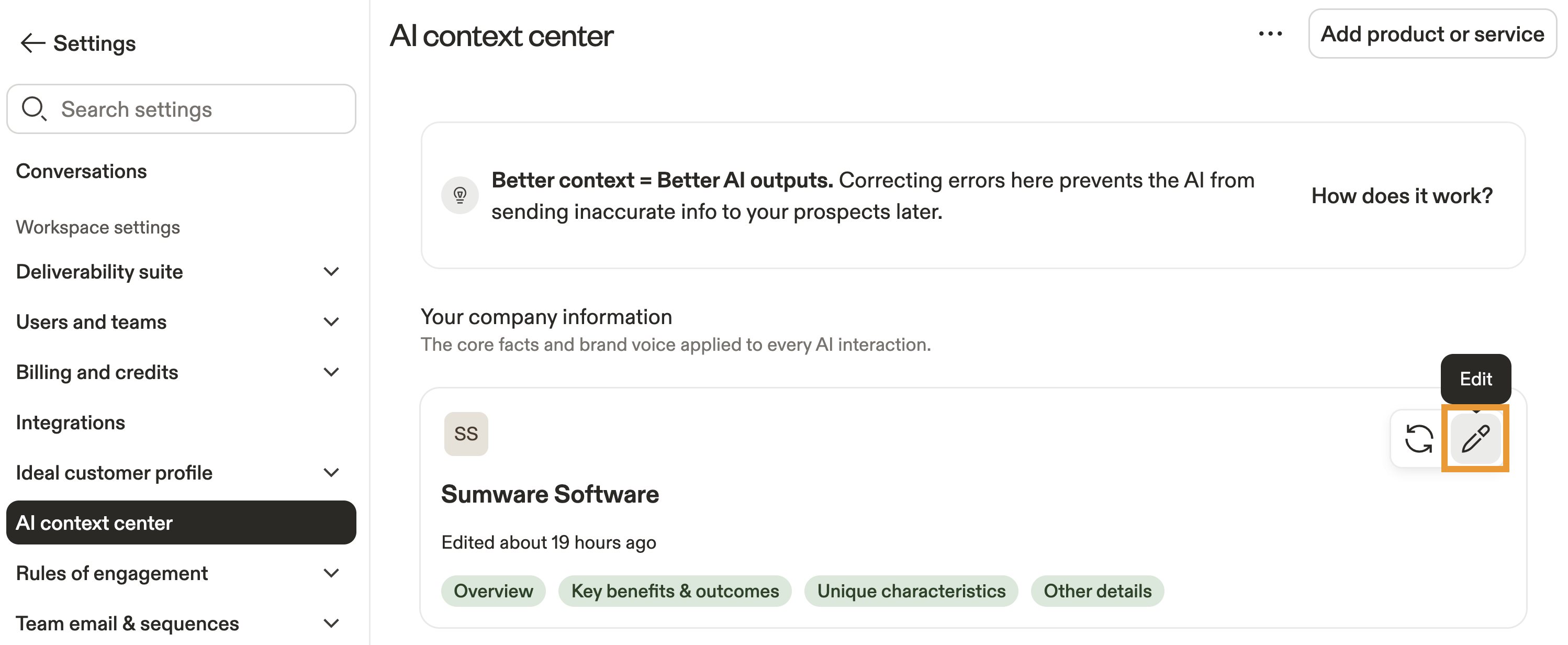 When you update the context center, the changes only apply to future AI research or AI generation. Apollo doesn't retroactively update AI-generated content that already exists.
Contacts or accounts that were previously enriched with AI research continue to display their original AI-generated content until you re-run AI research. Previously generated or sent emails and AI openers also remain unchanged.
- Next, click Add a product or service.
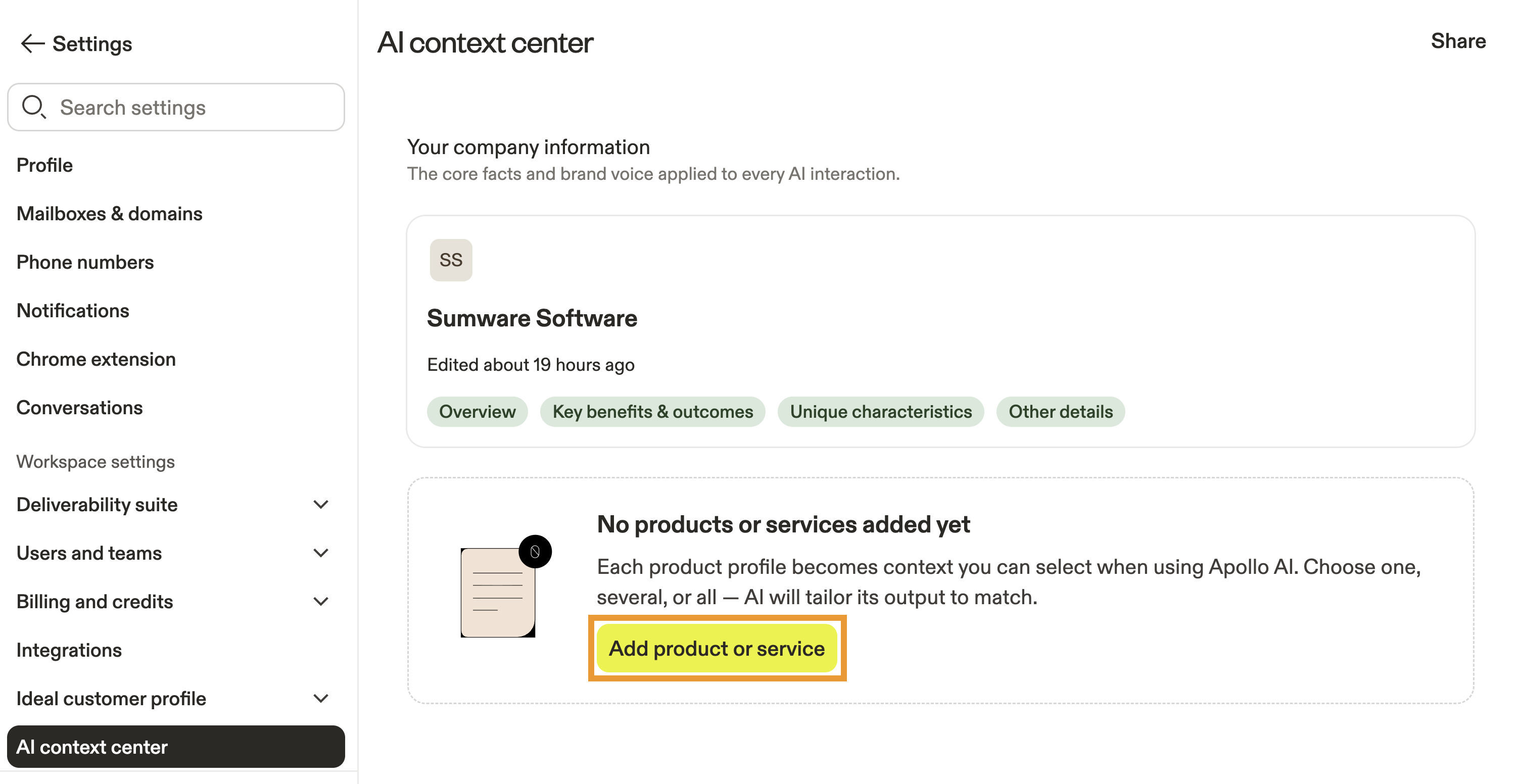
- Click to add a name for the product or service, then describe the offering in detail. Apollo provides some suggestions to help get you started.
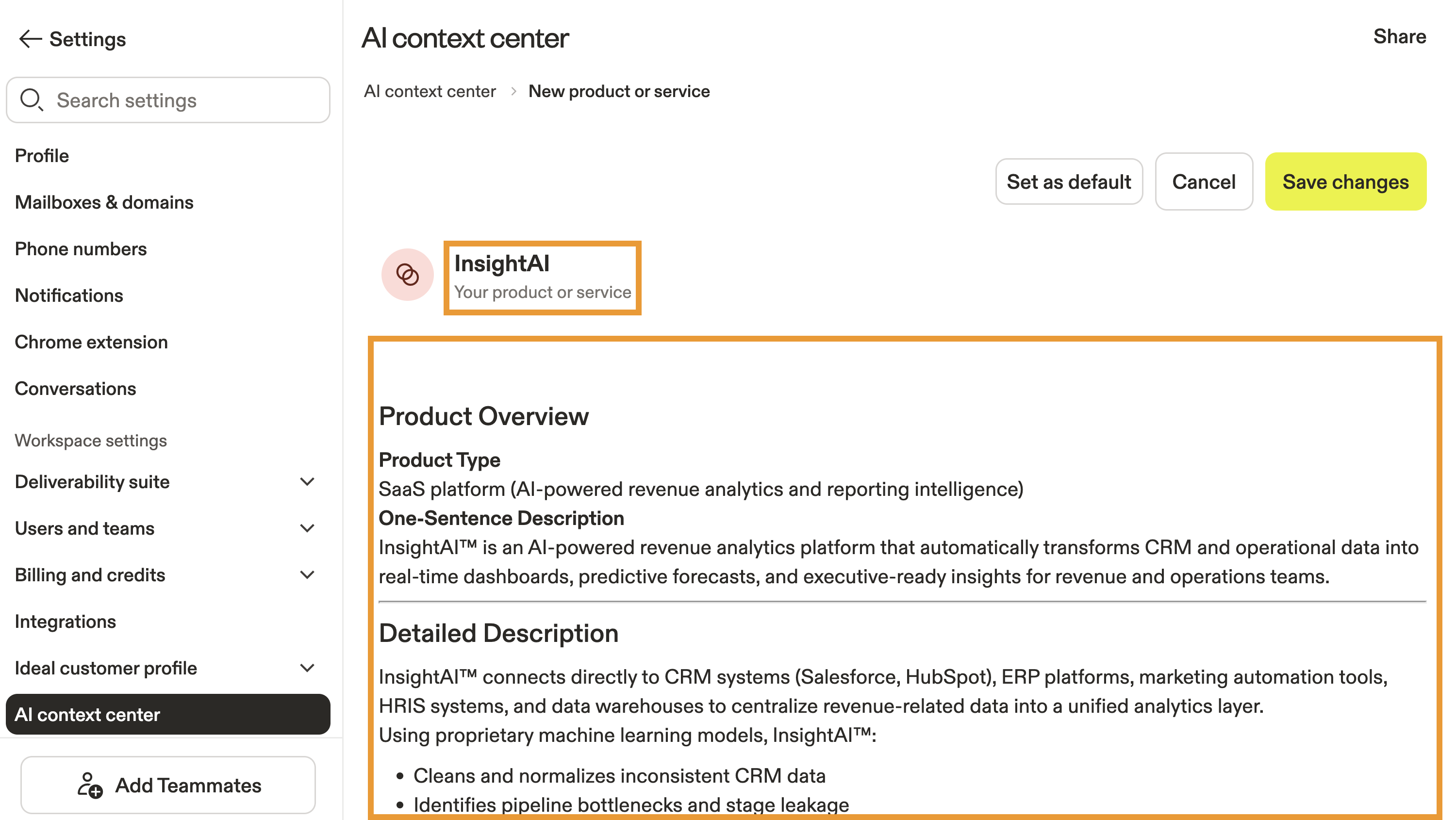
- (Optional) Type
/to format your text.
Pro-tip: Start with how you would explain your product in a live demo. If you can clearly describe what it does, who it's for, and the main problem it solves in plain language, you already have the foundation. Then refine your description using real customer outcomes, common objections, and competitor comparisons to add detail and depth.
- (Optional) Click Set as default to set this product or service as the default that Apollo AI uses.
- When finished, click Save.
If you have multiple products or services, add them to the context center by clicking Add at any time. When using Apollo AI, you can choose which product or service to use as context.
You have now configured the context center. You're ready to use Apollo AI for prospecting, research, qualification, personalized messaging, and more.
Use Apollo AI
With the context center configured, use Apollo AI to speed up your market research and write highly personalized messages to contacts.
- Use the AI assistant
- Create and use AI research
- Use AI to write emails
- Use AI to create new sequences
Use the AI assistant
The AI assistant helps you turn natural language into action across Apollo. Simply describe what you want to accomplish to find and qualify prospects, build and optimize sequences, create workflows, improve deliverability, analyze performance, and manage your account — all without clicking through every step.
The assistant uses your Apollo data and context center information to generate recommendations and draft actions, then helps you apply them with preview and confirmation control. Get it done quicker from start to finish with the AI assistant.
Create and use AI research
Apollo's AI research delivers intelligent insights on people and companies to power your market research and guide qualified prospects through the sales funnel. Use AI research in your prospecting to uncover fresh information that highlights your most promising opportunities. Learn how to use AI research.

Prefer to talk it out? Use the AI assistant to conduct research with natural language conversations instead.
Apollo AI automatically uses information set in the context center to better understand your goal.
Use AI to write emails
Use the AI writing assistant to draft ad-hoc emails to contacts or to write emails in sequences. Apollo AI generates entire emails or email openers based on the info set in context center.
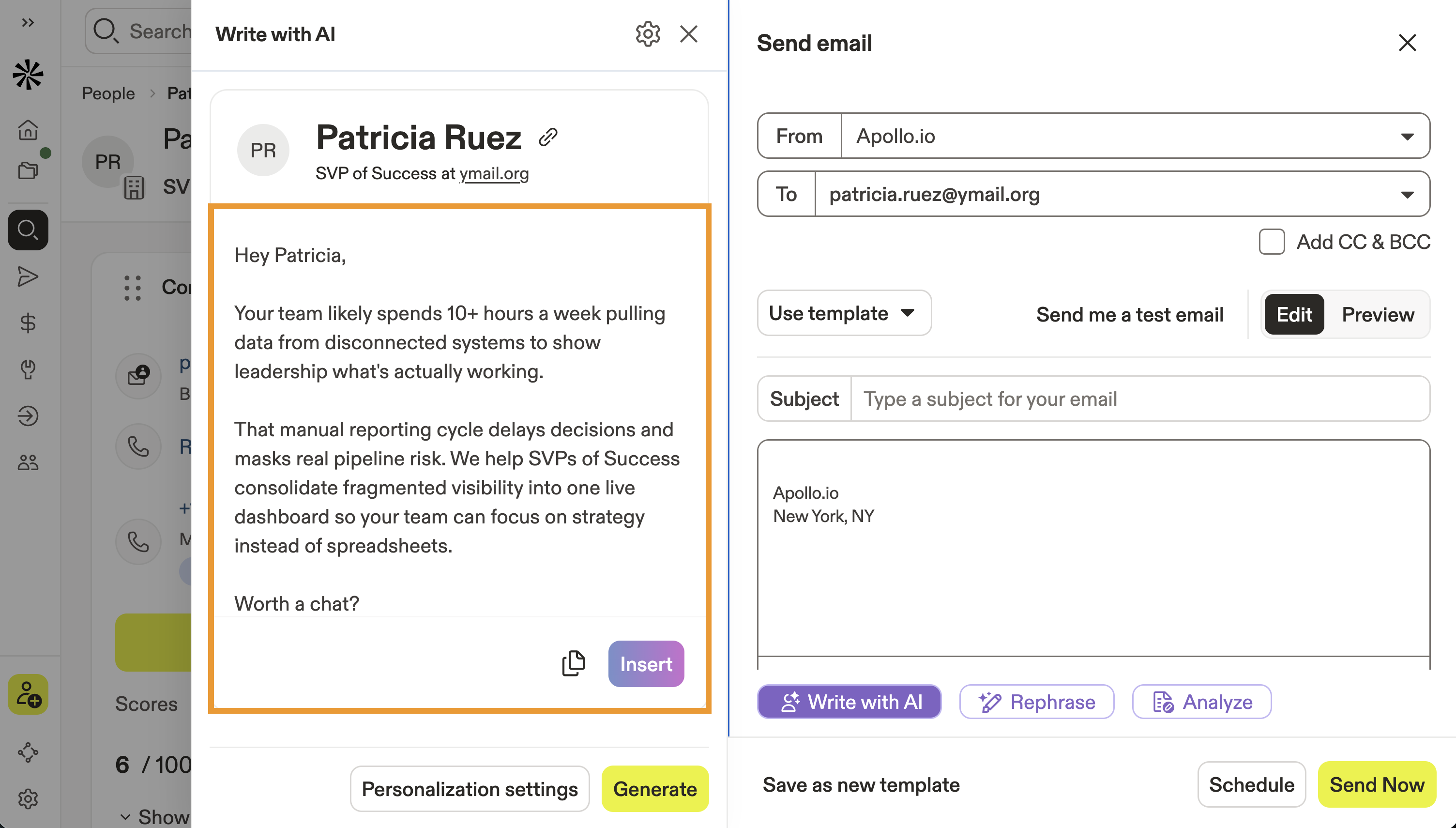
Ready to get started? Use the writing assistant to draft emails faster and easier.
Use AI to create new sequences
Use Apollo AI to create new sequences that capture the attention of your prospects through emails, LinkedIn outreach, and manual tasks.

Ready to get started? Use Apollo AI to generate a new sequence, then add contacts to begin to your engagement.
Troubleshoot Generic AI Results
If the AI context center is configured but your Apollo AI outputs seem generic, off-brand, or disconnected from company context, use these checks to narrow down the issue:
- Confirm the AI context center content was saved: Go to Settings > AI Context Center and check your company information. Use the edited timestamp to confirm when the content was last saved. If the content looks stale or incorrect, click Regenerate or Edit to manually update, then save the info.
- Keep the AI context center updated: Update the context center when your positioning, products, or target market changes. Confirm the content always reflects your most up-to-date company website, product, positioning, and target customer.
- Account for update timing: New AI context center content applies to AI used after the update. Apollo doesn't rewrite AI research outputs that were already created. Re-run AI research on a test contact or account to confirm the updated result.
- Check your context and custom AI research: If the AI context center is vague or sparse, add more specific details about your offering, customer profile, pain points, and value proposition. If you use custom AI research, review the prompt or instructions and make them more specific.
- Test with a well-known company: Run AI research on a Fortune 500 or other well-known company. If outputs are strong for well-known companies but weak for niche companies, sparse external data is likely affecting results rather than your context center setup.
Next Steps
Here are a few next steps to help you supercharge your Apollo AI experience:
| Apollo AI Overview | Explore Apollo AI to get a complete view of its capabilities and start optimizing your outreach with AI. |
|---|---|
| Use AI Research | Run AI research to narrow your targeting and personalize your outreach at scale. |
| AI Research Template Library | Browse AI research templates to craft personalized messages and uncover key insights without writing AI prompts. |
| Uncover Conversations Insights Using AI | Tap into ask anything AI to extract conversation insights to refine your call strategies. |
| Send Follow-up Emails Using AI | Use AI-generated follow-ups to recap meetings and outline clear next steps with contacts. |
| Use the Outbound Copilot | Deploy the outbound copilot to automate prospecting workflows and turn leads into meetings faster. |