
Overview
The AI assistant helps you find the right prospects faster. Use it to search for people and companies, generate ICP-matched results, score and qualify leads, summarize key facts, and save top matches to lists. With web-powered targeting, the assistant can pull deeper insights and help surface qualified prospects.
Check out the following sections to prospect with the AI assistant.
Find Prospects
Before you use the AI assistant, configure the AI context center so the assistant understands your business and products or services.
While in a chat, click > Context to choose a product or service the assistant should use to help you find prospects.
To find prospects with the AI assistant:
- Launch Apollo and navigate to People or Companies.
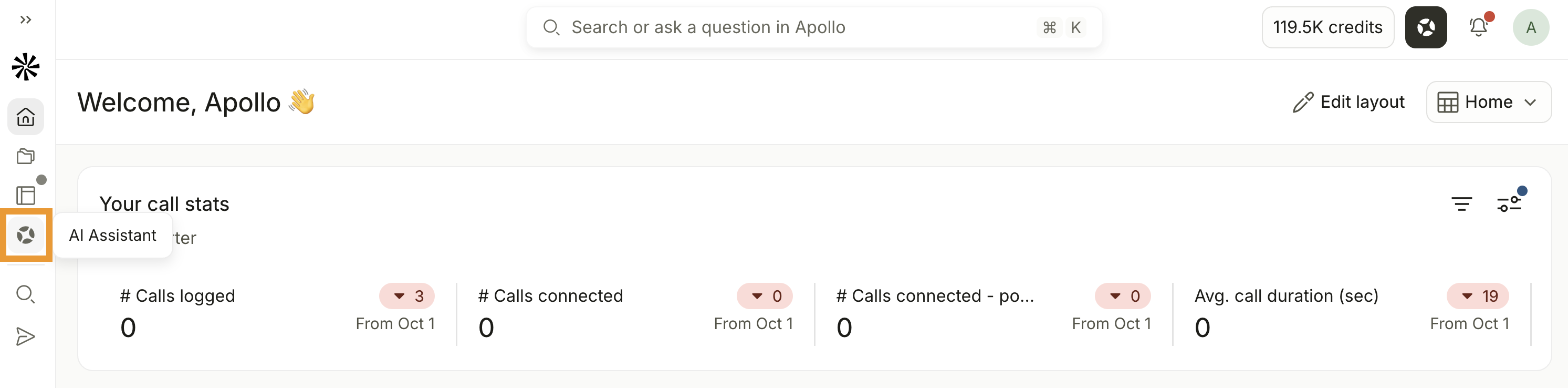
- Click AI Assistant.
- Alternatively, click AI Assistant from the side nav to open the full screen experience.
While in a chat, click > to set a credit limit for the chat. This limit controls when the assistant asks for approval for credit-consuming actions. Choose between 100, 250, 500, 1,000, 2,500 credits, or a custom credit cap.
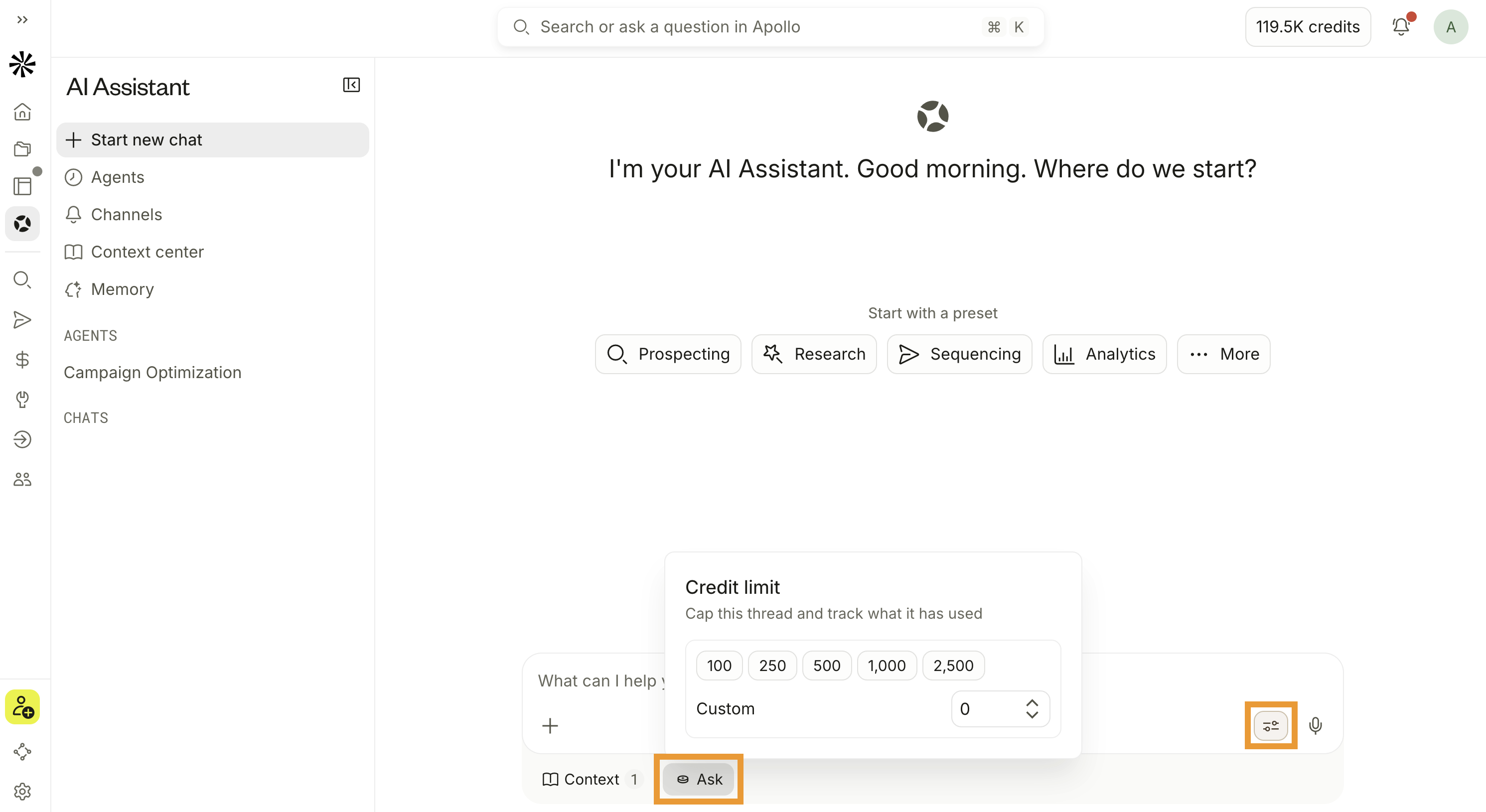 Actions within the limit can run automatically. Actions that would exceed the limit prompt for approval first. If you approve, the assistant runs and can spend beyond the credit limit you set. Apollo remembers your credit limit for each new chat. To require approval for every credit spend, remove any numerical cap.
- Click to use a suggestion like Build your target audience or click View all prompts to see more prompts.
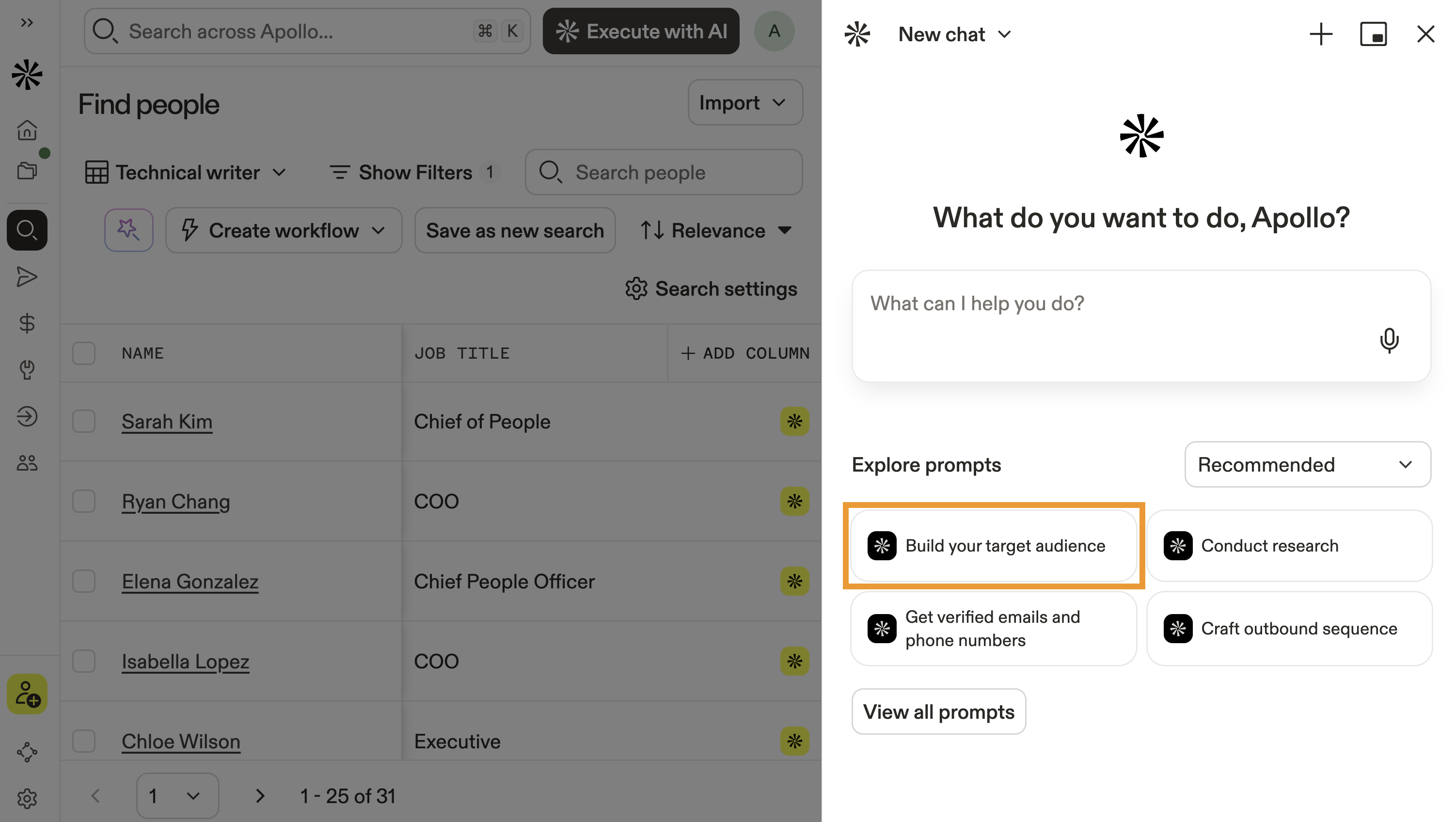
- Alternatively, write your request or goal in natural language:
Find marketing leaders at fintech startups in the UK and Ireland.
Find net new RevOps managers at B2B SaaS companies with 50–250 employees in North America.
Find CFOs and Heads of Finance at industrial automation companies in California, Oregon, and Washington state.
Identify the primary decision-makers responsible for buying sales engagement tools at mid-market B2B SaaS companies in North America.
Find 40 high-intent demand gen leaders at cybersecurity companies hiring SDRs right now.
Pro-tip: Go hands-free! Click 🎤 to use voice to text.
- Then click ↑.
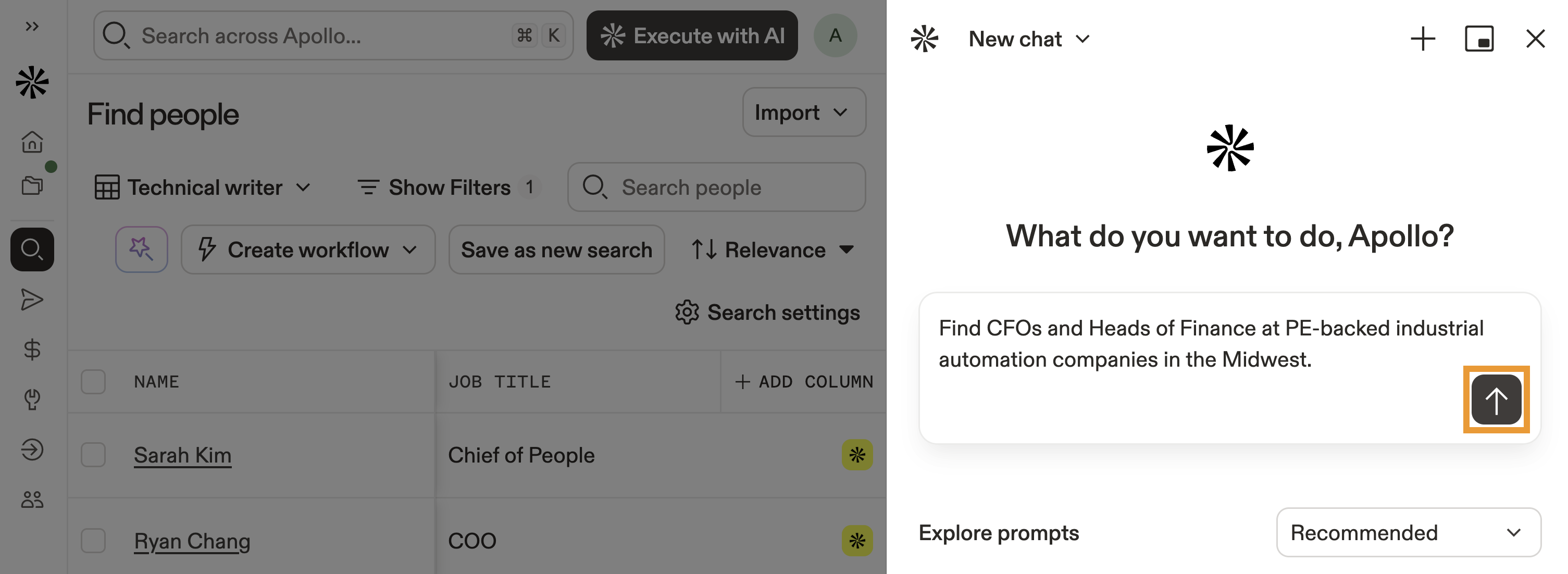
- Depending on your goal, the assistant either executes your request or asks for more information.
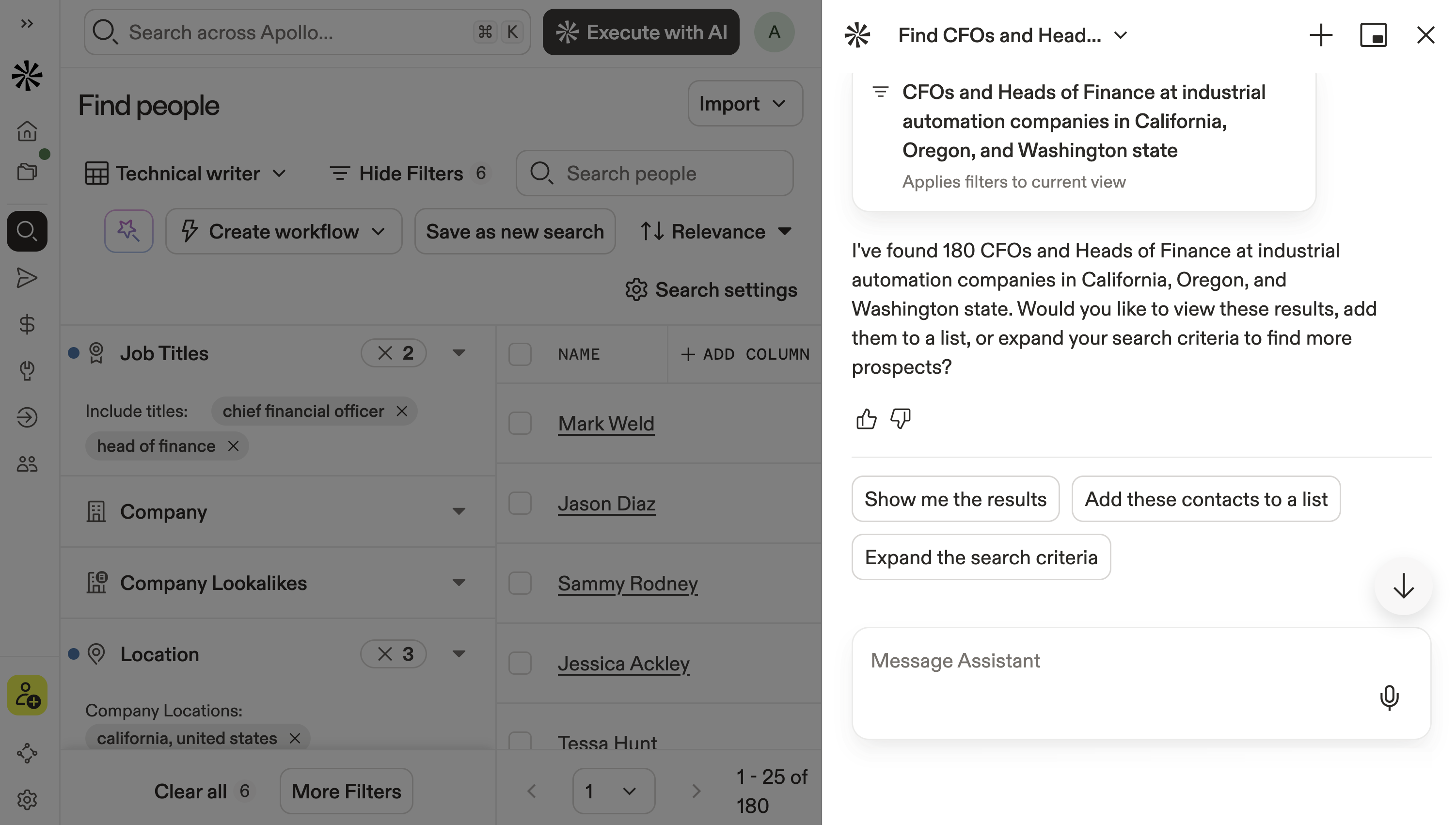
- You can seamlessly switch between the AI assistant and Apollo as needed.
- To start a new chat, click +.
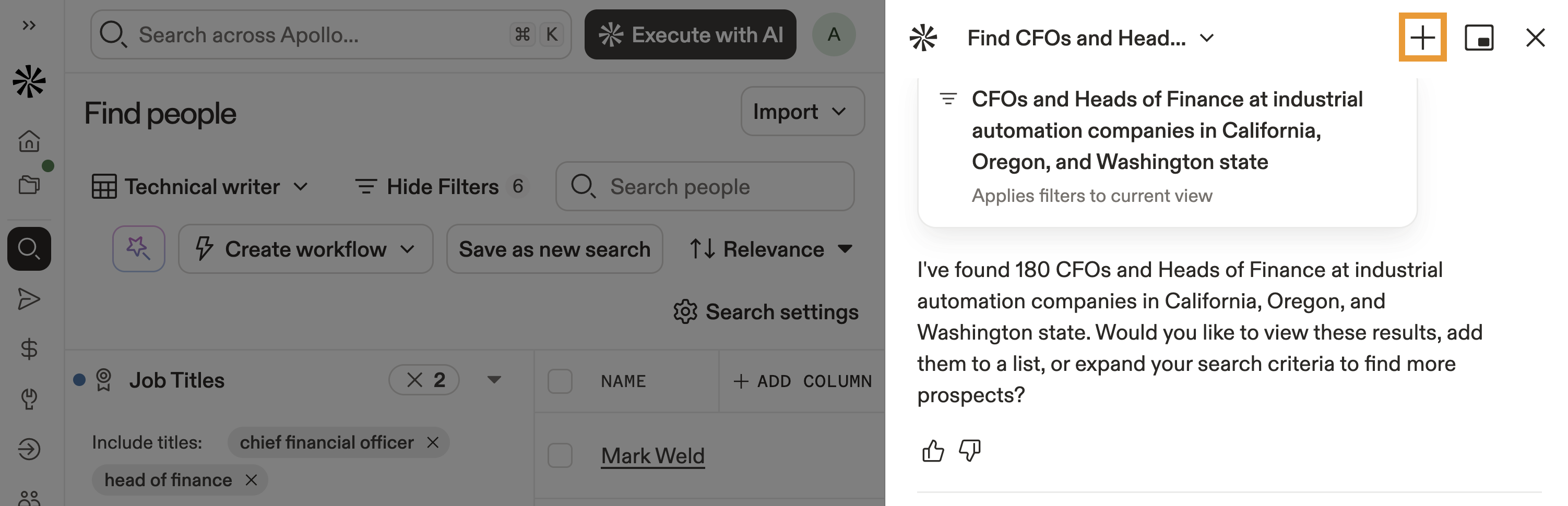
Paid plans include unlimited chats and messages with the AI assistant. Free plans include five chats per billing cycle, with ten messages per chat. If you need access to more chats or messages, upgrade your plan.
- To view previous chats, click ⌄ beside your current chat title.
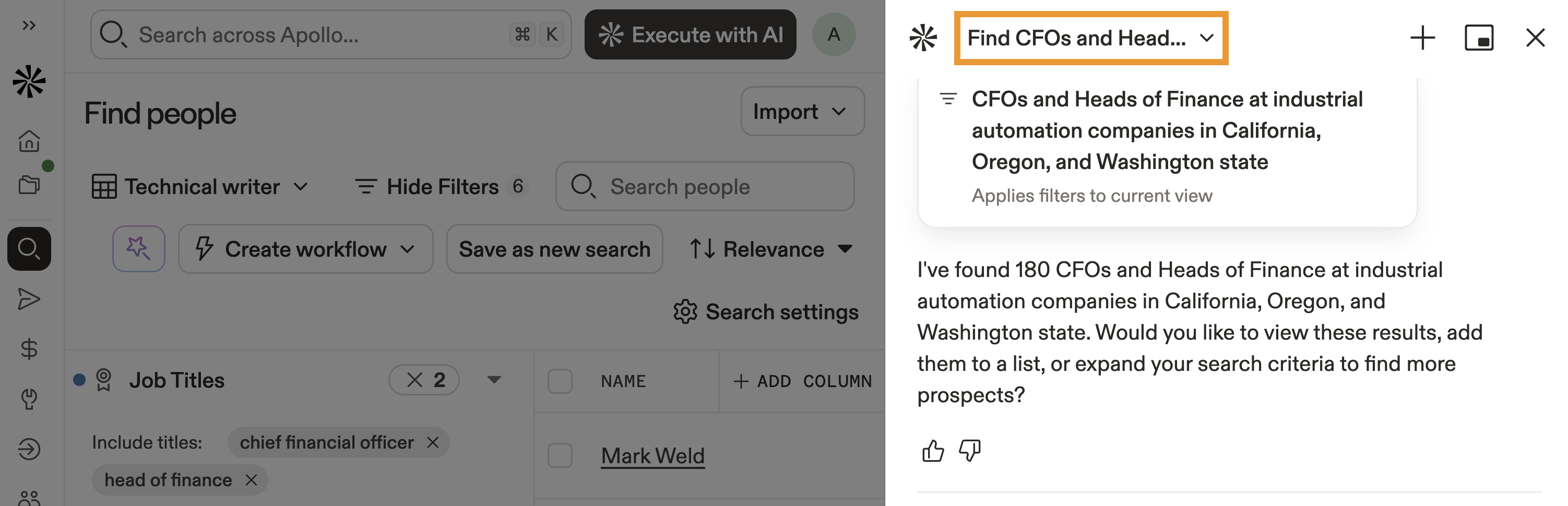
You have now used the AI assistant to find prospects.
Next, refine and qualify your prospects to narrow to best-fit.
Want Apollo to find new prospects for you automatically? Use agents to run prospect discovery and find leads on a schedule for you. Results can be delivered directly to Slack, or you can review and take action inside the AI assistant.
- Click to use a suggestion like Build your TAM or click View all prompts to see more prompts.
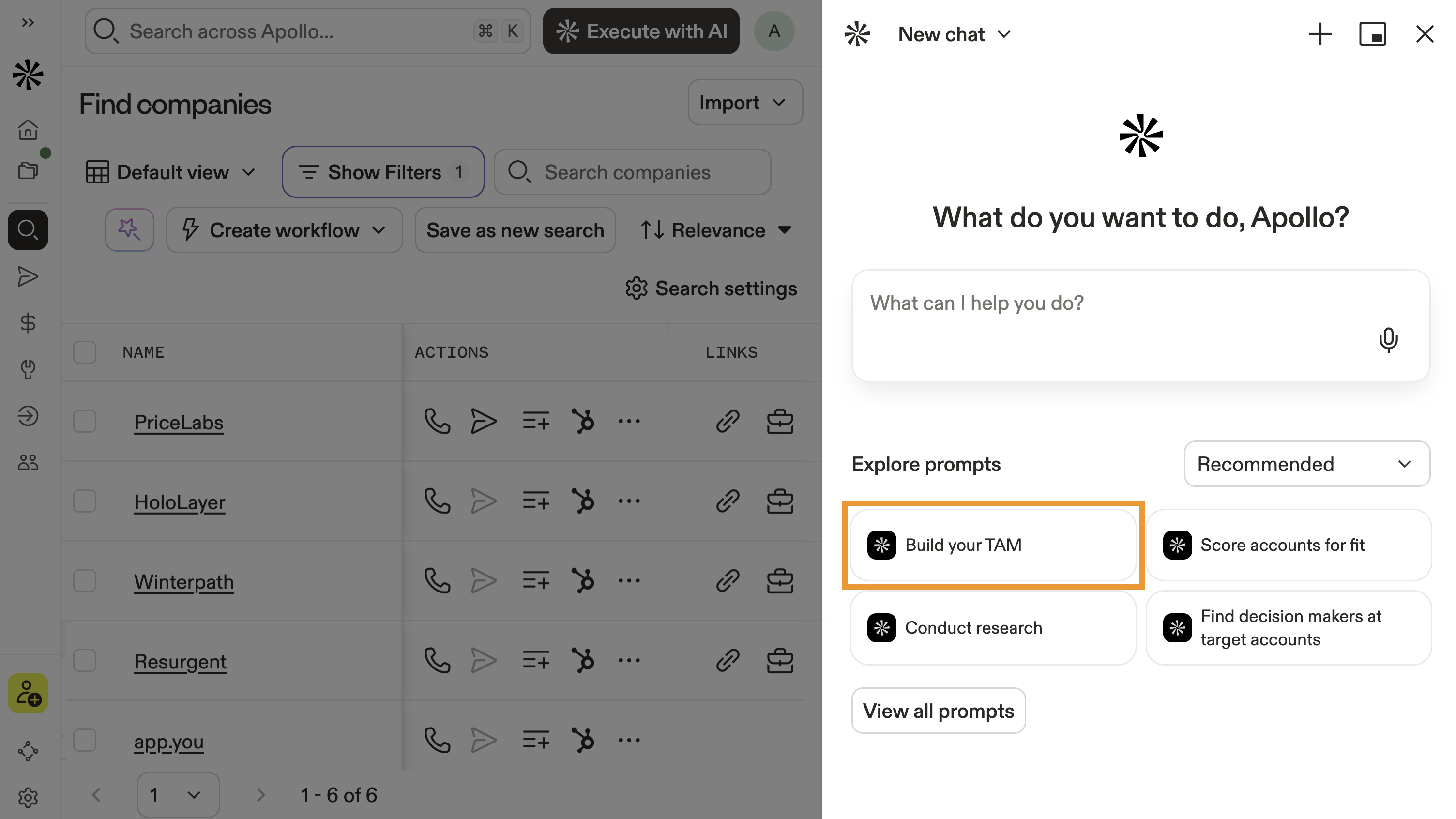
- Alternatively, write your request or goal in natural language:
Find mid-market cybersecurity companies in North America hiring SDRs in the last 90 days.
Show me PE-backed industrial automation companies headquartered in the Midwest.
Find companies similar to Snowflake in the data infrastructure space.
Identify B2B SaaS companies in my territory with 50–250 employees that use Salesforce.
Pro-tip: Go hands-free! Click 🎤 to use voice to text.
- Then click ↑.
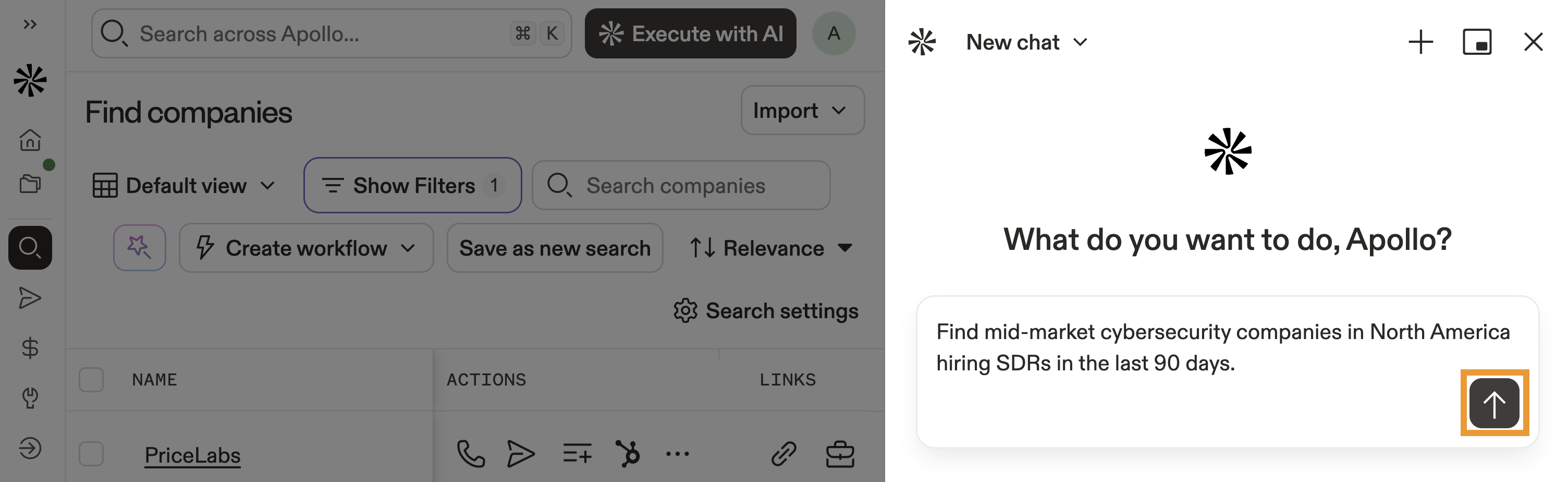
- Depending on your goal, the assistant either executes your request or asks for more information.
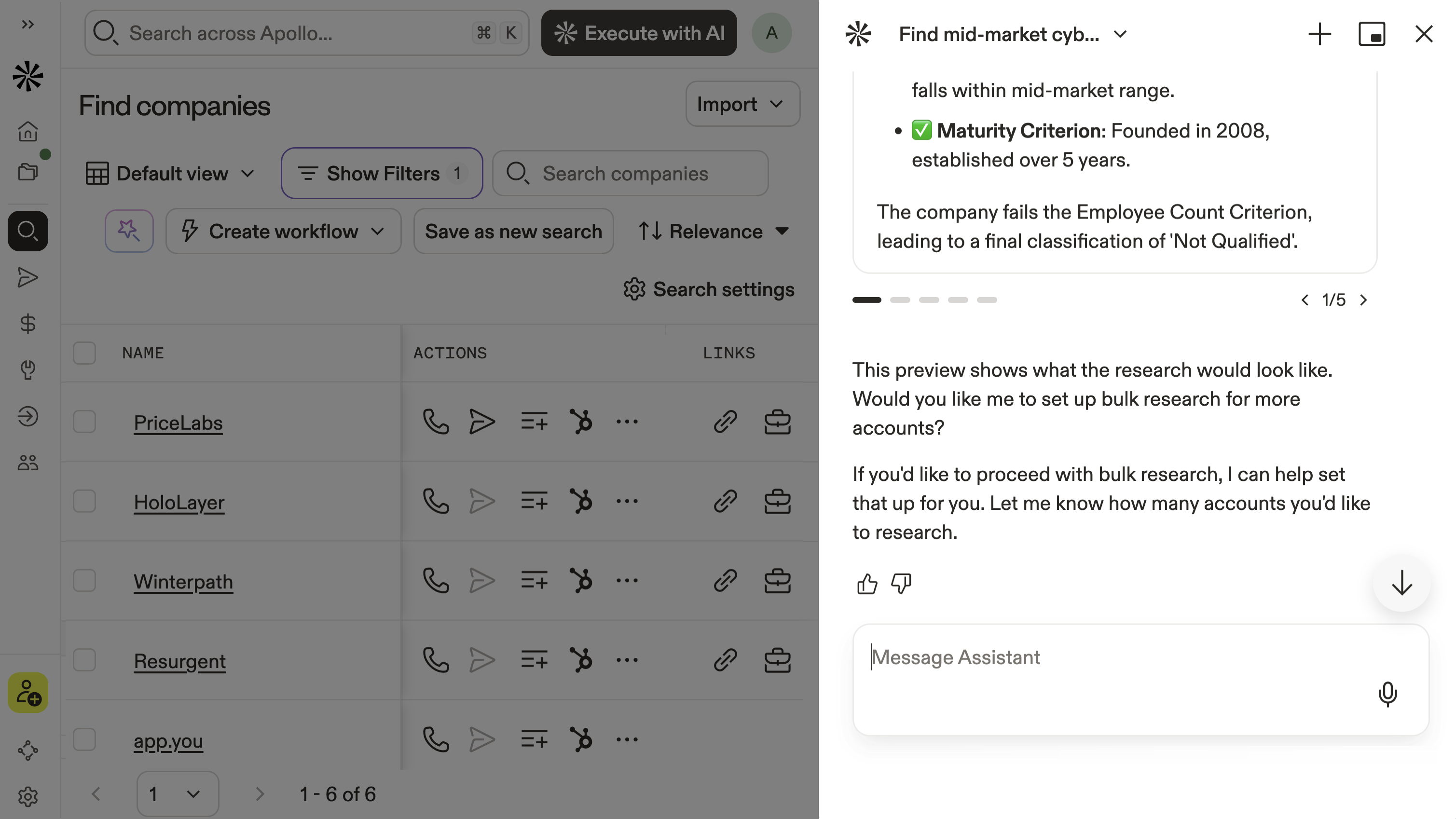
- You can seamlessly switch between the AI assistant and Apollo as needed.
- To start a new chat, click +.
Paid plans include unlimited chats and messages with the AI assistant. Free plans include five chats per billing cycle, with ten messages per chat.
- To view previous chats, click ⌄ beside your current chat title.
You have now used the AI assistant to find prospects.
Next, refine and qualify your prospects to narrow to best-fit.
Qualify Prospects
Now that you've identified potential prospects, use the AI assistant to narrow your results to the best-fit leads. You can ask the assistant to score, prioritize, or refine your results based on intent signals, firmographics, tech stack alignment, funding recency, hiring activity, and deep alignment with your ideal customer profile (ICP).
To qualify prospects:
- Open the AI assistant from People or Companies.
- Reference your current results or describe the list you want to refine.
- Click to use a suggestion like Identify prospects most likely to respond.
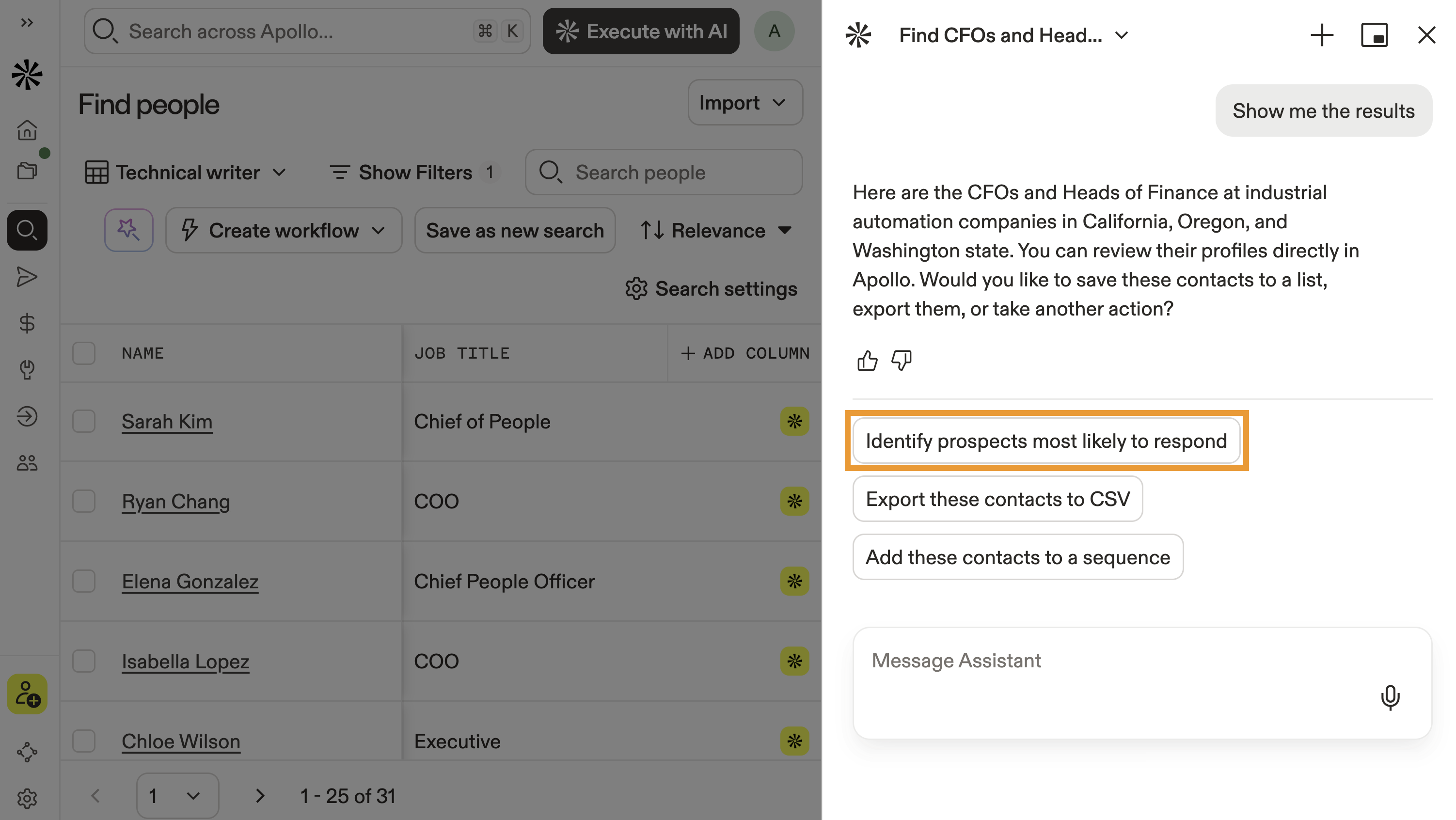
- Alternatively, ask the assistant to score, rank, or narrow the list in natural language, like:
Score these leads based on likelihood to convert.
Prioritize the highest-fit accounts in this list.
Narrow this list to companies that match my ICP and are hiring sales reps.
Identify which of these prospects show high buying intent.
- The assistant analyzes available account data and web-powered signals to surface the most relevant opportunities. Continue refining until you have a focused, high-confidence list ready for outreach.
You have now qualified prospects, and you're ready to research and summarize your prospects.
Research and Summarize
Now that you've narrowed to best-fit prospects, use the AI assistant to quickly research accounts and contacts before outreach. The assistant can generate company overviews, summarize key facts, and surface relevant insights using Apollo data and web-powered research.
To research and summarize prospects:
- Open the AI assistant from People or Companies.
- Reference a specific prospect, account, or your current results.
- Click to use a suggestion like Conduct research or click View all prompts to see more prompts.
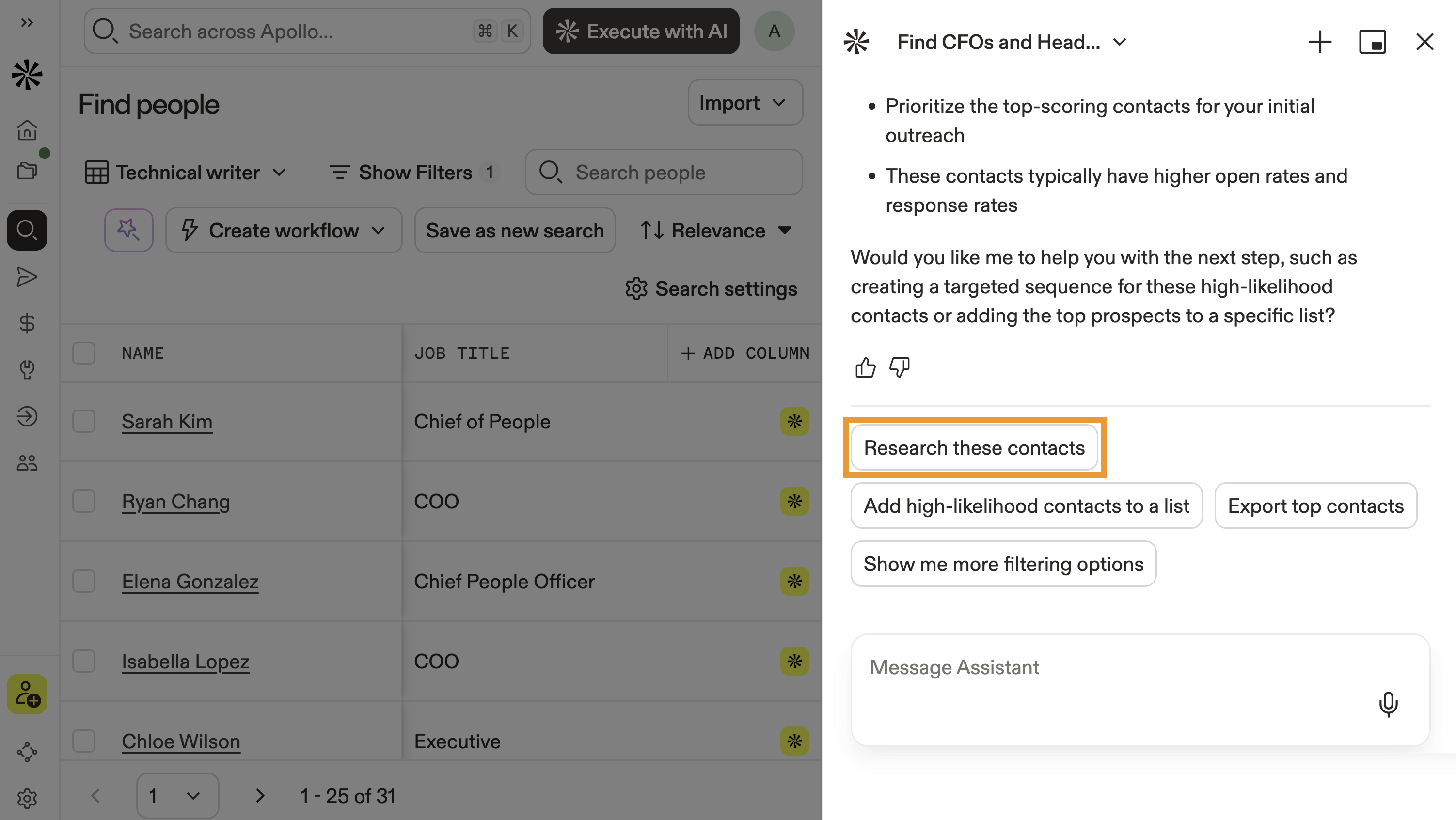
- Alternatively, ask the assistant for research in natural language, like:
Give me a quick overview of these companies before outreach.
Summarize this prospect's role and likely priorities.
Highlight recent funding, hiring trends, or growth signals for these accounts.
What should I know about this person before reaching out?
- The assistant analyzes available account and contact data and web-powered signals to generate concise summaries and insights. Continue refining your research until you're ready to personalize outreach.
You have now researched and summarized your prospects. Next, save and organize your results to prepare for outreach.
Save and Organize
Once you've identified, qualified, and researched your prospects, use the AI assistant to save and organize your results. You can add contacts or accounts to lists, export records, or prepare them for sequencing.
To save and organize prospects:
- Open the AI assistant from People or Companies.
- Reference your current results or describe the records you want to organize.
- Click to use a suggestion like Export contacts or click View all prompts to see more prompts.
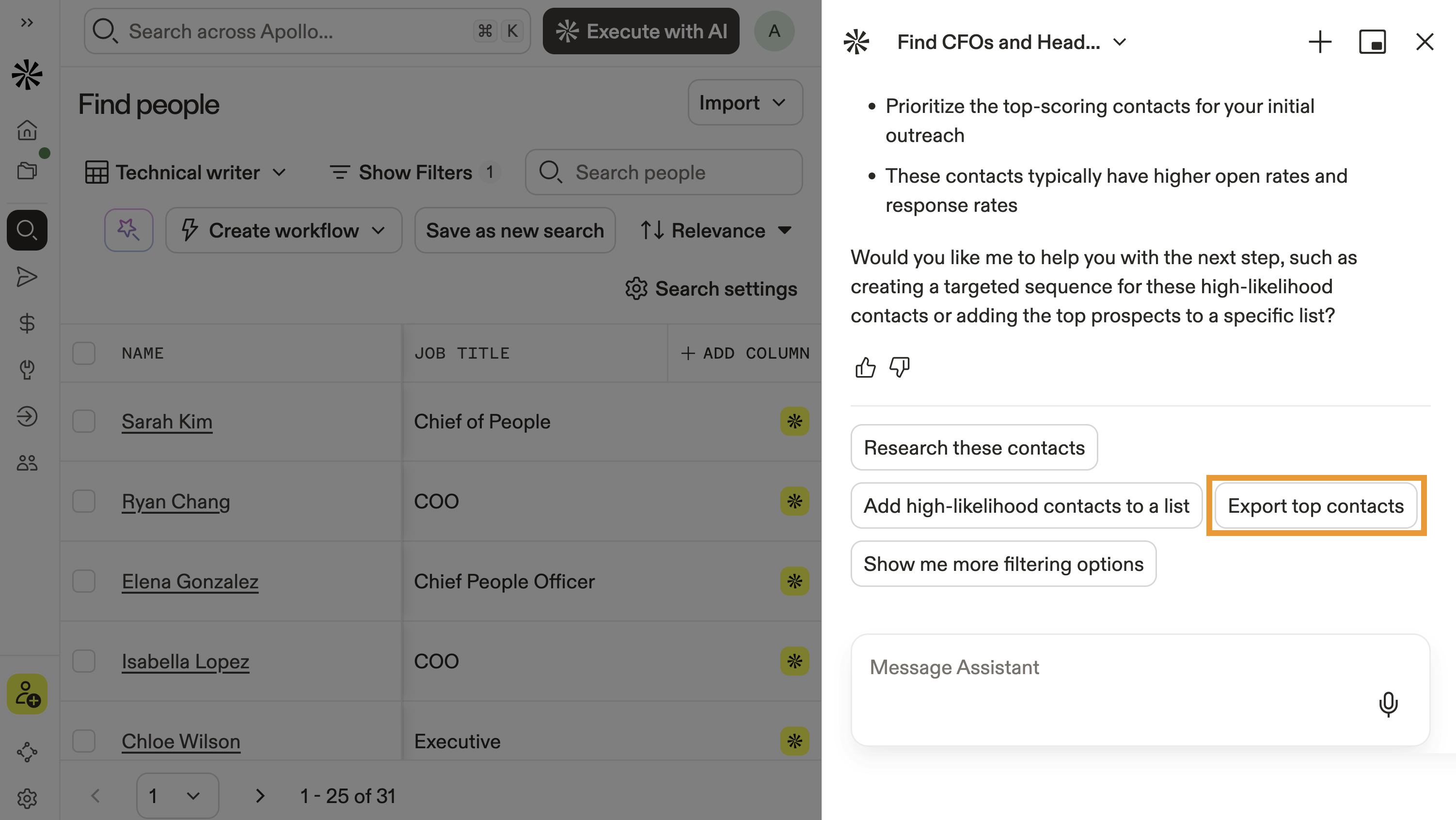
- Alternatively, ask the assistant in natural language, like:
Add these contacts to my Q1 outbound list.
Create a new list called Mid-Market Fintech Prospects and save these accounts.
Export this list to a CSV file.
Prepare these prospects for sequencing.
- Review the selected records, destination list, and any credit estimate before proceeding.
You have now saved and organized your prospects. You're ready to engage with prospects using the AI assistant.
Next Steps
Now that you've built and qualified your target list, keep the momentum going with these next steps.
| AI Assistant Overview | New to AI-powered workflows? get an overview of the AI assistant to understand how it supports prospecting, engagement, automation, and analytics. |
|---|---|
| Engage Prospects with the AI Assistant | Ready to move from list-building to outreach? engage prospects with AI to generate tailored messaging and launch sequences faster. |
| Analyze Your Performance with the AI Assistant | After launching outreach, analyze performance with AI to spot trends, improve reply rates, and optimize what is driving pipeline. |
| Apollo AI Overview | Want the bigger picture? explore Apollo AI to see how every AI workflow connects across your revenue motion. |