
Overview
Are you having trouble finding the right contacts to engage with at a company?
Apollo's suggest leads provide you net-new, high-value prospects that fit your target personas and prospect score. These recommendations can help you prioritize and generate pipeline faster by connecting you to the right people in just a few clicks.
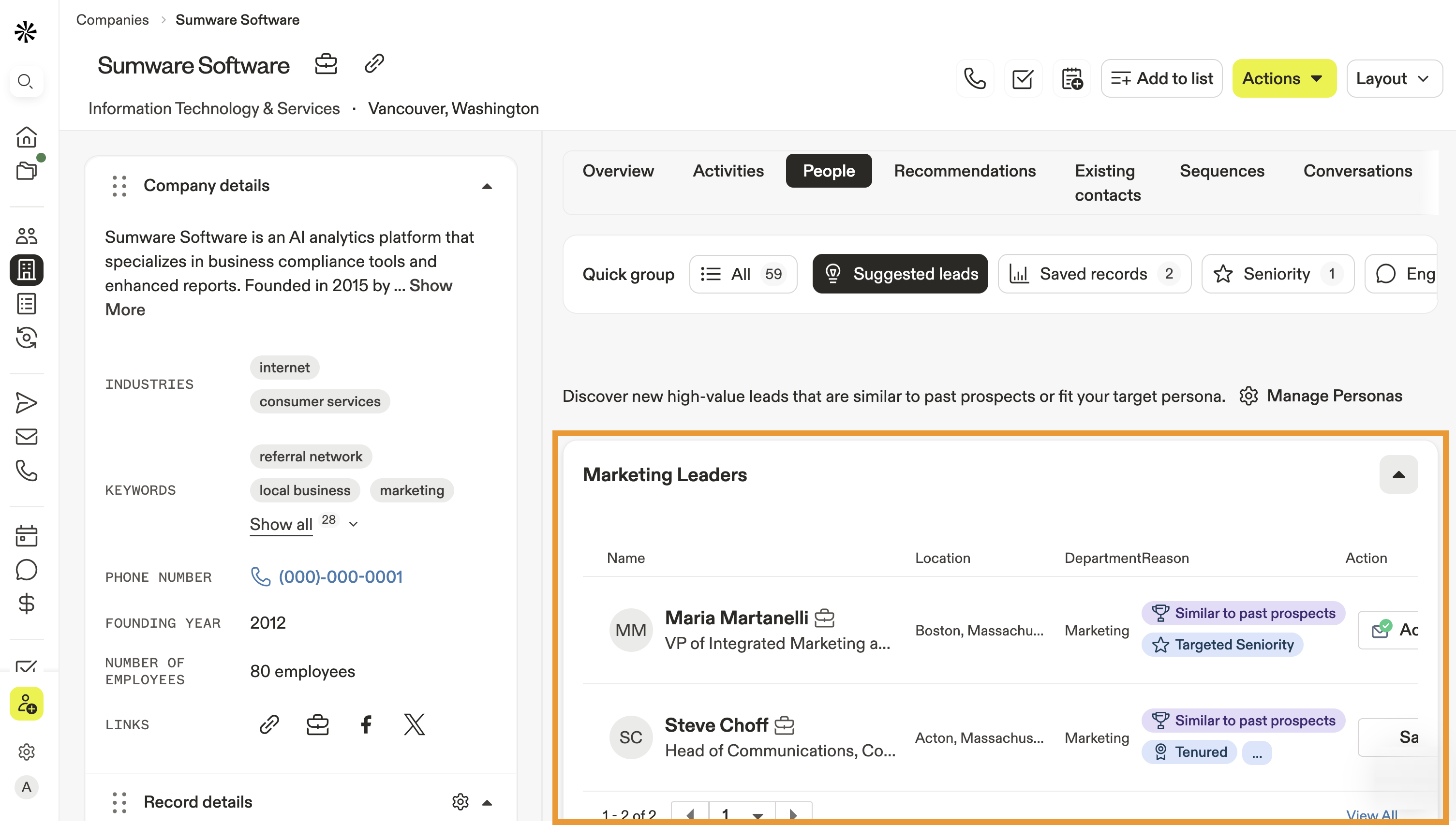
Check out the following sections to use suggest leads.
Use Suggested Leads
You can use suggested leads from the Apollo home page or from a company profile:
You can also use suggested leads directly from a company's website using the Apollo Chrome Extension.
To use suggested leads from the home page:
- Launch Apollo and navigate to Home.
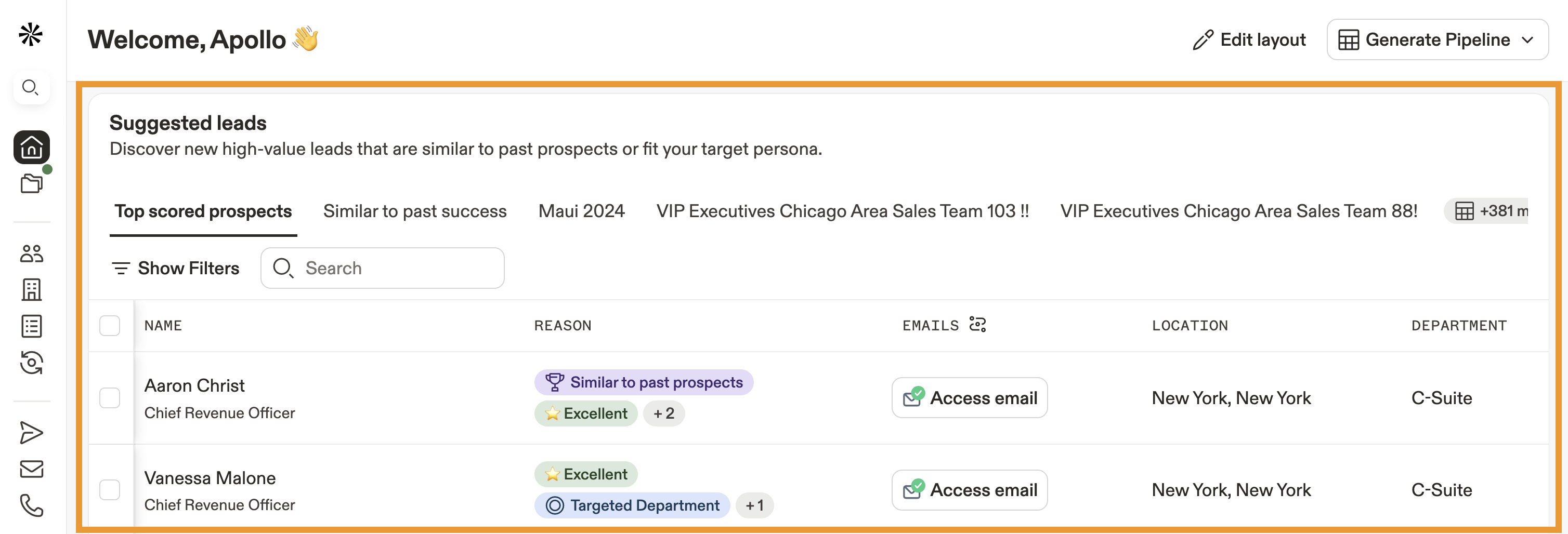
- Scroll to the suggest leads widget.
- Apollo shows suggested contacts based on your target personas, past prospecting, and prospect score.
What are personas and scores? Personas are a saved set of filters, like job titles, industries, and other firmographic traits that define the people you want to target so you can find qualified leads faster. You can create personas on Apollo to target buyers based on your specific product or service.
Scoring is a strategic approach to prospecting where you assign points to each of your prospects. Apollo automatically generates scores for prospects based on your prior prospecting activity.
- Apollo shares a reason for each suggested lead. Hover over the reason, like "targeted seniority," to learn more.
- Click Show filters to narrow results by search filters.
- Click a saved search to sort by previous prospecting.
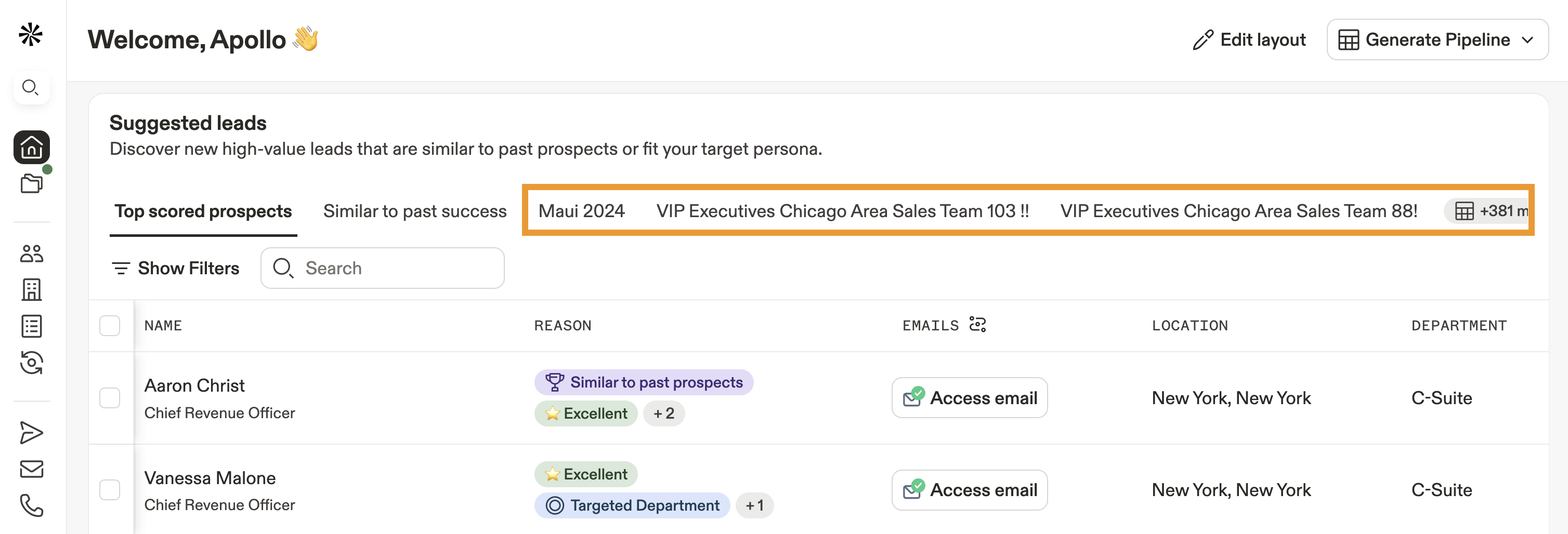
- Click a suggested lead to take immediate action. You can save the contact, call, email, prospect on LinkedIn, research with AI, or add them to a sequence or list.
You have now used suggested leads on Apollo.
- Launch Apollo and click Companies.
- Search by company name, or use search filters to narrow your results.
- Select a company.

- Then click People.
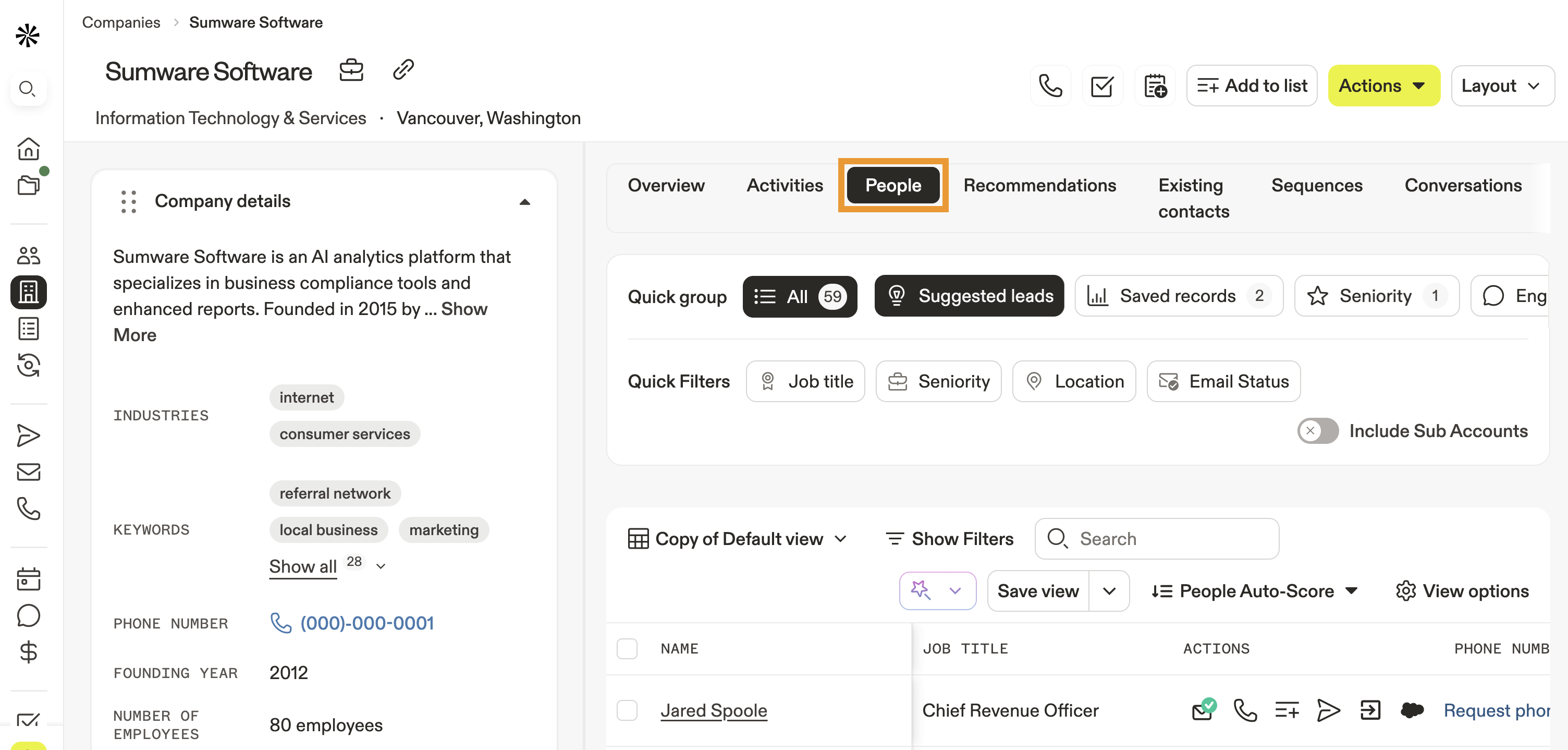
- Click Suggested leads.
- Apollo shows suggested contacts based on your target personas, past prospecting, and prospect score.
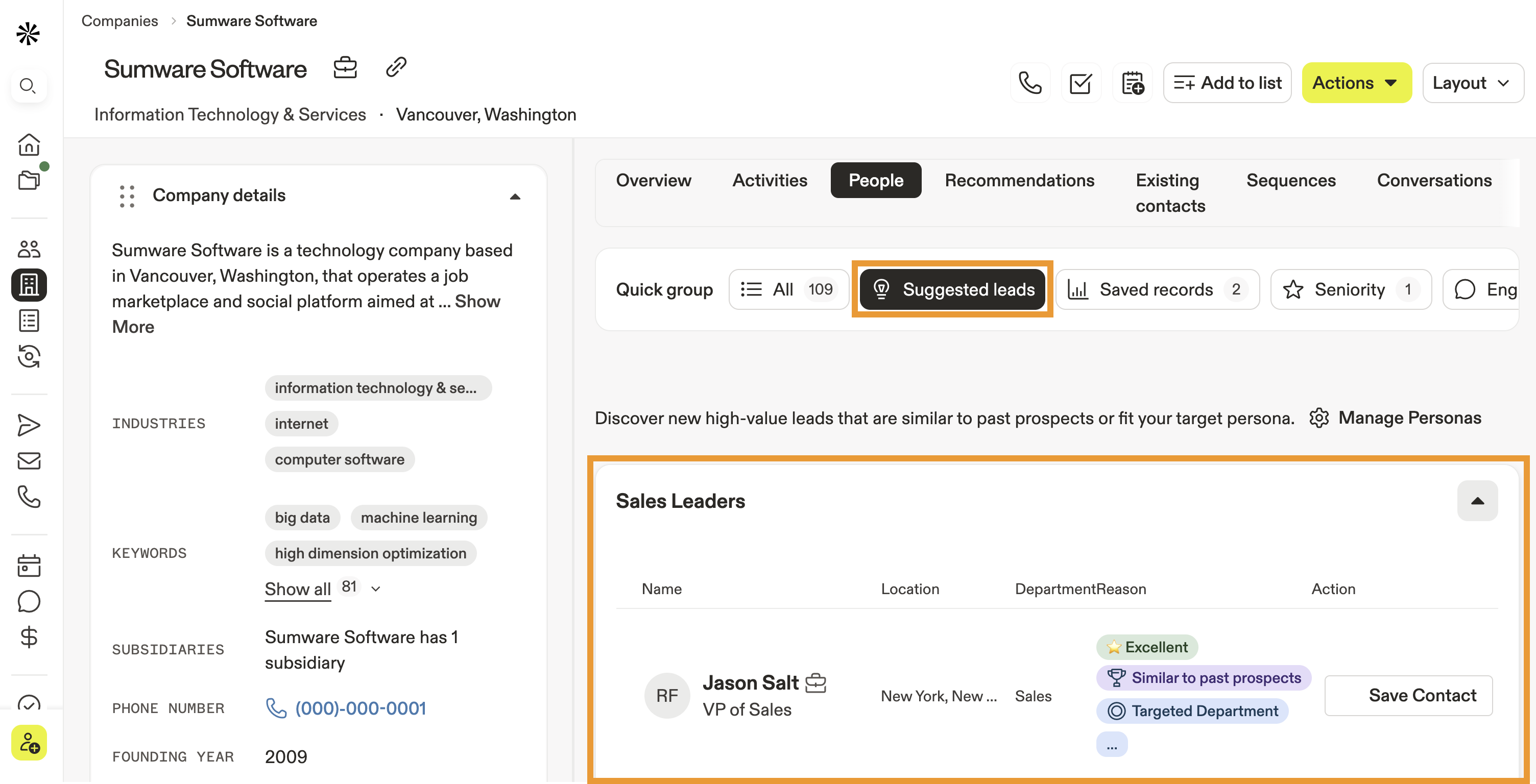
What are personas and scores? Personas are a saved set of filters, like job titles, industries, and other firmographic traits that define the people you want to target so you can find qualified leads faster. You can create personas on Apollo to target buyers based on your specific product or service.
Lead scoring is a strategic approach to prospecting where you assign points to each of your prospects. Apollo automatically generates scores for prospects based on your prior prospecting activity.
- Apollo shares a reason for each recommendation. Hover over the reason, like "targeted seniority," to learn more.
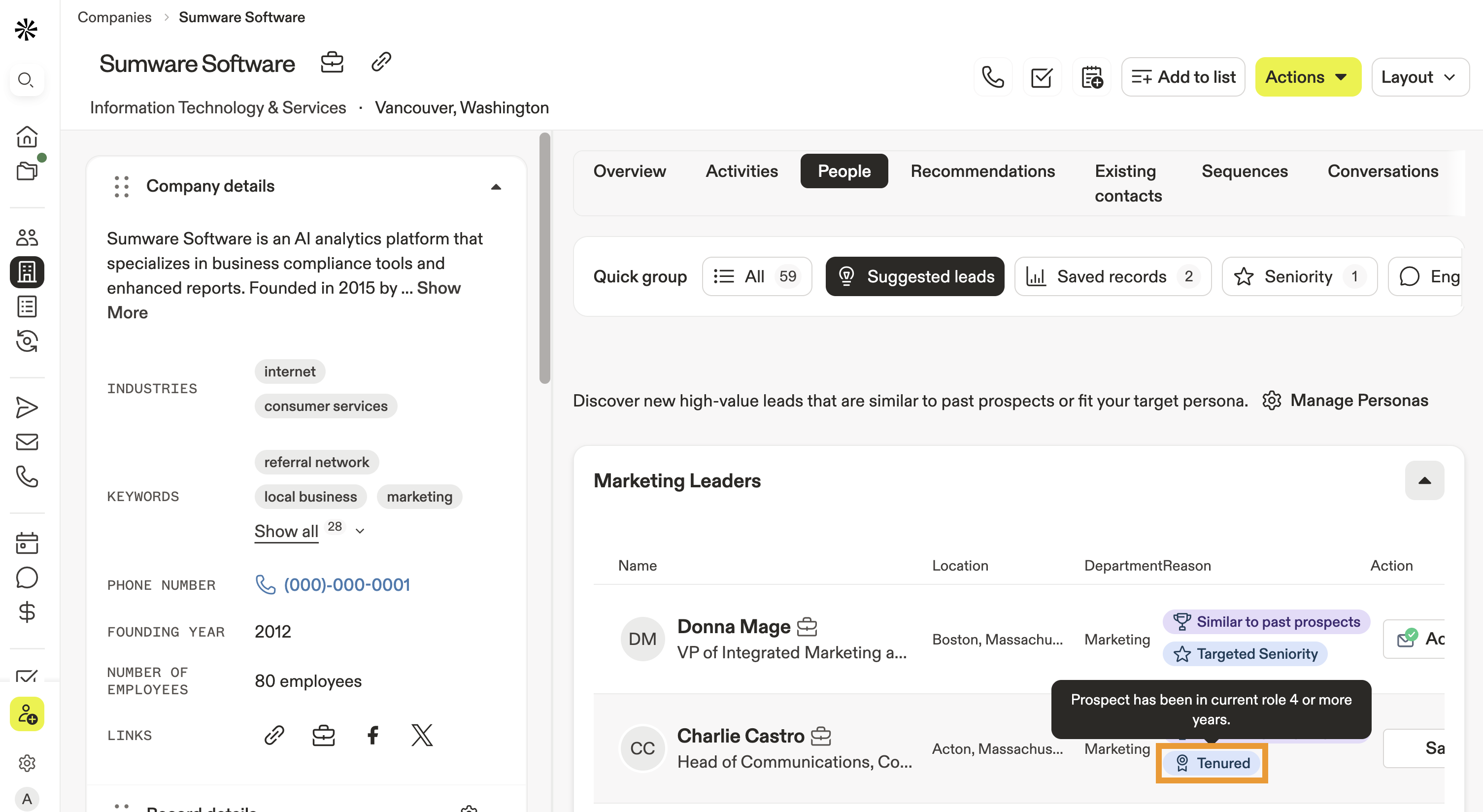
- Click a contact to take immediate action. You can save the contact, call, email, prospect on LinkedIn, research with AI, or adding them to a sequence or list.
- If you have multiple personas enabled, scroll to view additional suggested leads by persona. Click ▾ beside the persona to see more.
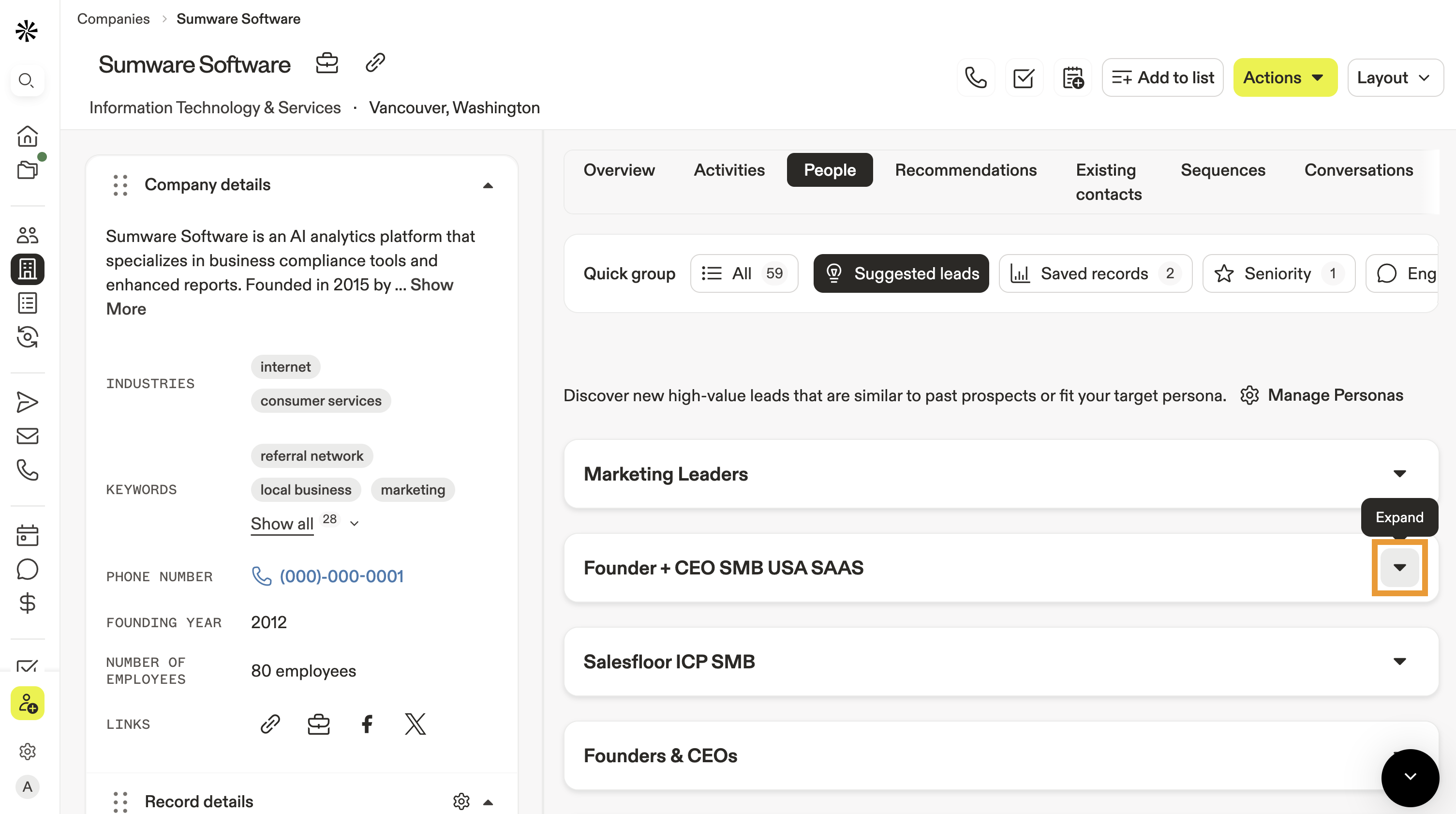
- Click Manage personas to create or edit your personas.
You have now used suggested leads on Apollo.
Next Steps
Ready to turn recommendations into actions? Use these resources to fine-tune personas, focus your searches, and begin outreach to the right people fast:
| View and Edit Accounts | Stay organized by viewing and editing accounts to understand a company, manage ownership, and keep your account data accurate for prospecting. |
|---|---|
| Apollo AI Overview | Explore how you can use Apollo AI to enrich research, generate smarter messaging, and surface insights that complement your account-based prospecting. |
| Identify Your Ideal Customer Profile (ICP) | Define what makes a perfect company fit: whether industry, size, revenue, geography or other criteria, use Apollo's ICP guide so you can focus your prospecting on the companies most likely to convert. |
| Create a Persona | Use personas to tell Apollo exactly which roles, seniorities, and traits you target so recommendations map cleanly to your ICP. |
| Access and Manage Personas | Manage your personas to activate, edit, or retire persona sets and instantly shape which contacts Apollo recommends at each account. |
| Search Filters Overview | Put targeting on rails by applying search filters to zero in on the right people inside each target account. |