
Overview
Scores help you identify the people and companies that best match your ideal customer profile. Apollo AI automatically scores prospects based on your company website, account information, and prospecting activity, using filters and signals to measure how closely each prospect matches your business.
You can use these auto-scores as-is or create a custom score to choose the filters and signals that matter most to your business.
A prospect's score reflects how well they match the criteria in the scoring model. Apollo groups scores into four levels so you can quickly identify the strongest prospect matches:
- Excellent
- Good
- Fair
- Not a fit

Some score features like AI auto-scoring are available on paid Apollo plans. If you need access to auto-scores or additional custom scores, upgrade your plan. If you have questions about upgrading, reach out to the sales team.
Check out the following sections to get to know scores on Apollo.
Get Started
Start prospecting with auto-scores, or customize how Apollo scores prospects when you need a model tailored to your business.
| Use a Score | Filter people or companies by auto or custom score to focus your prospecting on the prospects that best match your scoring criteria. |
|---|---|
| Create a Custom Score | Need manual precision? Create a custom scoring model that uses the filters and signals that matter most to your business. |
| Create and Use a Signal | Using custom scores? Create signals for specific prospect behaviors or attributes, then use them as criteria in your scoring model. |
FAQs
|
Frequently asked questions |
||
| How does scoring work? | What's the difference between an auto-score and a custom score? | How should I use scores when prospecting? |
| Can I score both people and companies? | How do I view the score for a prospect or company? | Why did a prospect get this score? |
| How many custom scores can I create? | Can I use AI scoring on my plan? | |
How does scoring work?
Prospects earn points when they match the filters and signals included in a score. Apollo adds the points from matched criteria to calculate the prospect's overall score, then groups scores into excellent, good, fair, or not a fit so you can quickly identify the strongest matches.
What's the difference between an auto-score and a custom score?
Auto-scores are generated by Apollo AI and are available without manual setup. Apollo selects the filters and signals that contribute to the score based on your company website, account information, and prospecting activity. Custom scores let you manually choose the filters, signals, and criteria that determine how prospects are scored.
Can I score both people and companies?
Yes, Apollo supports separate scoring for people and companies, so you can evaluate both individual prospects and the companies they work for based on how well they match separate scoring criteria. If you create a custom score, set a primary score for both people and companies. Apollo uses the primary score by default when your team prospects.
How many custom scores can I create?
You can create up to two custom scores on free and basic plans. Professional and organization plans include unlimited custom scores. If you need access to additional custom scores, upgrade your plan.
Can I use AI scoring on my plan?
AI lead scoring is available on paid plans, including basic, professional, and organization plans. It isn't available on free plans. If you need access to auto-scores with AI, upgrade your plan.
How should I use scores when prospecting?
Use scores to prioritize the people and companies that best match your scoring criteria. You can filter prospects by score to focus your prospecting on stronger matches, then review individual score details to understand why a prospect received that score. When you prioritize higher-scoring prospects, you can focus your time and outreach on the people and companies most likely to be a strong fit.
How do I view the score for a prospect or company?
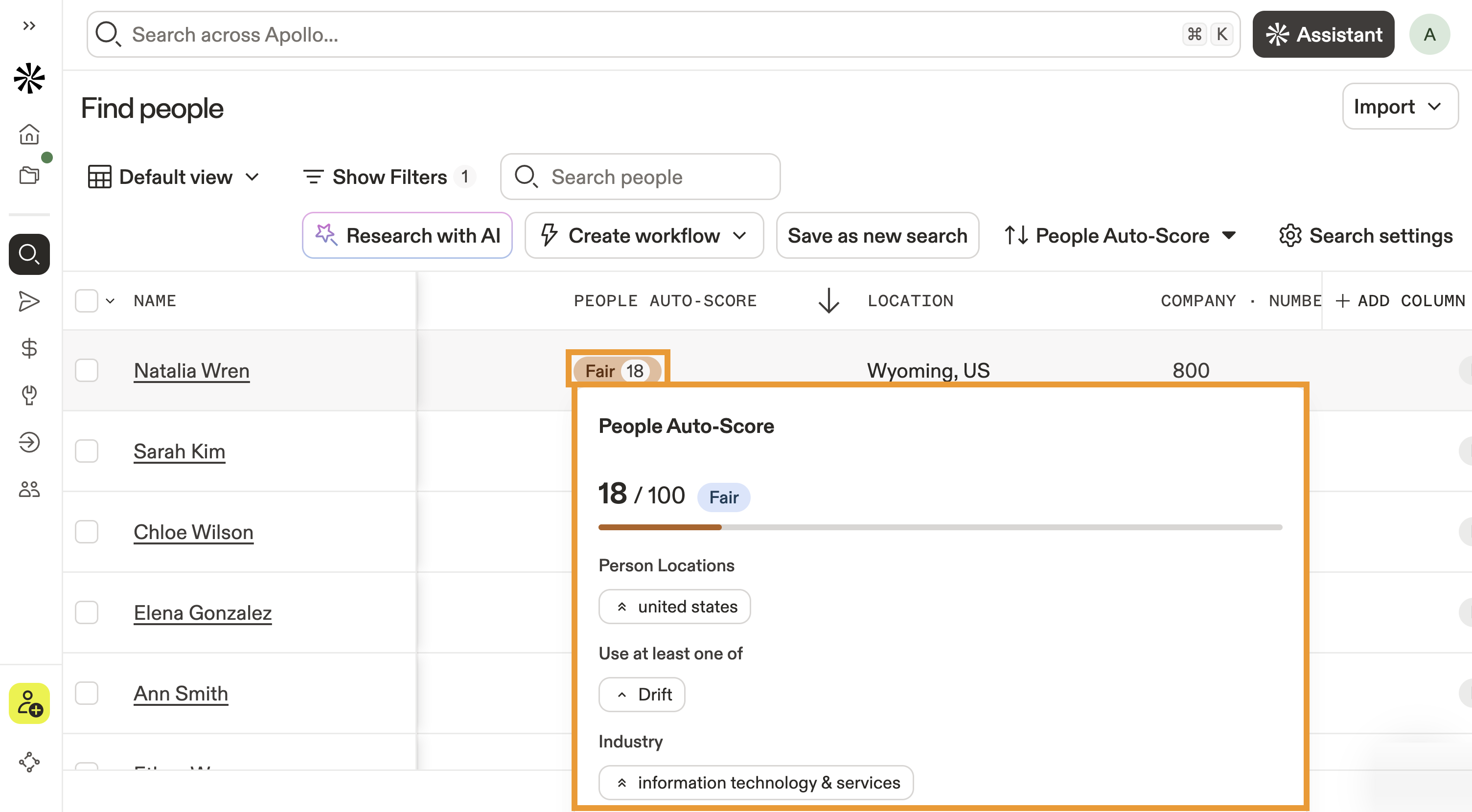
When you prospect for people or companies, Apollo displays a score for each result in the score column. Hover over an individual score to view more details about the prospect's fit and the criteria that contributed to the score.
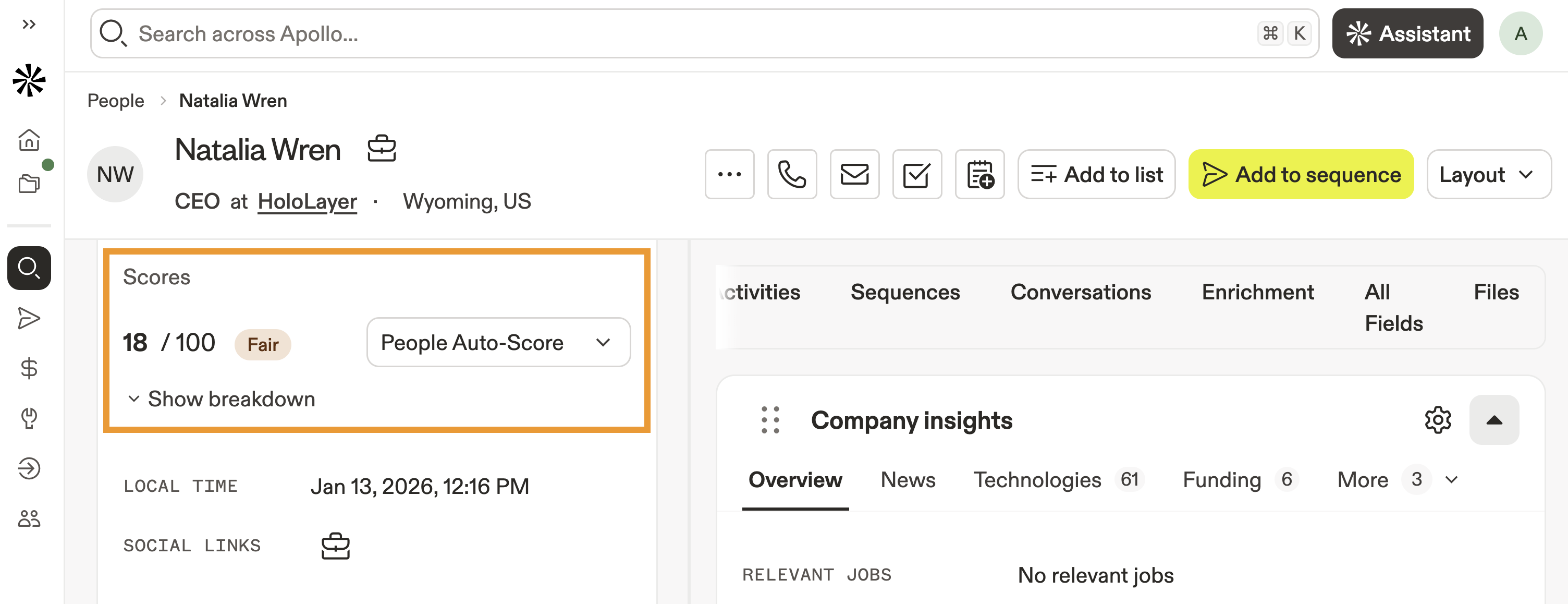
Click a prospect to view their profile and additional score details.
Why did a prospect get this score?
A prospect's score is based on the filters and signals they match in the scoring model. Prospects earn points for matched criteria, and Apollo adds those points together to calculate the overall score. Click a prospect's profile, then click Show breakdown to view the score details. Apollo shows which criteria contributed to the prospect's score.