
Overview
Cold emailing helps you initiate conversations with prospects who haven't yet engaged with your business. It's a useful starting motion when you have a defined audience, a clear reason to reach out, and one question or next step for the recipient.
Apollo helps you prepare your mailbox, write a focused first email, and send it to the right prospects.
As you work through this path, use these definitions to understand common Apollo terms:
Cold email: a first email to a prospect who hasn't engaged with your business.
Ideal customer profile: a description of the companies and people most likely to benefit from your product.
Dynamic variable: a placeholder that adds contact or company details to an email.
Mailbox: an email account connected to Apollo that sends your outreach.
Sequence: a planned series of emails and tasks for follow-up.
Snippet: reusable text you can add to an email.
Workflow: an automation that acts when prospects or companies meet defined conditions.
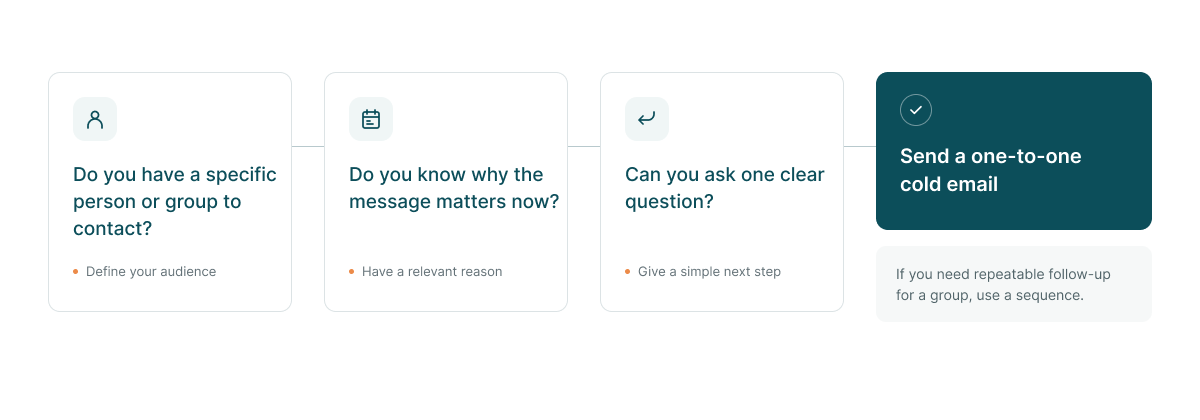
Check out the following sections to plan your email, prepare your mailbox, send your first email, and choose your next motion.
Plan Your Email
Before you write, decide who you want to reach, why the message is relevant now, and what you want your prospects to do next. Start with prospects who share a role, need, or recent change so your message addresses something they have in common.
If you haven't already, define your ideal customer profile to identify the companies and people most likely to benefit from your product.
Then plan your email around three decisions:
- Who you're reaching: Choose a focused group of prospects with a shared role or need. Check out how to find and identify new customers.
- Why you're reaching out: Connect your message to a challenge, priority, or change that is relevant to that group.
- What you want them to do: Ask one clear question or suggest one next step.
Personalization should explain why your message matters to the recipient. A personalized message always beats out a generic one. For high priority prospects, spend more time researching their role, company, and potential needs. Features like buying intent, AI research, and the AI assistant can help you find and verify relevant details. For example, if a company announces an expansion, explain how your product could help with a related challenge without assuming you know its internal priorities.
For a broader audience, start with a shared need. You could group operations leaders who manage prospect data, then adapt the introduction and closing question for each person.
For this exercise, keep your first outreach focused. A clear audience, relevant reason, and simple next step make it easier for prospects to understand why they should respond.
If you need some email inspiration, check out sample outbound email templates.
Prepare Your Mailbox
Next, link your mailbox to Apollo. Apollo supports Gmail, Google Workspace, Outlook, Yahoo, iCloud, and other providers that support IMAP and SMTP. Gmail provides the most complete Apollo functionality. You can link multiple mailboxes to balance outbound volume.
Linking your mailbox allows Apollo to send emails you write and sync email and calendar activity so you can manage outreach. Apollo doesn't manually read any email communications, and each person must sign in and link their own mailbox. Learn more about how Apollo protects your data.
If your organization uses Microsoft 365, your Microsoft administrator may need to approve your connection. You can only link a single mailbox to one Apollo workspace at a time.
If you want to start fresh with a new mailbox, generate an email address and sending domain on Apollo using your own branding.
Send Your First Email
Use a one-to-one email when you have a specific reason to contact a prospect and want to tailor the message to their situation. Keep the email short: explain why you're reaching out, connect that reason to the prospect's role or company, and ask one question.
Use Apollo's tools to personalize your message:
- Dynamic variables add contact or company details to your message. Explore advanced variables or custom variables when you need additional personalization.
- Snippets let you reuse short passages, such as a product explanation or response to a common question. Adjust the surrounding text so the passage fits the recipient.
- Consider a personalized video when a demonstration would explain your point more clearly than text.
To send your first email:
- Launch Apollo, then click Prospect > People.
- Search for and open a prospect from the group you planned.
- Click Email, then select the email address and mailbox you want to send from.
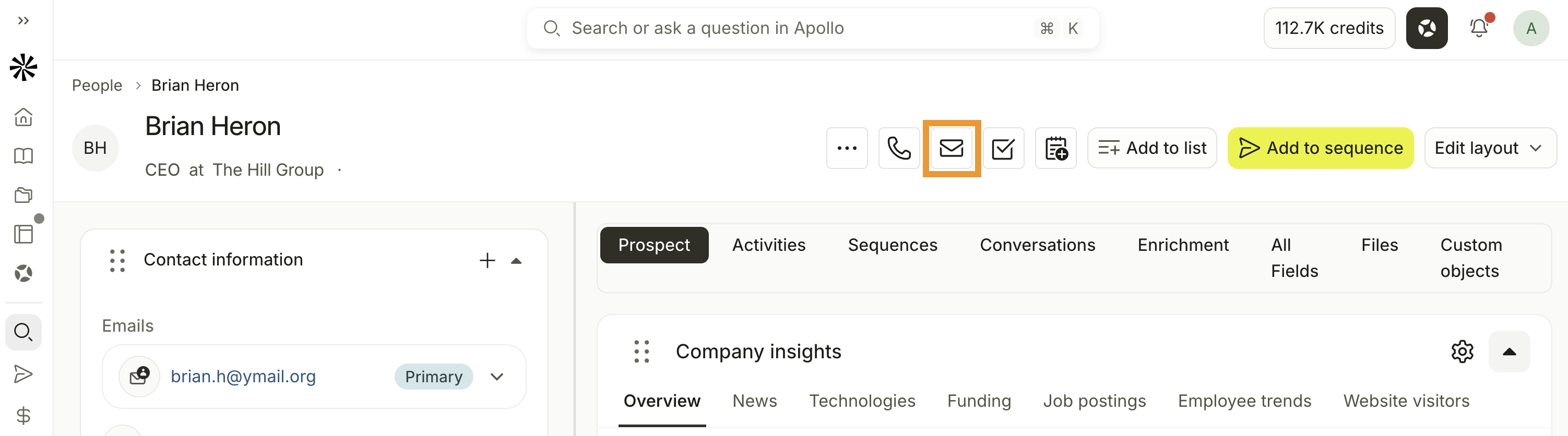
- Write a subject line and message that reflect the audience, reason, and next step you planned. If you need a first draft, use the writing assistant.
- Check that the contact details are accurate. If you used dynamic variables, verify they have the information they need. Finally, align any templatized content with the recipient. Then click Send now, or click Schedule to choose a delivery time.
If you already work in Gmail, the Apollo Chrome Extension lets you use Apollo while composing emails. You can start with a template, add a snippet that explains your product's relevance, and personalize the message for the recipient.
For more guidance on subject lines, message structure, and calls to action, check out how to write effective sales emails.
Choose Your Next Motion
You've planned, prepared, and sent your first cold email. This gives you a feel for how outreach on Apollo works. Now you're ready to scale up based on how you want to reach prospects.
| Follow up with a group | Run a multichannel outreach sequence to coordinate emails, calls, LinkedIn tasks, and other touchpoints for a defined group of prospects. This allows you to plan and optimize each step of the prospect journey. |
|---|---|
| Automate who enters outreach | Create a workflow to automatically act when prospects meet the conditions you define. Workflows can add prospects to sequences or assign a follow-up task and more. |
| Manage replies | View and respond to emails directly on Apollo to keep conversations moving. You can also review messages that Apollo couldn't send to fix sending issues. |
| Protect your ability to reach inboxes | Email deliverability is an exercise in staying up-to-date with provider expectations and industry standards. Review email deliverability best practices before you increase your sending volume. |